12
Fury X-3 Installaon and Operang Instrucons
Record Detail
Detail Informaon
Timestamp Date and me of charge event
Duraon Length in hh:mm:ss of the charge event
Baery ID Baery name
Baery Serial Baery serial number
Module Serial Module or power logger serial number
Baery Info Voltage and capacity of baery
SOC Start and end SOC
Voltage Start, end, and max baery voltages
Temperature Start, end, and max baery temperatures
Amp Hours Returned Amp hours returned to the baery
Charge Prole Charge prole used during charge
OS/App Version Operang system and applicaon version numbers
Terminaon Reason for event terminaon
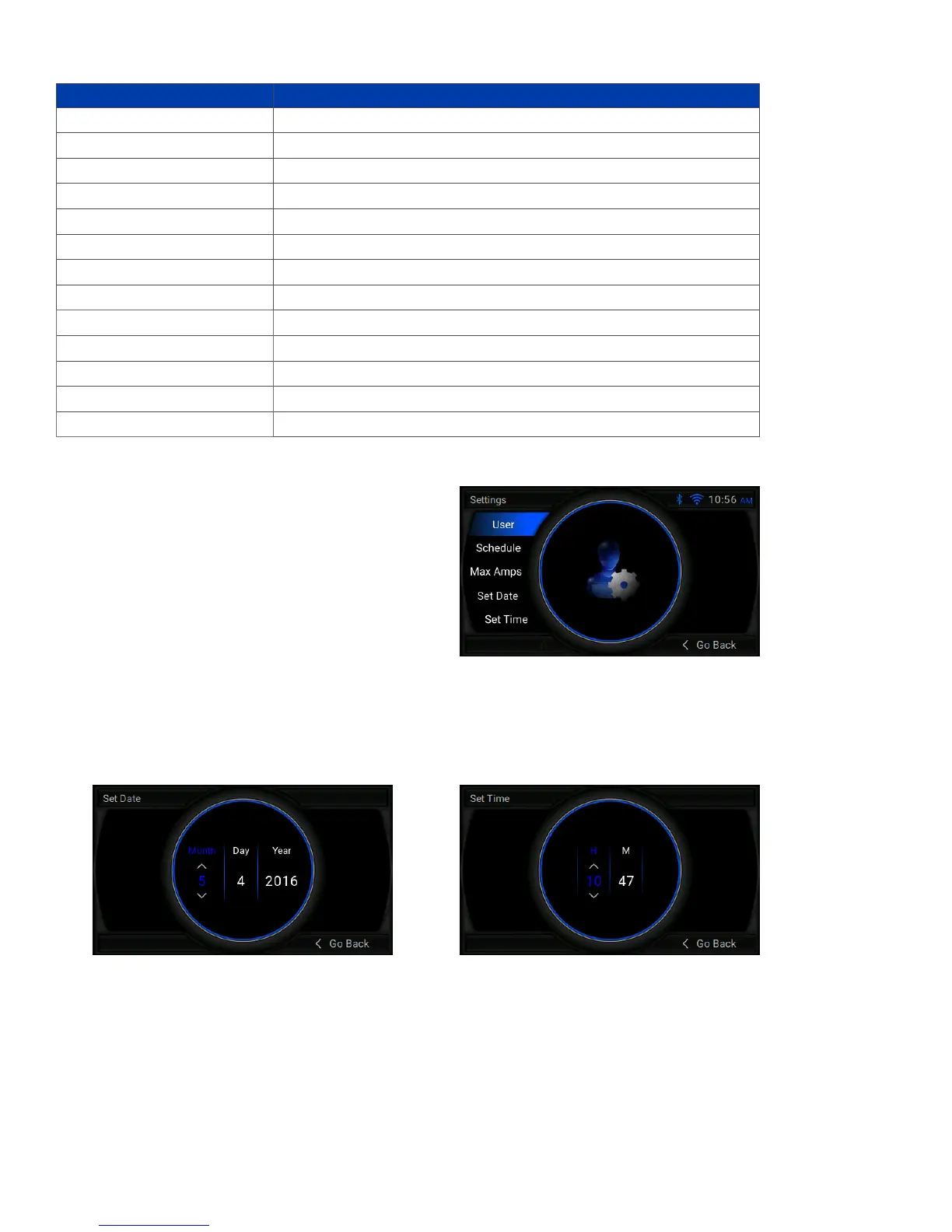
Sengs
Set Date and Time
Info (System Informaon)
Sengs Menu: This menu allows a user to browse current
user sengs for the charger.
User Sengs: Displays the currently congured user sengs.
Schedule: Displays the Finish/Eq, Mix, and Finish
Makeup schedules.
Max Amps: Displays the max ampere sengs for
various baery sizes.
Set Date: Allows a user to set the date on the display.
Set Time: Allows a user to set the me on the display.
Type
Serial number
Applicaon version
Drawer quanty
Kilowa rang
Max output current
Cable conguraon
Voltage seng
From the Sengs Menu, select Set Date or Set Time. Use the le and right arrows to highlight a property and the up and
down arrows to change that property. Note: the Set Time Menu uses a 24-hour clock.
This screen displays the following informaon about the charger:


 To Next Page