13
Fury X-3 Installaon and Operang Instrucons
USB
SERVICE AND TROUBLESHOOTING
Download Charge Records
Power Module Error
System Error
Update Soware
A charger can transfer its charge records to a USB drive. For
instrucons on transferring data, contact your local sales
representave.
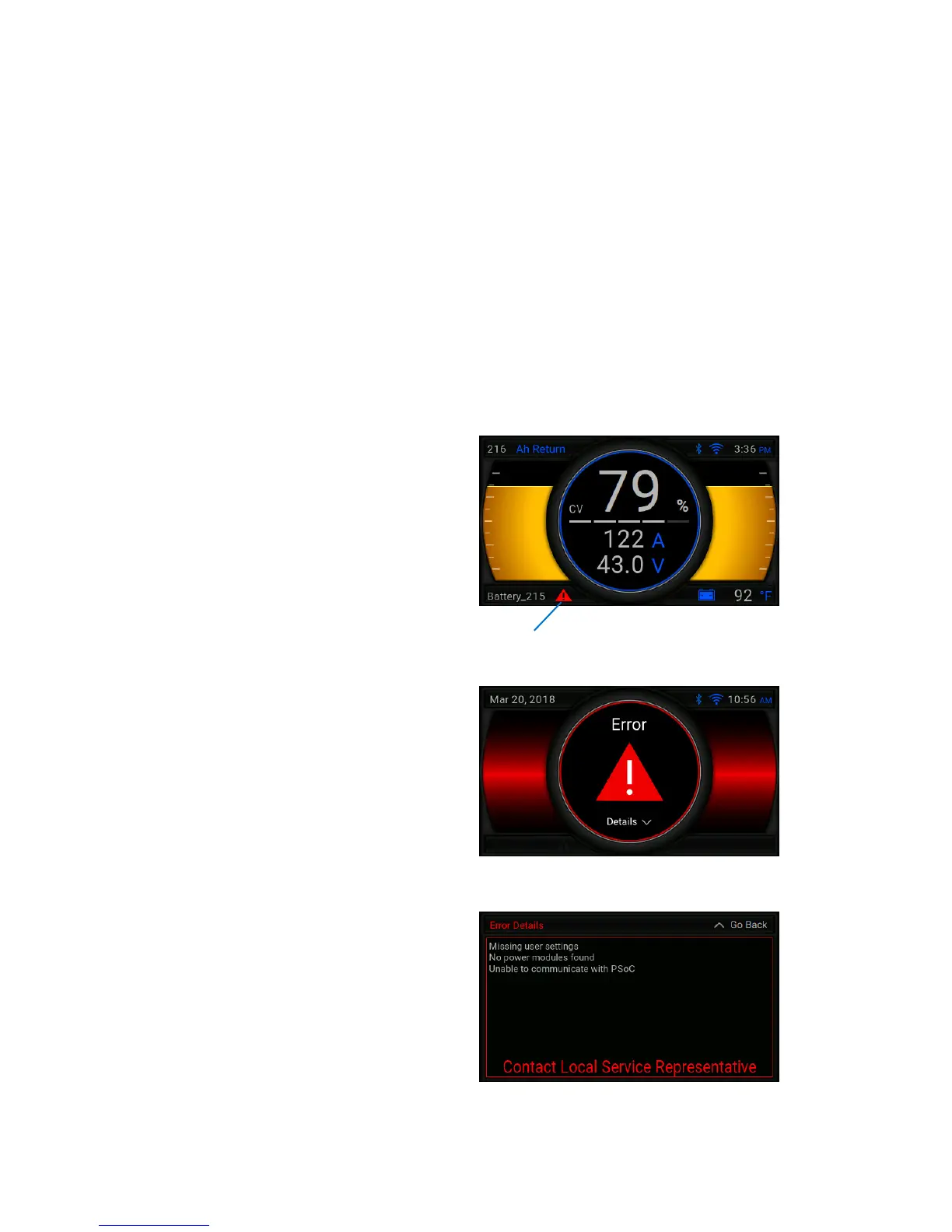
If an error occurs and the charger can keep charging, the red
warning symbol will ash in the boom-le of the screen.
This error indicates one or more modules has an error.
If an error occurs that restricts the charger from running
properly, the following screen will be displayed:
To nd more informaon on the error, press the down
arrow on the navigator to access the Error Details
screen.
For service, please contact your local sales representave.
A USB sck can be used to update the charger’s soware. If you
need assistance with updang charger soware, please contact
your local sales representave.
Module Error Indicator


 To Next Page
 Loading...