48
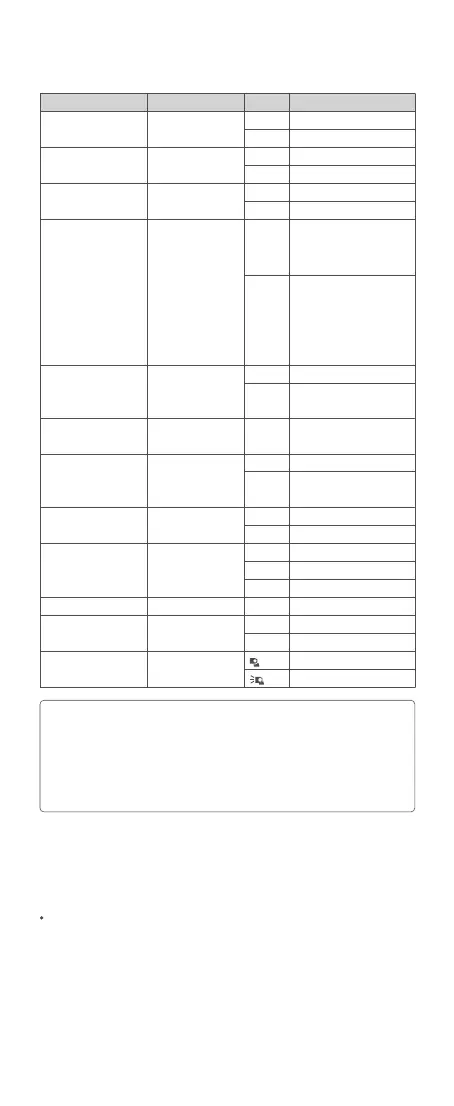
C.Fn: Setting Custom Functions
Custom Function Signs
m/ft
AF
STBY
RX STBY
SCAN
CH
ID
BEEP
LIGHT
LCD
FEB ACL
TX
Function
Distance indicator
AF-assist beam
Auto sleep setting
Receiver auto
power off timer
Scan the spare
channel
Wireless Channel
ID
Beeper
Backlighting time
LCD contrast ratio
FEB auto cancel
Transmitter
unit control
Options
m
ft
ON
OFF
ON
OFF
60min
30min
OFF
START
01-32
OFF
01-99
ON
OFF
12sec
OFF
ON
-3~+3
ON
OFF
Settings & Description
m
Feet
ON
OFF
ON
OFF
Power off automatically
after 60 minutes of idle
use when the flash is set
as a receiver unit.
Power off automatically
after 30 minutes of idle
use when the flash is set
as a receiver unit.
OFF
Start to scan the spare
channel
Choose channels from
01-32
OFF
Choose any gure from
01-99
ON
OFF
Off in 12 sec.
Always off
Always lighting
7 levels
ON
OFF
OFF
ON
Press the menu button to enter C.Fn settings.
1. The “Verx.x” in the top-right corner refers to the software version.
2. Turn the select dial to select the custom function No. and its parameters.
3. Press set button to select the custom function No. and conrm its setting.
4. After you set the custom function and press <MENU> menu button, the camera
will be ready to shoot.
5. Press and hold the function button 1 <CLEAR> in the MENU interface until “OK” is
displayed on the panel, which means the parameters in C.Fn are reset.
Note
:
Control with the Camera's Menu
If the camera flash is attached to an EOS camera which has a camera control
function, the flash can be controlled using the camera’s menu screen. For the
menu operation procedure, refer to your camera’s instruction manual.
Setting Camera Flash Functions
The following flash functions are settable according to different flash modes.
1. Flash mode
2. Shutter sync
3. FEB
4. Flash exposure compensation
5. Flash ring
6. Clear camera flash’s settings



 To Next Page