EN - 67
EN
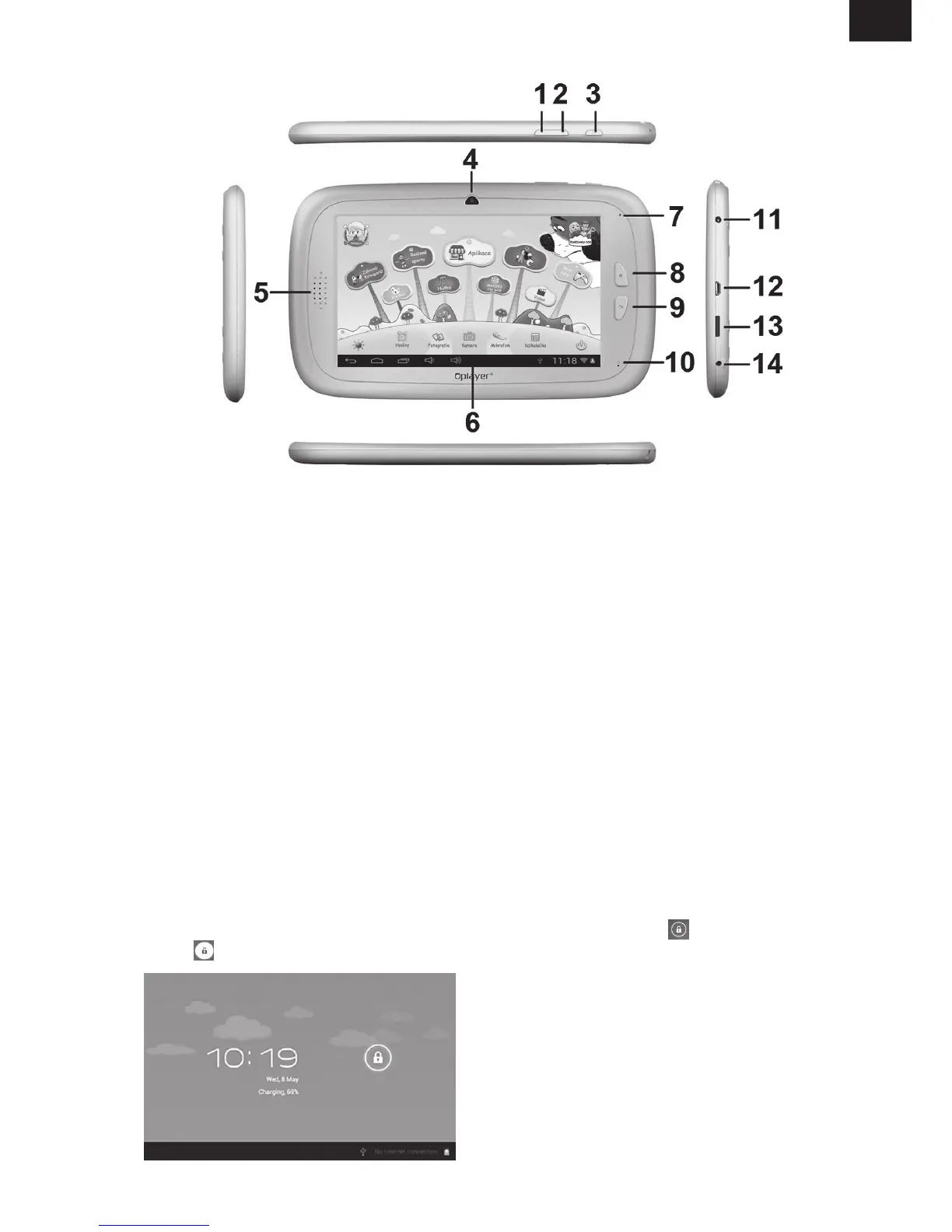
1. VOL
–
2. VOL +
3. Power
4. 0.3 Megapixel front camera
5. Speaker
6. Screen
7. LED Indicator
8. Home button
9. ESC (Back button)
10. MIC
11. DC jacket
12. USB 2.0 Micro USB / USB OTG port
13. T-flash card slot
14. Earphone Jacket
• Working: Blue LED Indicator
• Charging: Red LED indicator
• Fully Charged: Red LED Indicator turns to Blue LED Indicator
• When the device is in the OFF mode, press and hold “Power” button for 3 seconds to
enter the Android startup progress bar. It takes about 28 seconds to enter the system
desktop.
• When the LCD screen is under LOCK mode, press and slide the
icon towards
the icon to unlock the LCD screen,See the figure below:



 To Next Page