EasyManua.ls Logo

Gogoro S2 - User Manual

Default Icon
34 pages
Print Icon
To Next Page IconTo Next Page
Loading...
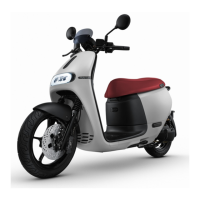
Gogoro 2 Smartscooter
®
Owner Manual
Copyright© 2020 Gogoro Taiwan Limited All rights reserved. Any portion of this user manual shall not be forwarded,
reproduced or copied in any form unless a prior written consent is received from Gogoro Taiwan Limited.
Manufacturer: Gogoro Taiwan Limited
Address: 33, Dinghu Rd., Guishan Dist., Taoyuan City, Taiwan 33378
Series (Model): Gogoro 2 Utlity, Gogoro 2 Plus Utlity, Gogoro 2 Plus, Gogoro S2, Gogoro S2 ABS, Gogoro 2 Deluxe
iQ Version 5.1
Question and Answer IconNeed help?

Do you have a question about the Gogoro S2 and is the answer not in the manual?

Summary

Before You Hit the Road

Safety Notice

Essential safety guidelines and precautions for riding the Smartscooter.

Locking, Unlocking, Power On and Opening Trunk

Models with iQ System Smart Key Card

Instructions for locking, unlocking, and powering the scooter using the iQ System® Smart Key Card.

Moving and Stopping

Startup and Takeoff

Guide to starting the scooter and preparing for takeoff.

Stopping Procedures

Instructions on how to safely slow down and stop the Smartscooter.

Battery exchange

GoStation Overview

Introduction to the GoStation® service for battery swapping and its features.

Smartphone Application and Personalisation

Downloading and Installing the Gogoro App

Instructions for obtaining and installing the official Gogoro® mobile application.

Pairing Your Phone with Smartscooter

Guide to connecting your smartphone to the Smartscooter via Bluetooth for app functionality.

Maintenance

Check the Following Before Your Ride

Essential pre-ride inspection checklist to ensure the Smartscooter is safe and ready for use.

Gogoro S2 Specifications

General IconGeneral
BrandGogoro
ModelS2
CategoryScooter
LanguageEnglish

Related product manuals