Reversing
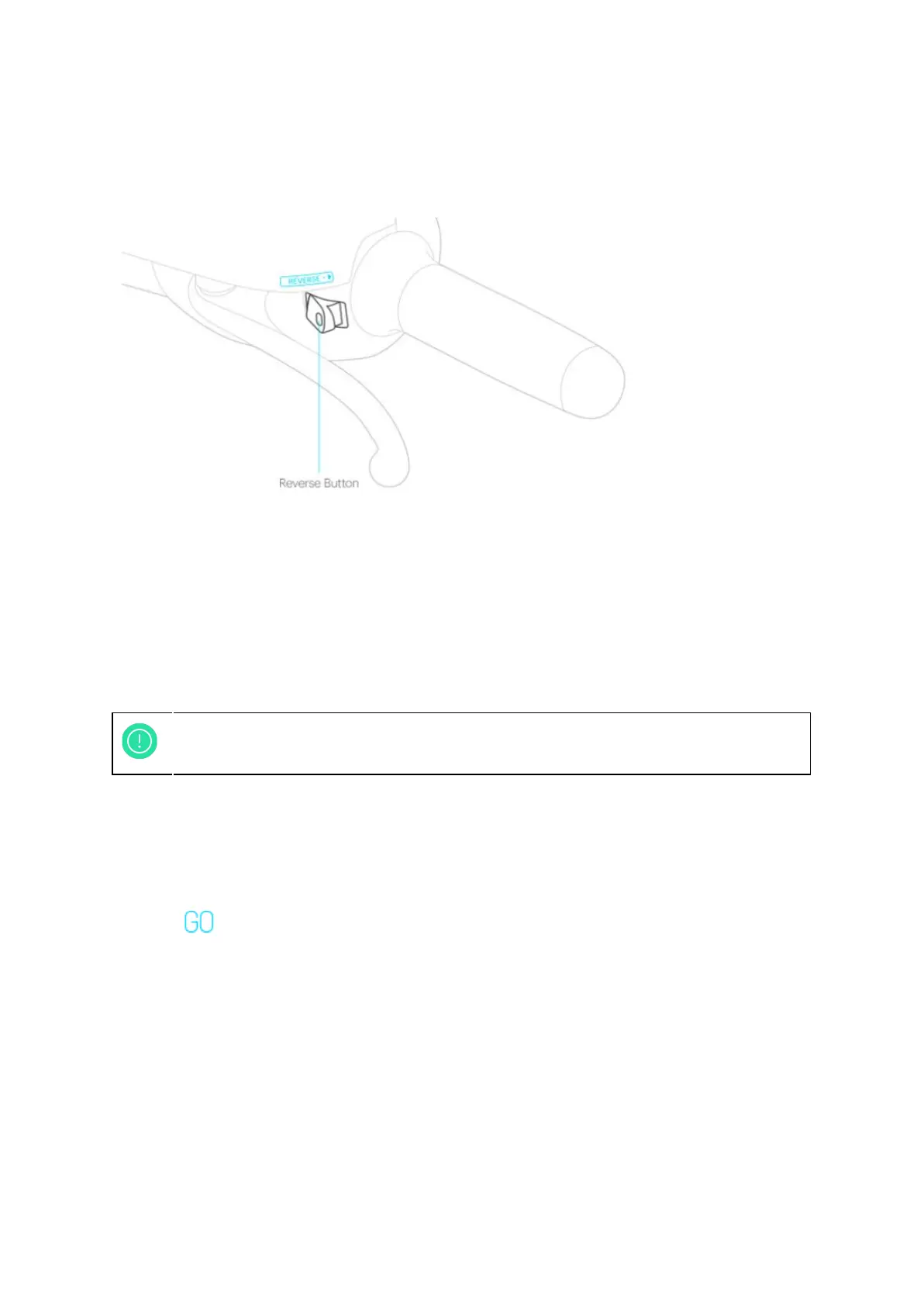
Figure 3-2: Reverse button
Please follow the instructions below to reverse:
● Make sure the scooter is started and is in motor standby mode.
● Make sure the scooter is in complete standstill and its electronic throttle is not
activated.
● Press the reverse button, the Smartscooter® will reverse slowly with flashing and
audible warning signs.
Motor Shut-off and Locking Scooter
● Please make sure the Smartscooter® is completely stopped and standstill before
shutting off the motor.
● (Models with iQ System® Smart Key Card) Hold the brake lever and press the
“GO” button or extend the side stand to shut the motor off; the
speedometer display turns off and the electronic throttle will deactivate when the
motor shut-off.
● (Models with mechanical key) Turn the key to “OFF” position.
● Lower the side stand or main stand to park the scooter firmly.
● Turn the handlebar to the left end.
● (Models with iQ System® Smart Key Card) Swipe iQ System® Smart Key Card and
the handlebar will be locked after the “click” sound.
● (Models with mechanical key) Push the key toward and turn the key to “LOCK”
position. Press the “SHUT” button to close the keyhole shutter.
18



 To Next Page