17
ART 7W/G2+ MONITOR
Recordings menu
Video
0 00301 /
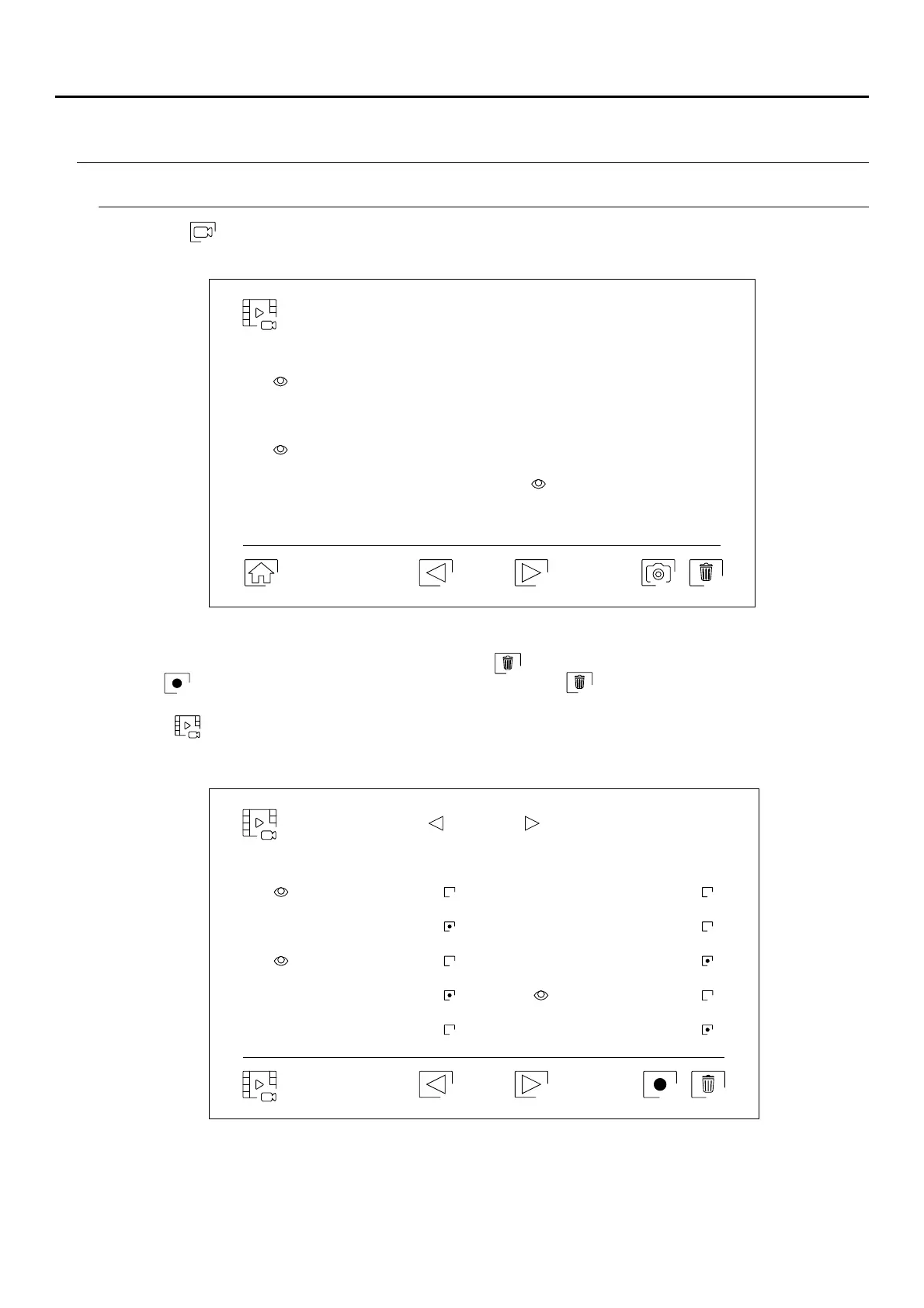
Use icon to return to the video recordings list.
To delete one or more recordings from the list, use icon . Press on the recordings you wish to delete or use
icon to select all of them. Confirm your selection using icon : a warning screen will request your final
confirmation.
Delete video
01 / 03
0 00301 /
Press icon to access the video recordings.
Continued overleaf
Continued from previous page.
Important: New settings menu with ART 7W G2+ monitor with V.04 and later.
ART MONITOR7W/G2+
20-04-2020
11-04-2020
20-04-2020 08-04-2020
17-04-2020
04-04-2020
15-04-2020 01-04-2020
12-04-2020 22-03-2020
18:12:23
20:27:25
12:27:22 11:17:10
16:41:33 15:43:50
09:55:42
22:11:00
23:00:00 08:07:06
20-04-2020 10-04-2020
18-04-2020 08-04-2020
16-04-2020
06-04-2020
14-04-2020 04-04-2020
12-04-2020 02-04-2020
11:17:10 11:17:10
11:17:10 11:17:10
11:17:10 11:17:10
11:17:10
11:17:10
11:17:10 11:17:10



 To Next Page