27
SPECIAL CODES
The enabling of some functions, as well as the modification of some factory parameters, can be carried out by entering
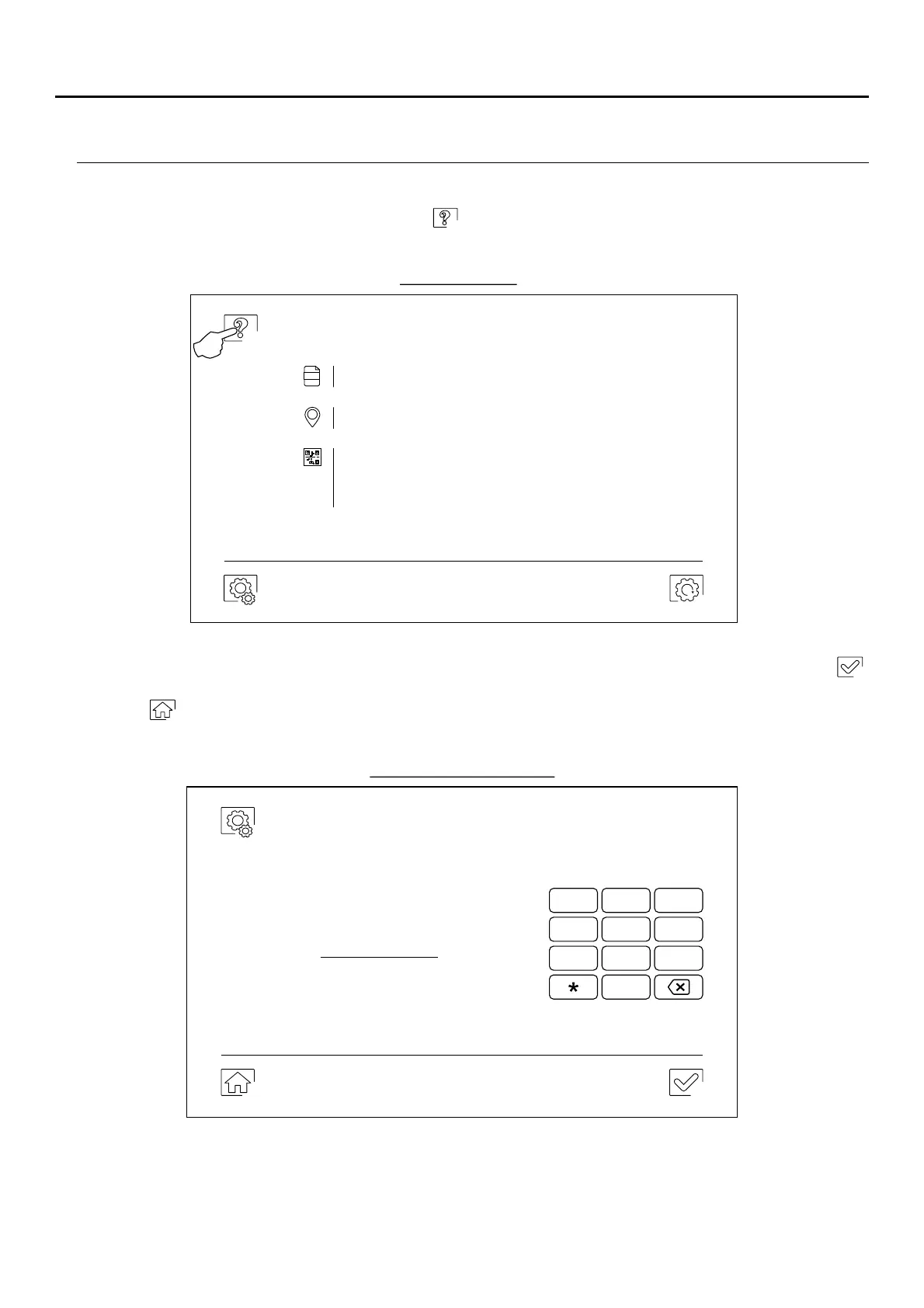
special codes. To do so, the installer menu must be accessed from the monitor. Go to the 'About' screen in the
settings menu (p. 1 ) and press five times on icon in the top left of the screen to bring up a keyboard to enter the
codes.
0
The 'special codes' screen will then be displayed. The codes must be entered one by one and validated using icon .
If the code entered is valid, the 'OK' message will be displayed; if not, the 'ERROR' message will be displayed.
Use icon to return to the 'About' screen.
0141
1
4
2
5
3
6
7 8
0
9
Settings
About
FW
Monitor address
Instructions manual
Ap sp
001/M
1.05
'About' screen
‘Special codes' screen
Press 5 times
Continued overleaf
Important: New settings menu with ART 7W G2+ monitor with V.04 and later.
ART MONITOR7W/G2+



 To Next Page