15
Continued from previous page.
0 0014 / 020
0 -0 -21 7 019 11:17:10
1
4
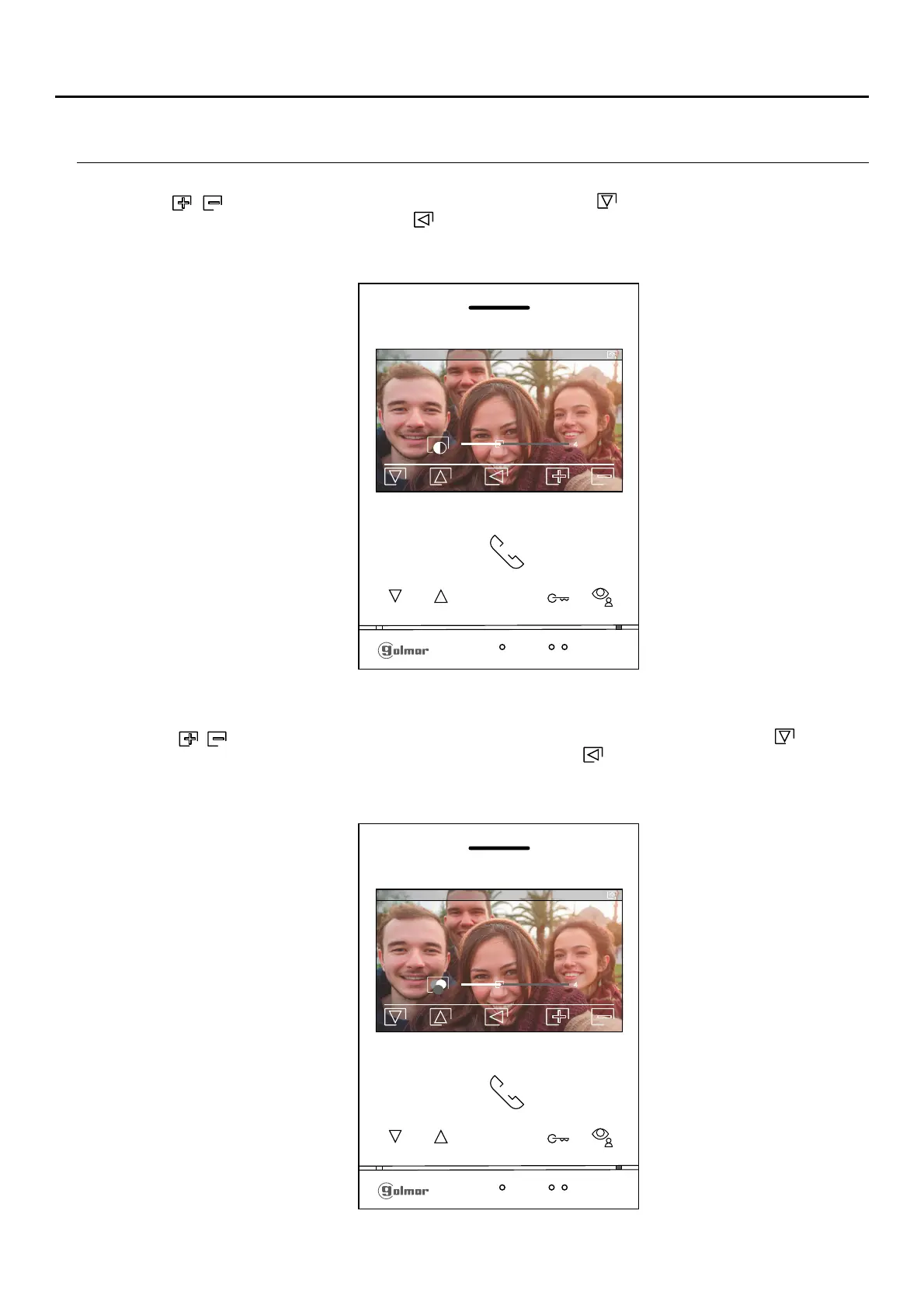
The following contrast control menu will then be displayed. Adjust to the desired level by pressing the buttons below
icons / . To access the colour control, press the button below icon . To exit the image and communication
settings menu, press the button below icon .
The following colour control menu will then be displayed. Adjust to the desired level by pressing the buttons below
icons / . To access the monitor communication volume control, press the button below icon . To exit the
image and communication settings menu, press the button below icon .
0 0014 / 020
0 -0 -21 7 019 11:17:10
1
4
Continued overleaf
ART 4/G2+MONITOR
IMAGE AND COMMUNICATION SETTINGS












 To Next Page