14
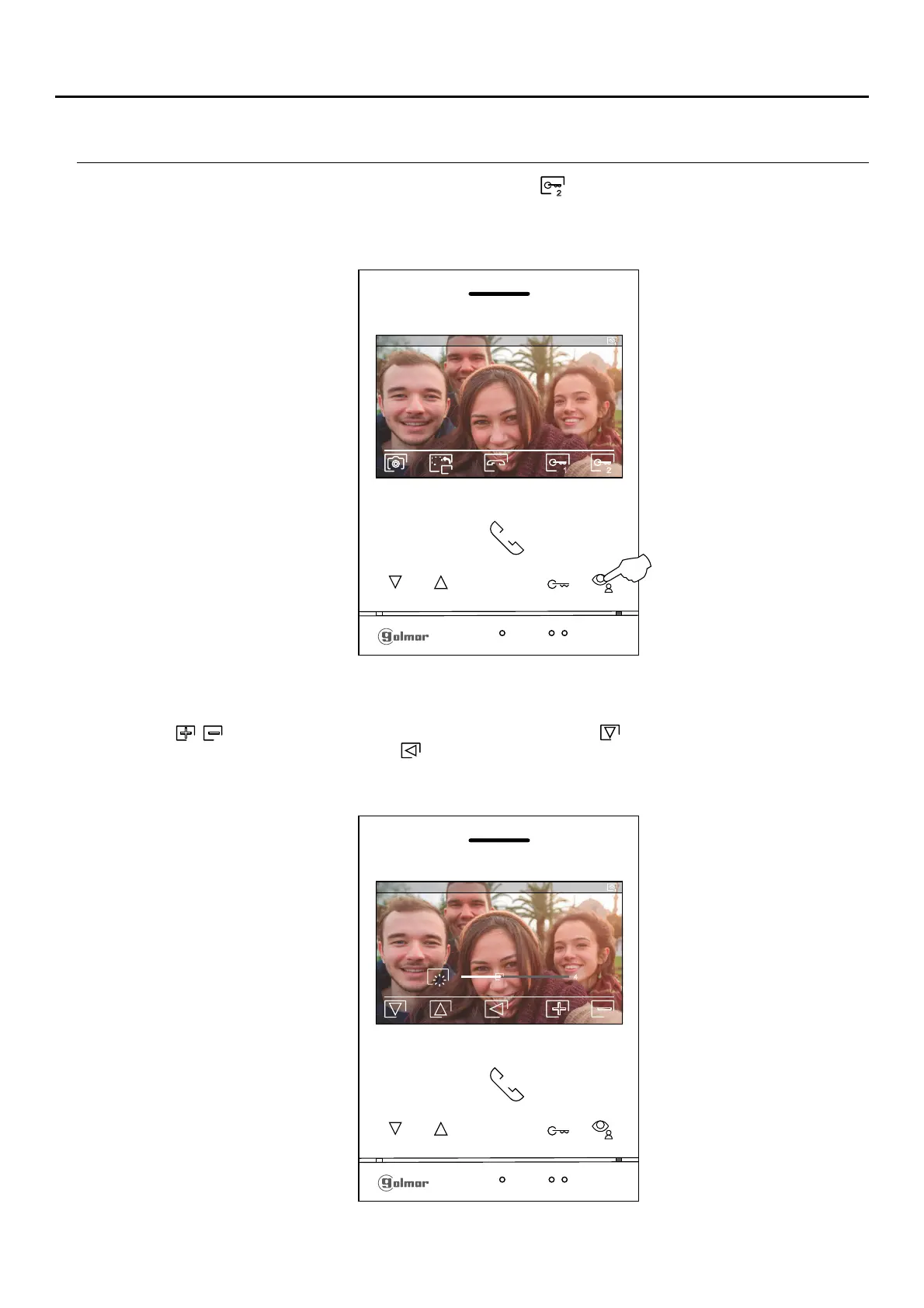
During a call/communication process, press the button below icon for 3 seconds to access the image and monitor
in communication volume settings menu.
The following brightness control menu will then be displayed. Adjust to the desired level by pressing the buttons below
icons / . To access the contrast control, press the button below icon . To exit the image and communication
settings menu, press the button below icon .
Continued overleaf
0 0014 / 020
0 -0 -21 7 019 11:17:10
1
4
0 -0 -21 7 019 11:17:10
1
1 2
2
Press for
3 seconds
IMAGE AND COMMUNICATION SETTINGS
ART 4/G2+MONITOR












 To Next Page