330368
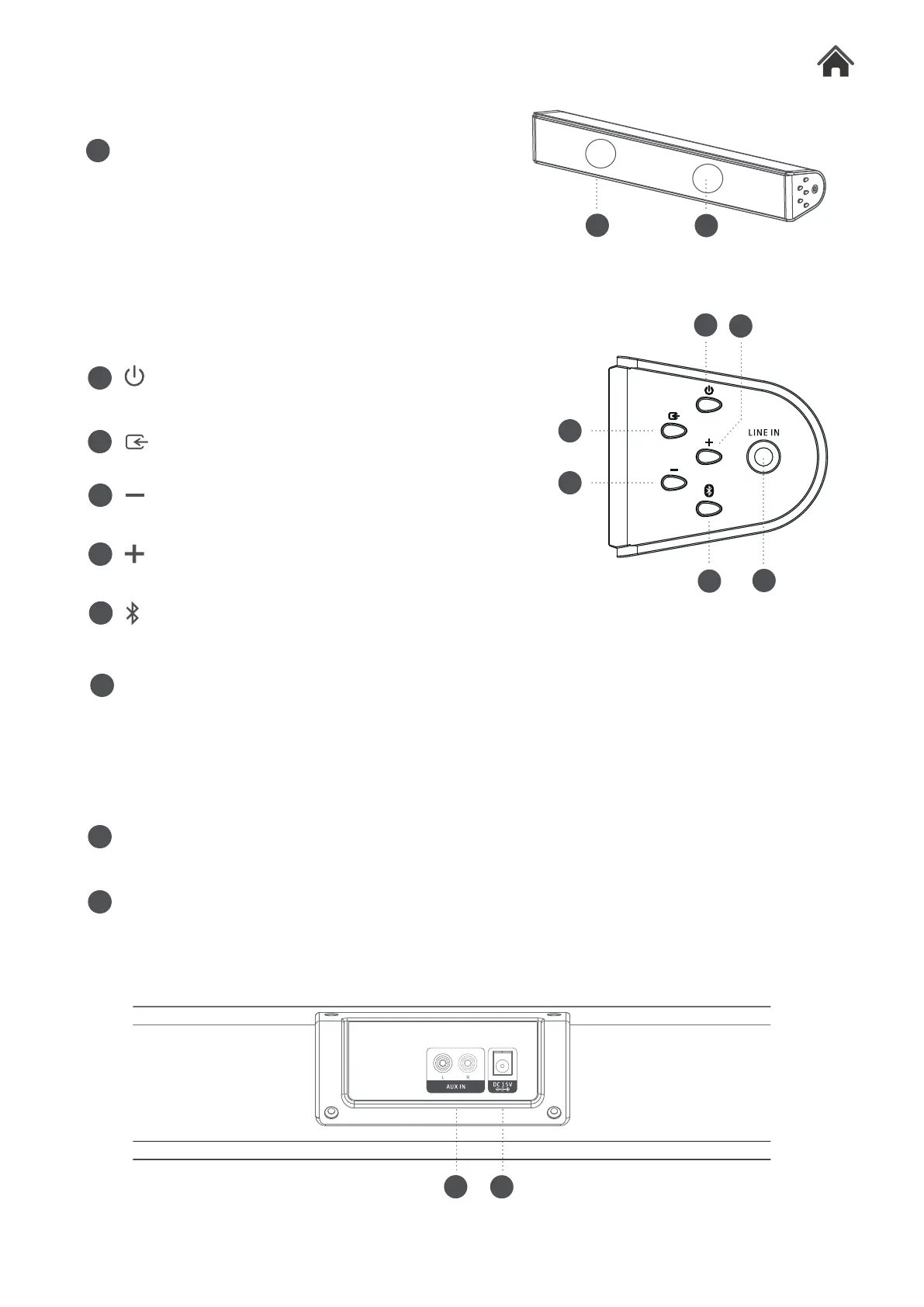
Front View2.2
B
C
H
AUX INPUT SOCKET
Press to power soundbar on or off.
I
DC MAINS INPUT SOCKET
Connect external audio sources with RCA audio cable.
Rear View2.4
F
D
E
F
G
H
Press to select input.
Press to decrease the volume.
Press to increase the volume.
Press to pair the Bluetooth device with soundbar after access to BT mode.
LINE IN SOCKET
Connect external mains adaptor to this socket.
POWER
SOURCE
VOLUME
VOLUME
BLUETOOTH
Side View2.3
A
SPEAKER
A
G
D
C
B
E
Connect external audio sources with a 3.5mm audio cable.
I
A



 To Next Page