330368
Connection6
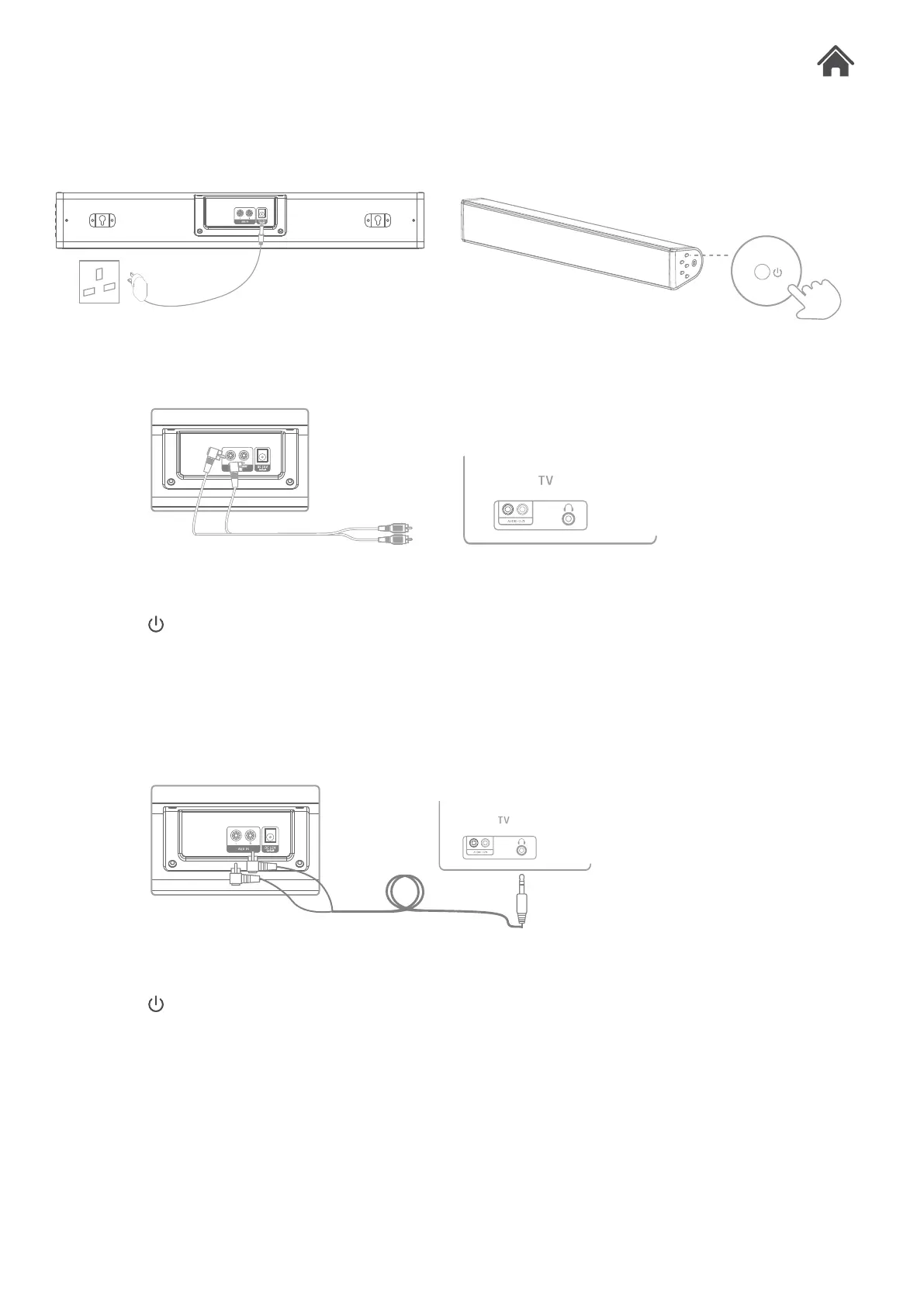
GETTING STARTED:
1. Connect one end of RCA cable to the back of the soundbar and the other end to the AUDIO OUT
of your TV.
2. Press the Button in the side panel of the soundbar so that the blue LED is illuminated.
3. Press the AUX button so that the white LED is illuminated.
4. Adjust volume to the desired level.
1. Connect the 3.5mm jack to the headphone socket on your TV and the other end to AUX in on the
back of the soundbar.
2. Press the Button on the soundbar or remote control, so that the blue LED is illuminated.
3. Press the AUX button so that the white LED is illuminated.
4. Adjust volume to the desired level.
CONNECT VIA AUX CABLE
OR VIA RCA TO 3.5MM JACK CABLE



 To Next Page