334149
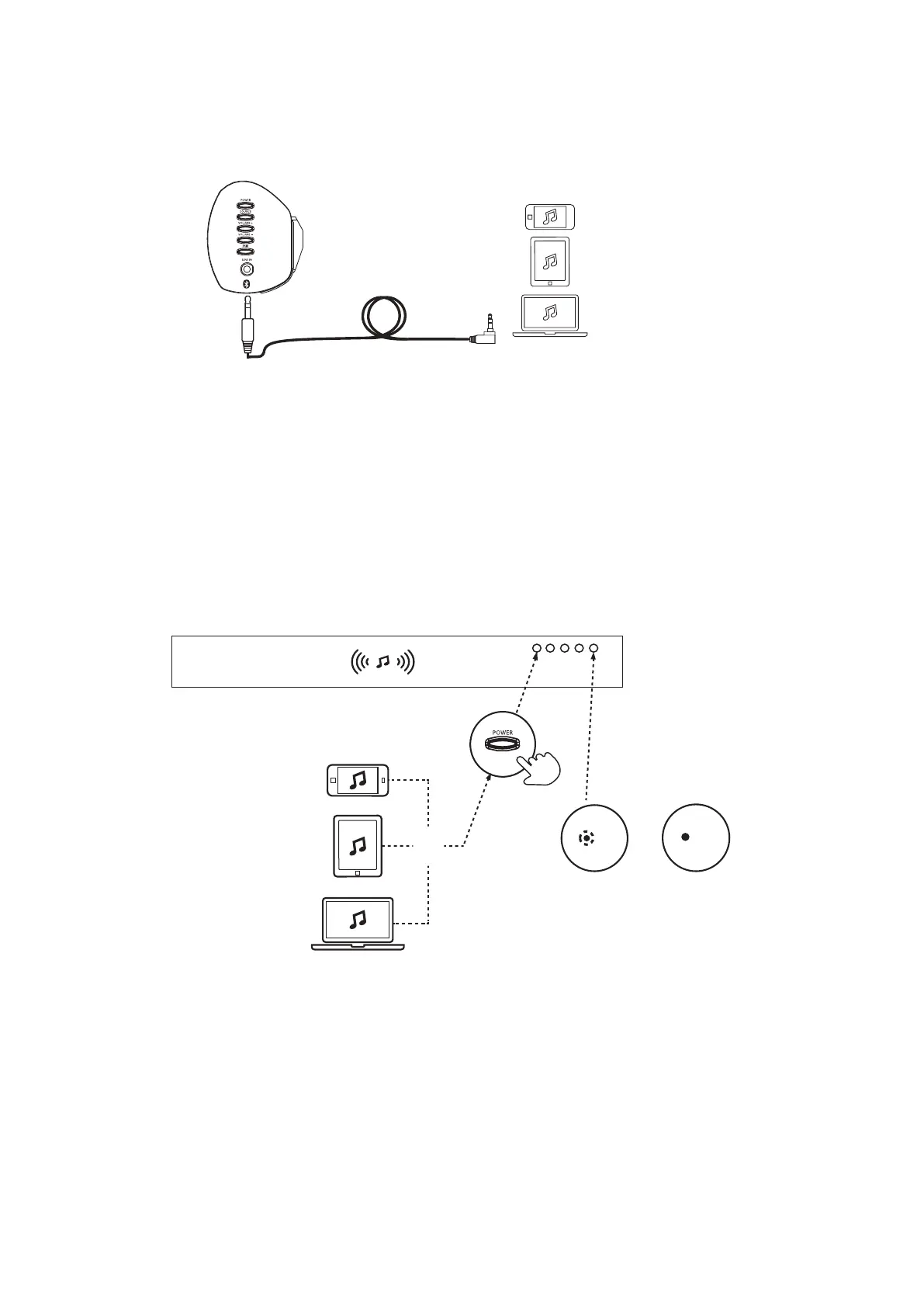
CONNECT VIA LINE IN CABLE
1. Connect one end of the 3.5mm line in cable to the side of the soundbar and the other end to
your device.
2. Press the POWER Button on the soundbar or remote control so that the LED is illuminated.
3. Press the LINE button on your remote control, so that the green LED is illuminated.
4. Adjust volume to the desired level.
1. Press the Source button on your remote control and select BT mode.
2. Press and hold the Pair button for 2 seconds until blue LED flashes quickly. Connect
to the soundbar
by switching on Bluetooth on your device and select <GOODMANS SOUNDBAR> from the list.
The indicator light on the soundbar will turn solid blue when the devices are connected.
3. Control the sound level from your mobile device.
CONNECT VIA BLUETOOTH ENABLED DEVICE
Flashes blue
(searching)
Solid blue
(connected)
BT



 To Next Page