334149
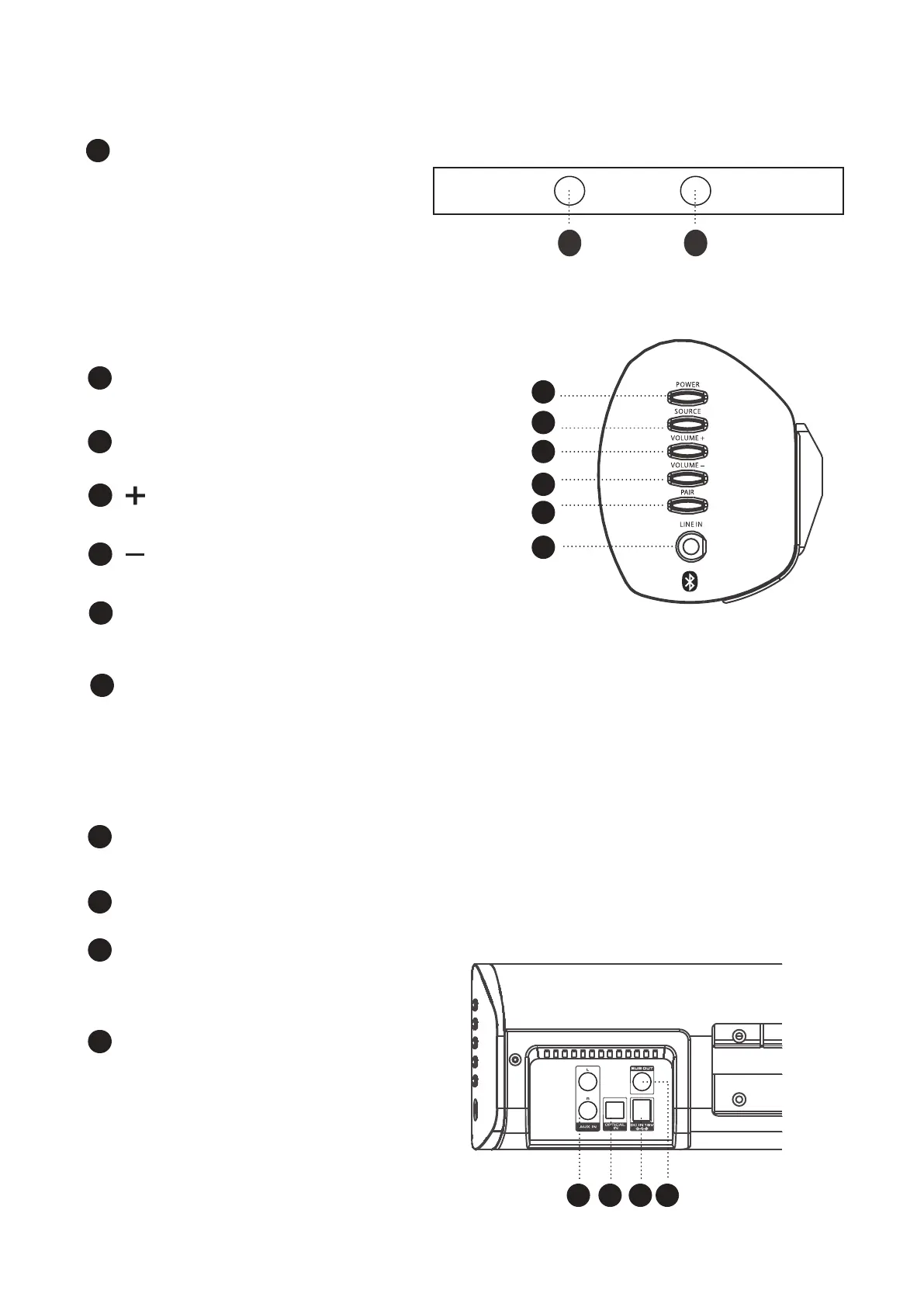
Front View2.2
B
C
H
AUX INPUT SOCKET
Press to power soundbar on or off.
I
Connect external audio sources with RCA audio cable.
Rear View2.4
D
E
F
G
Press to select input.
Press to pair the Bluetooth device with soundbar after access to BT mode.
LINE IN SOCKET
OPTICAL INPUT
J
DC MAINS INPUT SOCKET
Connect external mains adaptor to
this socket.
SUBWOOFER OUTPUT
K
POWER
SOURCE
Press to decrease the volume.
VOLUME
Press to increase the volume.
VOLUME
PAIR
Side View2.3
A
SPEAKER
Connect external audio sources with a 3.5mm audio cable.
A A
B
C
D
E
F
G
I
j
kH



 To Next Page