UNIT POWER SUPPLY
Unit power supply (mains 230V/50Hz)
Connect the power cable plug to the (230V) wall outlet.
Warning:
• Before using the unit, check that the local mains supply is compatible with the unit 230V
(50Hz).
• Do not plug or unplug the power cable when your hands wet.
• When planning not to use this unit for long periods of time (i.e., Vacation etc.) disconnect the
plug from the wall outlet.
• When disconnecting the power cord from the wall outlet, grasp the plug; do not pull the cord
in order to avoid shock risks caused by the damaged cable.
1. CLOCK SETTING
In standby mode
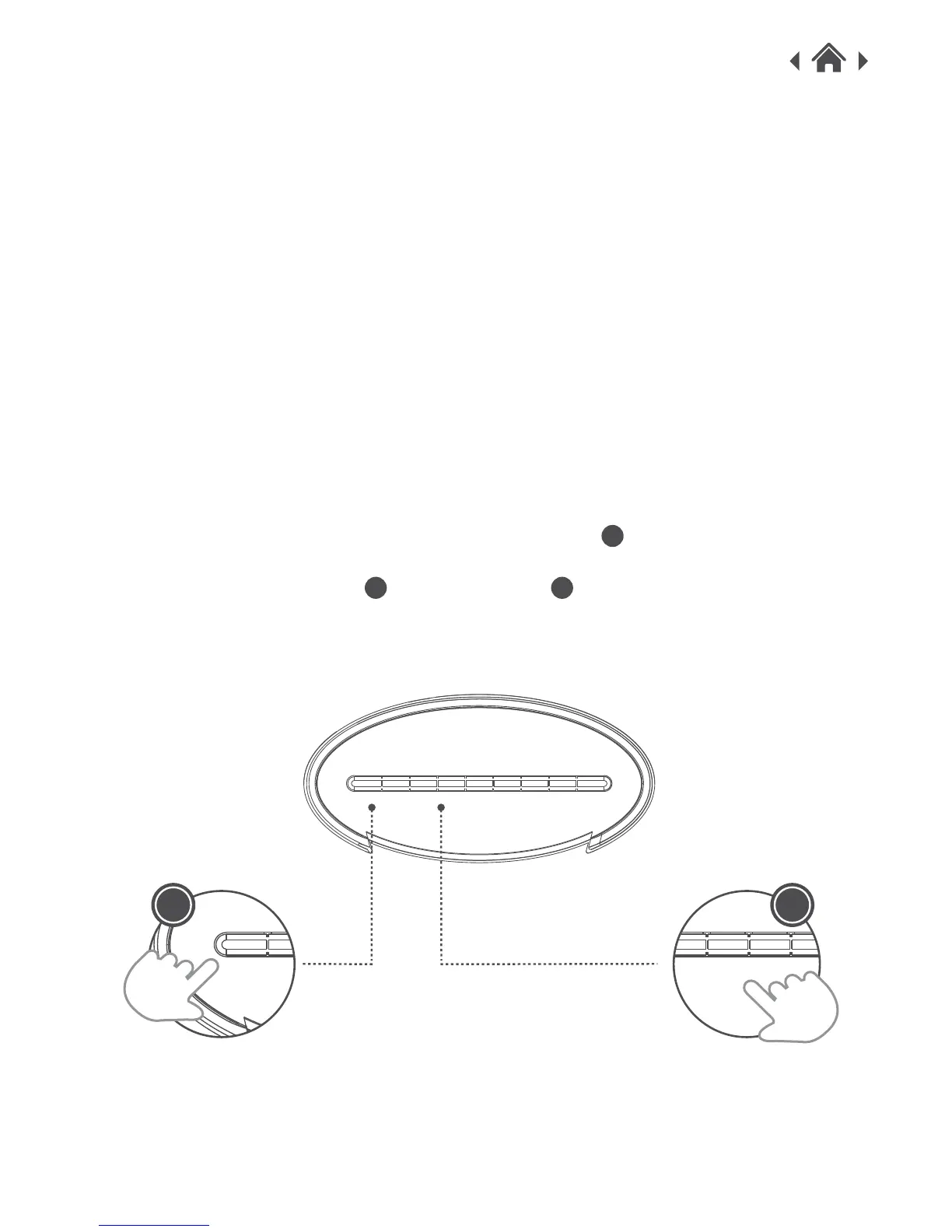
1. To set the clock, Press and hold TIME SET/PRESET button to make the time begin to
flash
2. Press HOUR/VOL- BUTTON or MIN/VOL+ button repeatedly to set the correct time
and press PRESET/CLOCK to confirm.
A
C D
MEMORY VOL+/H VOL-/M SLEEP AL.SOURCE STANDBYTIME SET/
TUNE+/
1
TUNE-/
2



 To Next Page