EasyManua.ls Logo

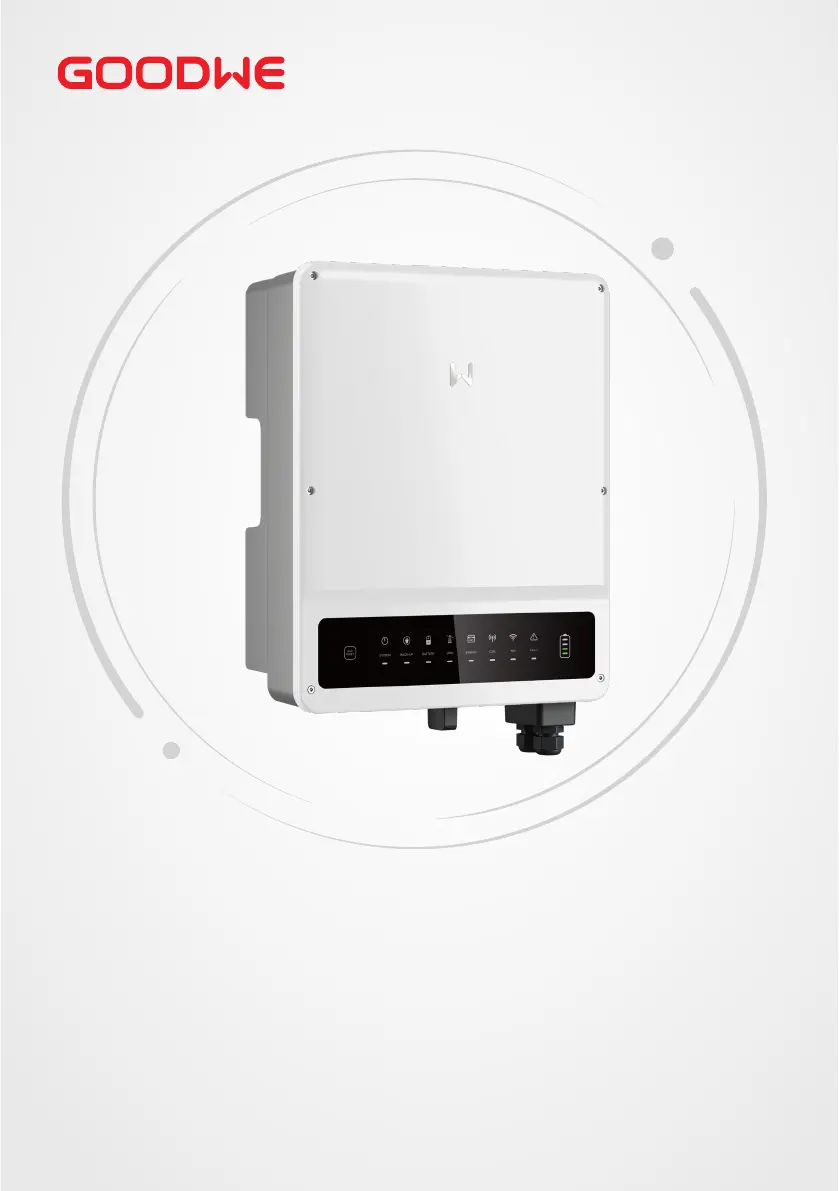
Goodwe GW6.5K-ET - User Manual

Goodwe GW6.5K-ET
80 pages
Print Icon
To Next Page IconTo Next Page
Loading...
User Manual
V1.1-2022-12-20
Hybrid Inverter
ET Series / ET Plus Series
5.0-10.0kW
AC-Coupled Inverter
BT Series
5.0-10.0kW

Other manuals for Goodwe GW6.5K-ET

Questions and Answers

  • R
    rhondacollierSep 15, 2025
    What to do if Goodwe GW6.5K-ET Inverter shows PV Continuous Hardware Overcurrent?
    • T
      Timothy GibbsSep 15, 2025
      To address a 'PV Continuous Hardware Overcurrent' error on your Goodwe Inverter, disconnect the AC output switch and DC input switch, then reconnect them after 5 minutes. If the problem persists, contact the dealer or after-sales service.
  • S
    Stephen RoseAug 25, 2025
    What to do if Smart Meter & CT connections are not working on Goodwe Measuring Instruments?
    • A
      Ashley ParkerAug 25, 2025
      To resolve issues with Smart Meter & CT connections in your Goodwe Measuring Instruments, ensure that the Smart Meter and CT are properly connected between the house loads and the grid. Also, make sure to follow the Smart Meter direction sign on the CT.
  • L
    lopezbrendaAug 25, 2025
    How to troubleshoot on-grid and backup connections in Goodwe Measuring Instruments?
    • A
      Adriana MitchellAug 26, 2025
      To resolve on-grid and backup connection problems with Goodwe Measuring Instruments, verify that the on-grid is connected to the power grid and the backup is connected to the loads. Also, check that the polarities (e.g. L1/L2/L3/N) are correctly aligned.
  • C
    Crystal LoweAug 26, 2025
    Why is my Goodwe Inverter showing a utility loss?
    • G
      Garrett MorenoAug 26, 2025
      If your Goodwe Inverter is showing a utility loss, it could be due to a failure in the utility grid power or because the AC cable is disconnected, or the AC circuit breaker is off. Once the grid power supply is restored, the alarm should automatically clear. Ensure the AC cable is securely connected and the AC circuit breaker is turned on.
  • J
    Jessica HickmanSep 16, 2025
    What to do if Goodwe GW6.5K-ET shows PV Continuous Software Overcurrent?
    • L
      Linda RobertsSep 17, 2025
      To address a 'PV Continuous Software Overcurrent' error on your Goodwe Inverter, disconnect the AC output switch and DC input switch, then reconnect them after 5 minutes. If the problem persists, contact the dealer or after-sales service.
  • J
    Johnny FisherSep 23, 2025
    How to check battery connections on Goodwe Measuring Instruments?
    • A
      Angie SimmonsSep 23, 2025
      To solve battery connection issues in Goodwe Measuring Instruments, confirm that the connections between the ET and the battery are properly established.
  • C
    Cindy CampbellSep 8, 2025
    Why is my Goodwe Inverter showing a Cavity Overtemperature error?
    • D
      Danny DavisSep 8, 2025
      A 'Cavity Overtemperature' error on your Goodwe Inverter can be due to several reasons: 1. The inverter is installed in a location with poor ventilation. 2. The ambient temperature exceeds 60°C. 3. There is a fault with the internal fan of the inverter. To address this, first, check the ventilation and ambient temperature at the installation point. If ventilation is poor or the temperature is too high, improve ventilation and heat dissipation. If both are normal, contact the dealer or after-sales service.
  • D
    Derek AndrewsSep 9, 2025
    What does Anti-islanding mean on Goodwe GW6.5K-ET?
    • C
      Caroline JamesSep 9, 2025
      An 'Anti-islanding' error on your Goodwe Inverter indicates that the utility grid is disconnected, but the grid voltage is maintained due to the loads, according to safety regulations. Check whether the utility grid is disconnected and contact the dealer or after-sales service.
  • Z
    zmcintyreSep 2, 2025
    How do I fix a PV Input Overvoltage error on my Goodwe GW6.5K-ET Inverter?
    • E
      Erika RosalesSep 3, 2025
      A 'PV Input Overvoltage' error on your Goodwe Inverter means that too many PV panels are connected in series in the PV string. Check the serial connection of the PV array, ensuring that the open circuit voltage of the PV string does not exceed the inverter's maximum operating voltage.
  • J
    James ReedAug 31, 2025
    What causes an Abnormal GFCI 30mA error on a Goodwe Inverter?
    • J
      jwebbSep 1, 2025
      An 'Abnormal GFCI 30mA' error on your Goodwe Inverter indicates that the input insulation impedance has become low during operation. If this occurs occasionally, it might be due to a cable issue, and the inverter should recover automatically once the problem is resolved. However, if the problem occurs frequently or persists, check whether the impedance between the PV string and PE is too low.

Summary

Safety Precaution

General Safety

Provides general safety guidelines for operation and installation.

PV String Safety

Details safety precautions specific to PV string connections.

Inverter Safety

Covers critical safety measures related to inverter operation and handling.

Battery Safety

Outlines safety procedures for battery integration and usage.

Product Introduction

Installation

Installation Requirements

Specifies environmental and site requirements for installation.

Inverter Installation

Step-by-step instructions for mounting and installing the inverter.

Electrical Connection

Safety Precaution

Critical safety warnings before performing electrical connections.

System Wiring Diagram

Illustrates how to wire the inverter within the system.

Connecting the DC Input Cable (PV)

Instructions for connecting solar panel input cables.

Equipment Commissioning

Maintenance

Power OFF the Inverter

Procedure for safely shutting down the inverter.

Troubleshooting

Common faults, causes, and solutions for inverter issues.

Technical Parameters

Goodwe GW6.5K-ET Specifications

General IconGeneral
ModelGW6.5K-ET
Rated Output Power6500 W
Max. DC Input Voltage1000 V
Number of MPPT Trackers2
Rated AC Output Power6500 W
Max. AC Apparent Power6500 VA
Max. AC Output Current28.3 A
Nominal AC Voltage230 V
AC Voltage Range180 - 280 V
Nominal Grid Frequency50 / 60 Hz
Total Harmonic Distortion (THD)< 3%
Max. Efficiency98.3 %
Euro Efficiency97.5 %
DC SwitchYes
Protection DegreeIP65
Cooling MethodNatural convection
Warranty5 years
Operating Temperature Range-25 °C to +60 °C
CommunicationRS485 / WiFi
MPPT Voltage Range200-800 V
Power Factor> 0.99 (adjustable ±0.8)

Related product manuals