EasyManua.ls Logo

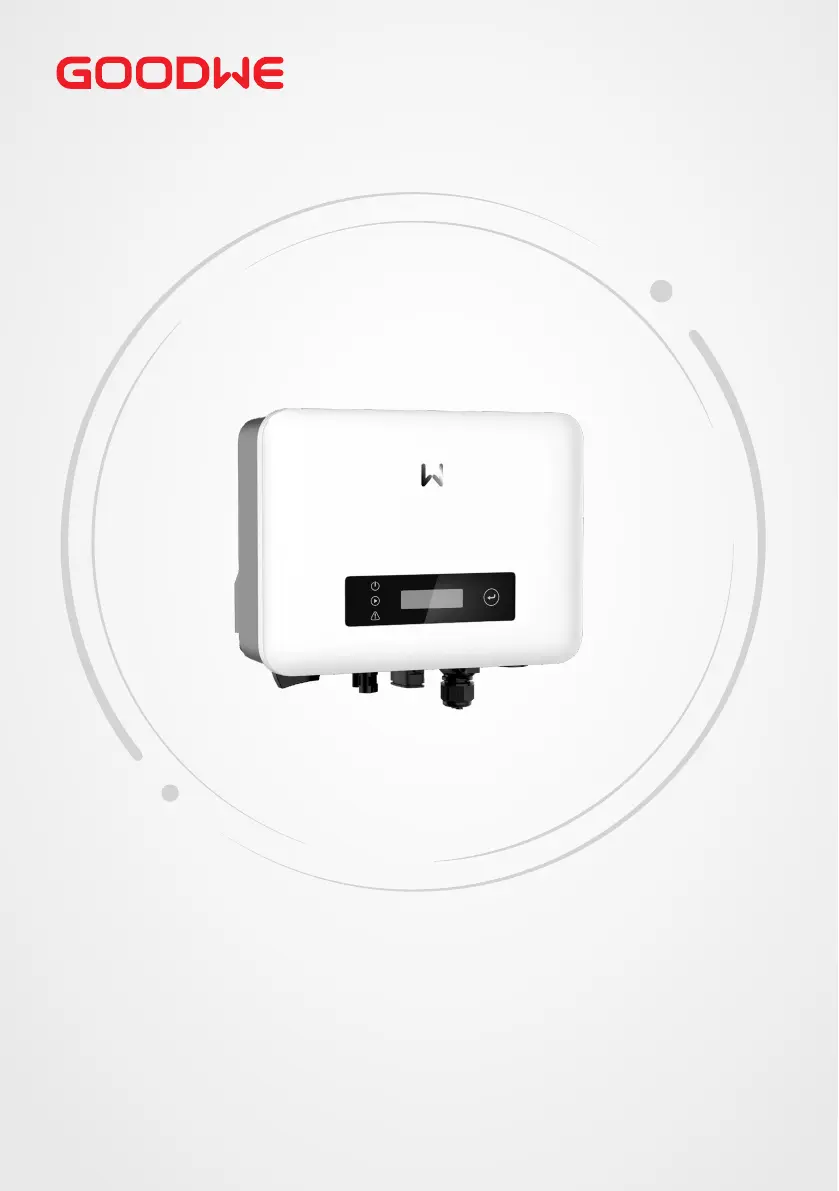
Goodwe XS Series - User Manual

Goodwe XS Series
61 pages
Print Icon
To Next Page IconTo Next Page
Loading...
User Manual
V1.1-2023-12-30
Grid-Tied PV Inverter
XS Series
(0.7-3.3kW) G3

Other manuals for Goodwe XS Series

Questions and Answers

  • T
    Tina GloverJul 27, 2025
    What to do if my Goodwe XS Inverter shows 'Utility Loss'?
    • S
      Stephen DiazJul 27, 2025
      If your Goodwe Inverter displays a 'Utility Loss', it could be due to these reasons: 1. The inverter is not connected to the grid. 2. The power grid cable is not connected. 3. The power grid is unavailable. Check these connections and the availability of the power grid.
  • M
    mitchellerinJul 31, 2025
    Why does my Goodwe XS show 'Over Temperature'?
    • K
      Keith ScottJul 31, 2025
      The 'Over Temperature' error on your Goodwe Inverter indicates that the internal temperature is higher than the specified normal value. To resolve this: 1. Reduce the ambient temperature around the inverter. 2. Move the inverter to a cooler location.
  • L
    Lori VargasAug 4, 2025
    What to do if my Goodwe XS Inverter displays 'Ground I Failure'?
    • S
      scott93Aug 4, 2025
      If your Goodwe Inverter is showing a 'Ground I Failure', it means the ground current is too high. Here’s how to address it: 1. Unplug the inputs from the PV generator and inspect the peripheral AC system. 2. Once the problem is resolved, reconnect the PV panel and monitor the inverter status.
  • Y
    ybatesAug 8, 2025
    What to do if my Goodwe Inverter displays 'Vac Failure'?
    • M
      Michael RoyAug 8, 2025
      If your Goodwe Inverter is showing a 'Vac Failure': 1. The PV Inverter will automatically restart within 5 minutes if the grid returns to normal. 2. Ensure that the grid voltage conforms to the specified requirements. 3. Verify that the neutral (N) wire and PE wire are properly connected.
  • M
    Mark GrahamAug 13, 2025
    What to do if my Goodwe XS Inverter displays 'Isolation Failure'?
    • M
      Mark SmithAug 13, 2025
      If your Goodwe Inverter shows an 'Isolation Failure', follow these steps: 1. Disconnect the DC switch and remove the DC connector, then check the impedance between PV (+) & PV(-) to earth. 2. If the impedance is less than 100 kΩ, inspect the insulation of the PV string wiring to earth.
  • C
    Christopher MillerAug 18, 2025
    What to do if my Goodwe XS Inverter displays 'Fac Failure'?
    • D
      danielpollardAug 18, 2025
      If your Goodwe Inverter displays 'Fac Failure' because the grid is not connected: 1. Check grid connection cables. 2. Check availability of grid.
  • B
    Bobby WilkinsAug 22, 2025
    What to do if my Goodwe XS Inverter has no display?
    • R
      Robert PowellAug 22, 2025
      If your Goodwe Inverter has no display: 1. Turn off the DC switch, remove the DC connector, and measure the voltage of the PV array. 2. Plug in the DC connector and turn on the DC switch. 3. If the PV array voltage is lower than 250V, check the configuration of the inverter module.

Summary

About This Manual

Applicable Models

Specifies the inverter models this manual covers, including power ratings.

Target Audience

Identifies the intended readers for this manual, typically trained technical professionals.

Symbol Definitions

Explains the meaning of hazard warning and notice symbols used throughout the document.

Safety Precautions

General Safety Guidelines

Covers essential safety rules for handling the equipment and general operation.

DC and AC Side Safety

Details specific safety measures for DC input and AC output electrical connections.

Inverter Specific Safety

Highlights safety rules directly related to the inverter unit, including its components and operation.

Personnel and Compliance

Defines requirements for personnel and lists EU conformity declarations.

Product Introduction

Application Scenarios

Describes the typical use cases and environments for the GoodWe XS series inverter.

Circuit Diagram and Grid Types

Illustrates internal circuit and lists supported grid connection types.

Features, Communication & Operation

Details inverter features, communication methods, and operating modes.

Appearance, Indicators & Nameplate

Describes physical parts, status indicators, and information on the inverter's nameplate.

Check and Storage

Pre-Reception Checks

Procedures for inspecting the product's packaging and model before formal acceptance.

Deliverables and Storage

Lists included components and provides guidelines for safe storage of the inverter.

Installation

Installation Requirements

Specifies environmental, mounting, angle, and tool requirements for proper installation.

Inverter Installation Procedure

Step-by-step guide for safely moving and mounting the inverter onto its support.

Electrical Connection

Safety and Grounding

Covers electrical connection safety rules and PE cable grounding procedures.

DC and AC Connections

Instructions for correctly connecting the DC input and AC output cables to the inverter.

Communication Setup

Details on setting up communication methods, protocols, DRM modes, and modules.

Equipment Commissioning

Pre-Power On Checks

Checklist for ensuring readiness before powering on the inverter for the first time.

Power On Procedure

Step-by-step guide for safely turning on the inverter and initiating grid connection.

System Commissioning

Indicators and Buttons

Explanation of inverter status indicators (LEDs) and their meanings during operation.

Parameter Settings

Guides for configuring inverter parameters via the display screen, SolarGo App, and SEMS Portal.

Software Upgrade

Instructions for performing local inverter software upgrades using a USB flash drive.

Maintenance

Powering Off and Removal

Procedures for safely shutting down and removing the inverter from the system.

Disposal Instructions

Guidelines for environmentally responsible disposal of the inverter at the end of its life.

Troubleshooting Common Faults

Detailed guide to diagnosing and resolving common inverter faults and error messages.

Routine Maintenance Schedule

Recommended schedule and methods for regular upkeep and inspection of the inverter.

Technical Parameters

Goodwe XS Series Specifications

General IconGeneral
Nominal AC Voltage230 V
Output Voltage230 V
Frequency50/60 Hz
CoolingNatural Convection
ModelXS Series
TypeSingle Phase
Max. DC Input Power3900 W
MPPT Voltage Range100-500 V
Number of MPPTs1
Max. Output Power5000 W
CommunicationWi-Fi, RS485
ProtectionIP65
Operating Temperature Range-25°C to +60°C

Related product manuals