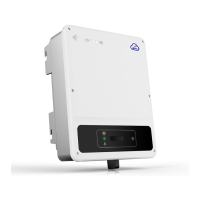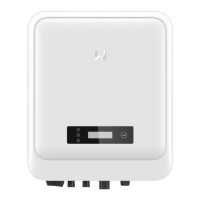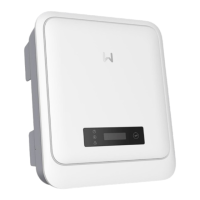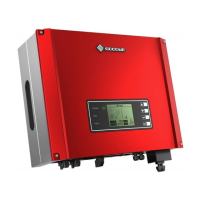
EasyManua.ls Logo

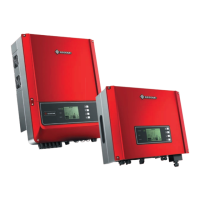
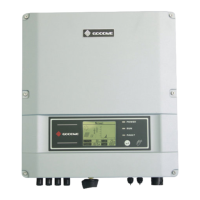
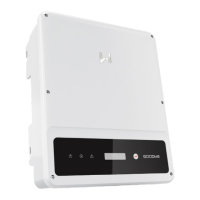
Goodwe DNS Series - User Manual

Goodwe DNS Series
47 pages
Print Icon
To Next Page IconTo Next Page
Loading...
User Manual
V1.0-2022-12-15
Grid-Tied PV Inverter
DNS Series
2.9-6kW

Other manuals for Goodwe DNS Series

Questions and Answers

  • H
    Hayden SotoSep 23, 2025
    What to do if Goodwe DNS shows Relay-Check Failure?
    • S
      Steven PerezSep 23, 2025
      If your Goodwe Inverter is experiencing an Inverter Failure due to Relay-Check Failure, follow these steps: 1. Turn off the DC switch of the inverter. 2. Wait until the LCD light turns off. 3. Turn on the DC switch, ensuring it is properly connected. If the problem persists, contact your local service office for further assistance.
  • R
    Rebecca CruzAug 25, 2025
    What causes Over Temperature error on Goodwe Inverter and how to fix it?
    • K
      kristi24Aug 25, 2025
      The 'Over Temperature' error on your Goodwe Inverter indicates that the internal temperature is higher than normal. Try to decrease the ambient temperature or move the inverter to a cooler location.
  • M
    Michele Vargas PhDAug 25, 2025
    Why does my Goodwe Inverter show Utility Loss?
    • J
      Joanne StewartAug 26, 2025
      A 'Utility Loss' message on your Goodwe Inverter indicates a disconnection from the power grid. Check if the power grid is connected to the cable and verify the availability of the power grid.
  • E
    Edgar GarciaAug 26, 2025
    What to do if my Goodwe Inverter displays PV Over Voltage?
    • T
      Terry MorrisAug 27, 2025
      If your Goodwe Inverter is showing a 'PV Over Voltage' error, check if the PV open circuit voltage is higher than or too close to the maximum input voltage.
  • A
    Angelica RamirezAug 27, 2025
    What does Isolation Failure mean on my Goodwe Inverter and how can I resolve it?
    • H
      hamptoncurtisAug 27, 2025
      An 'Isolation Failure' on your Goodwe Inverter suggests a problem with the impedance between the ground and PV (+) & PV (-). Check the impedance; the value must be greater than 100kΩ. Also, ensure the inverter is properly grounded.
  • M
    Matthew DaySep 13, 2025
    Why does my Goodwe DNS show PV Over Voltage?
    • V
      vsmithSep 13, 2025
      If your Goodwe Inverter displays a System Failure due to PV Over Voltage, it means the PV open circuit voltage might be too high or too close to the maximum input voltage. Check if the PV open circuit voltage exceeds the maximum input voltage. If the problem continues even when the PV voltage is less than the maximum input voltage, further assistance may be required from a local service office.
  • L
    Luke CortezSep 12, 2025
    How to cool down my Goodwe Inverter if it shows 'Over Temperature'?
    • P
      Pamela WestSep 12, 2025
      If your Goodwe inverter is showing an 'Over Temperature' warning, you can try the following: 1. Decrease the ambient temperature around the inverter. 2. Move the inverter to a cooler location.
  • K
    Kathryn CombsSep 12, 2025
    What to do if my Goodwe DNS Inverter has Vac Failure?
    • M
      Mrs. Julie LopezSep 12, 2025
      If your Goodwe Inverter shows a Vac Failure, it could be due to several reasons: * The grid voltage might not be within the required specifications. * The neutral (N) wire and PE cable might not be properly connected. First, the PV Inverter will automatically restart within 5 minutes if the grid returns to normal. Ensure the grid voltage aligns with the specified requirements and that the neutral wire and PE cable are securely connected. If the issue persists, it may be necessary to seek assistance from a local service office.
  • V
    Victor BernardSep 4, 2025
    What to do if my Goodwe DNS displays 'Utility Loss'?
    • D
      Donna MorganSep 4, 2025
      If your Goodwe inverter indicates a 'Utility Loss', please check the following: 1. Ensure the inverter is properly connected to the power grid. 2. Verify that the power grid is connected to the cable. 3. Confirm the availability of the power grid.
  • T
    travis58Sep 2, 2025
    What to do if my Goodwe DNS Inverter shows 'Isolation Failure'?
    • C
      Christian KeithSep 2, 2025
      If your Goodwe inverter displays an 'Isolation Failure', follow these steps: 1. Check the impedance between the ground and PV (+) & PV (-). The impedance value must be greater than 100kΩ. Ensure the inverter is properly grounded. 2. If the problem persists, contact your local service office for assistance. Additionally, the inverter has a built-in buzzer that will sound continuously for 1 minute upon failure. If the fault isn't resolved, the buzzer will sound every 30 minutes. You can also add the inverter to a monitoring platform and set up alarm reminders to receive email notifications about alarm information.

Summary

About This Manual

Applicable Model

Lists the specific inverter models covered by this manual.

Target Audience

Identifies the intended readers and required expertise for this manual.

Safety Precautions

General Safety Guidelines

Covers overall safety instructions and warnings for operating the inverter.

DC Side Safety

Specific safety measures for the DC input side of the inverter.

AC Side Safety

Specific safety measures for the AC output side of the inverter.

Inverter Installation Safety

Safety precautions related to the physical installation of the inverter unit.

Personal Safety Requirements

Guidelines on personal protective equipment and qualifications for personnel.

EU Declaration of Conformity

States compliance with relevant EU directives for the inverter.

Product Introduction

Application Scenarios

Describes the intended use and context for the PV inverter.

Supported Grid Types

Details the different grid connection types the inverter supports.

Product Appearance Overview

Overview of the inverter's external features.

Inverter Components Identification

Identifies and describes the various parts of the inverter.

Product Dimensions and Measurements

Provides physical measurements and key dimensions of the inverter.

Indicator Lights and Their Meanings

Explains the function and status indicated by the inverter's LED lights.

Inverter Nameplate Information

Details the information found on the inverter's identification nameplate.

Check and Storage

Pre-Receipt Inspection

Steps to follow when checking the product before accepting delivery.

Included Deliverables

Lists all items included in the product package.

Storage Guidelines

Recommendations for proper storage of the inverter if not immediately installed.

Installation

Installation Environment Requirements

Specifies the conditions and location requirements for installing the inverter.

Mounting Support and Angle Requirements

Covers requirements for mounting supports and acceptable installation angles.

Required Installation Tools

Lists the tools recommended for performing the inverter installation.

Inverter Installation Procedure

Step-by-step guide on how to physically install the inverter unit.

Electrical Connections

Electrical Connection Safety

Critical safety instructions before making any electrical connections.

PE Cable Connection Procedure

Instructions for correctly connecting the protective earth (PE) cable.

PV Input Cable Connection

Steps for connecting the DC power input from the PV array.

DC Input Cable Connection Details

Detailed procedure for preparing and connecting DC input cables.

AC Output Cable Connection

Instructions for connecting the AC power output to the grid.

AC Connector Type Installation

Details on connecting various AC output connector types (AC-1, AC-2, AC-3).

Communication Cable Setup

Guide for connecting communication cables for monitoring and control.

Equipment Commissioning

Pre-Power On Checks

Checklist of items to verify before powering on the equipment.

Power On Sequence

Step-by-step procedure for safely powering on the inverter.

System Commissioning

Indicator Lights and Buttons

Explains the status indicators and control buttons on the inverter.

Setting Parameters via LCD

Guides users on configuring inverter settings using the LCD screen.

Inverter Parameter Reference

Detailed descriptions of various inverter parameters and their functions.

Firmware Upgrade Procedure

Steps for updating the inverter's firmware using a USB flash drive.

Parameter Configuration via SolarGo App

Instructions for setting parameters using the mobile SolarGo application.

Plant Monitoring with SEMS Portal

Information on using the SEMS portal for system monitoring and management.

Maintenance

Powering Off for Maintenance

Procedure for safely shutting down the inverter before maintenance.

Removing the Inverter

Steps for safely disconnecting and removing the inverter from its mounting.

Inverter Disposal Guidelines

Information on environmentally responsible disposal of the inverter.

Troubleshooting and Fault Resolution

Guidance on identifying and resolving common inverter faults and issues.

Routine Maintenance Schedule

Recommended periodic maintenance tasks and their frequency.

Technical Parameters

Goodwe DNS Series Specifications

General IconGeneral
Max. Efficiency97.8%
MPPT Efficiency99.9%
Cooling MethodNatural Convection
Protection RatingIP65
Start Voltage80 V
Nominal AC Voltage230 V
THDi<3%
Number of MPPTs2
Output Voltage230 V
Frequency50 Hz / 60 Hz
TypeGrid-Tied Inverter
Rated Power Output3000W, 3600W, 4200W, 5000W
CommunicationRS485
Max. DC Input Power4500W, 5400W, 6300W, 7500W
Max. DC Voltage550V
MPPT Voltage Range80-500V
Rated AC Output Power3000W, 3600W, 4200W, 5000W
AC Voltage Range180V - 280V
Power Factor0.8 leading to 0.8 lagging
Operating Temperature Range-25°C to 60°C
MPPT Range80-500V
ModelDNS Series

Related product manuals