EasyManua.ls Logo

Goodwe MS Series - User Manual

Goodwe MS Series
55 pages
Print Icon
To Next Page IconTo Next Page
Loading...
User Manual
V1.0-2022-10-30
Grid-Tied PV Inverter
MS Series
0.7-3.3kW

Other manuals for Goodwe MS Series

Questions and Answers

Goodwe MS Series Specifications

General IconGeneral
Power Range3-10 kW
MPPT2
AC Voltage Range180-280 V
Protection LevelIP65
Cooling MethodNatural convection
ModelMS Series
Rated Output Current34.8 A
Operating Temperature Range-25°C to 60°C
CommunicationWi-Fi / Ethernet

Summary

About This Manual

Applicable Models

Lists the specific GoodWe inverter models covered by this user manual.

Target Audience

Specifies that the manual is intended for trained and knowledgeable technical professionals.

Symbol Definitions

Explains the meaning of various hazard and information symbols used throughout the manual.

Document Updates

Indicates the manual's version (V1.0) and that it is the first issue.

Important Safety Instructions

General Safety Precautions

General safety guidelines for installation, operation, and personal protective equipment.

DC Side Safety

Safety warnings and precautions specific to the DC input side of the inverter.

AC Side Safety

Safety warnings and precautions specific to the AC output side of the inverter.

Inverter Installation Safety

Safety warnings and guidelines related to the physical installation of the inverter.

Personnel Requirements

Specifies the necessary qualifications and training for personnel handling the equipment.

Product Introduction

Application Scenarios

Describes the intended use of the inverter in photovoltaic (PV) systems.

Circuit Diagram

Illustrates the internal electrical connections and components of the inverter.

Supported Grid Types

Lists the different types of electrical grids that the inverter is compatible with.

Inverter Appearance and Parts

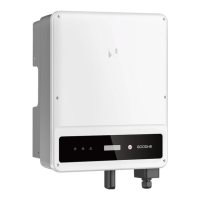
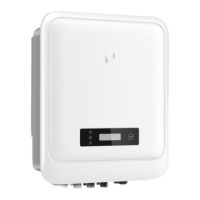
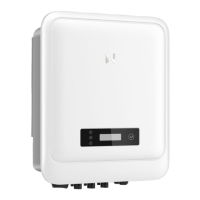
Details the physical layout and identifies the various ports and components of the inverter.

Inverter Dimensions

Provides the physical dimensions of the inverter unit for installation planning.

Inverter Indicators

Explains the status indicators (Power, Operating, Faulty) on the inverter.

Inverter Nameplate Details

Describes the information presented on the inverter's nameplate label.

Check and Storage

Pre-Receiving Inspection

Instructions for checking the product's packaging and condition before acceptance.

Package Contents

Lists all the components and accessories included in the product package.

Storage Guidelines

Provides recommendations for storing the inverter safely and maintaining its condition.

Installation

Installation Requirements and Guidelines

Details environmental, site, mounting, and angle requirements for inverter installation.

Installation Tools

Lists the recommended tools required for performing the inverter installation.

Inverter Installation and Handling

Step-by-step instructions for physically installing and handling the inverter unit.

Electrical Connection

Electrical Connection Safety

Critical safety warnings and precautions to be followed before making electrical connections.

PE Cable Connection

Instructions for correctly connecting the Protective Earth (PE) cable to the inverter.

PV Input Cable Connection

Step-by-step guide for connecting the DC input cables from PV panels to the inverter.

AC Output Cable Connection

Instructions for connecting the AC output cable to the inverter and the grid.

Communication Setup

Overview of communication network setup and connecting optional communication cables.

RS485 Cable Connection

Details on how to connect the RS485 communication cable for data logging or multi-inverter setup.

Remote Shutdown Cable Connection

Instructions for connecting the remote shutdown cable for safety control.

CT Cable Connection

Steps for connecting the Current Transformer (CT) cable for anti-backfeed functionality.

DRED Cable Connection

Instructions for connecting the Demand Response Enabling Device (DRED) cable.

Communication Module Installation

Guide on installing optional communication modules (WiFi, LAN, etc.) into the inverter.

Equipment Commissioning

Pre-Power On Checks

Essential checks to perform before applying power to the inverter.

Power On Procedure

Step-by-step instructions for safely powering on the inverter and its associated components.

System Commissioning

Indicators and Buttons

Explanation of the inverter's status indicators and control buttons.

LCD Parameter Settings

Guide to configuring inverter parameters directly via the inverter's LCD interface.

LCD Button Menu Structure

Details the menu navigation and options available through the inverter's LCD interface.

Inverter Parameter Definitions

Explains the purpose and function of various configurable parameters within the inverter.

Firmware Upgrade

Instructions on how to upgrade the inverter's firmware using a USB flash disk.

SolarGo App Configuration

Guide to setting inverter parameters and managing the system using the SolarGo mobile app.

SEMS Portal Monitoring

Information on using the SEMS Portal for monitoring inverter and system performance.

Maintenance

Powering Off the Inverter

Steps for safely shutting down the inverter before performing maintenance or operations.

Removing the Inverter

Instructions for safely disconnecting and removing the inverter from its installation.

Inverter Disposal

Guidelines for the environmentally responsible disposal of the inverter.

Troubleshooting Guide

Provides common fault types and methods for diagnosing and resolving issues.

Routine Maintenance Schedule

Recommended periodic maintenance tasks and their suggested frequencies.

Technical Parameters

Related product manuals