EasyManua.ls Logo

Goodwe MT series - User Manual

Goodwe MT series
23 pages
Print Icon
To Next Page IconTo Next Page
Loading...
MT SERIES USER MANUAL
SOLAR INVERTER
SEMS Portal App
LinkedIn
SolarGo App
Company's Offical
Website
Version 1.0
GOODWE (Germany)
Fürstenrieder Str. 279a 81377 München, Germany
T: +49 8974120210 +49 421 83570-170 (service)
sales.de@goodwe.com
service.de@goodwe.com
GOODWE (Brazil)
Rua Abelardo 45, Recife/PE, 52050-310
T: +55 81 991239286
sergio@goodwe.com
servico.br@goodwe.com
GOODWE (Netherlands)
Franciscusdreef 42C, 3565AC Utrecht, the Netherlands
T: +31 (0) 30 737 1140
sales@goodwe.com
service.nl@goodwe.com
GOODWE (UK)
6 Dunhams Court, Dunhams Lane, Letchworth
Garden City, SG6 1WB UK
T:+ 44 (0) 333 358 3184
enquiries@goodwe.com.uk / service@goodwe.com.uk
GOODWE (India)
1202, G-Square Business Park, Sector 30A, Opp. Sanpada
Railway Stn., Vashi, Navi Mumbai- 400703
T: +91 (0) 2249746788
sales@goodwe.com / service.in@goodwe.com
GOODWE (Italy)
Via Cesare Braico 61, 72100 Brindisi, Italy
T: +39 338 879 38 81; +39 831 162 35 52
valter.pische@goodwe.com (sales)
operazioni@topsenergy.com; goodwe@arsimp.it (service)
GOODWE (Turbutton)
Adalet Mah. Megapol Tower K: 9 No: 110 Bayraklı - Izmir
T: +90 (232) 935 68 18
info@goodwe.com.tr
service@goodwe.com.tr
GOODWE (Australia)
Level 14, 380 St. Kilda Road, Melbourne,
Victoria, 3004, Australia
T: +61 (0) 3 9918 3905
sales@goodwe.com / service.au@goodwe.com
GOODWE (Mexico)
Oswaldo Sanchez Norte 3615, Col. Hidalgo, Monterrey,
Nuevo Leon, Mexico, C.P. 64290
T: +52 1 81 2871 2871
sales@goodwe.com / soporte.latam@goodwe.com
GOODWE (Korea)
8F Invest Korea Plaza, 7 Heoleung-ro
Seocho-gu Seoul Korea (06792)
T: 82 (2) 3497 1066
sales@goodwe.com / Larry.Kim@goodwe.com
GOODWE (China)
No. 90 Zijin Rd., New District, Suzhou, 215011, China
T: +86 (0) 512 6958 2201
sales@goodwe.com (sales)
service@goodwe.com (service)
Note: The information above is subject to change without prior notice, for details refer to
www.goodwe.com

Other manuals for Goodwe MT series

Questions and Answers

Summary

1 Symbols

2 Safety Measures & Warning

3 Product Introduction

3.1 Intended Usage

Explains the purpose and application of the MT series inverter in PV systems.

3.2 Inverter Overview

Provides an illustration and description of the MT series inverter's external components.

3.3 Technical Description

Details the principle and function descriptions of the MT series inverter.

3.4 Package

Lists the components included in the inverter package and DC plug specifications.

4 Installation

4.1 Mounting Instructions

Guidelines for optimal inverter placement and environmental considerations.

4.2 Equipment Installation

Covers selection of installation location and mounting procedures for the inverter.

4.3 Electrical Connection

Details AC grid connection, earth terminal, and PV panel wiring.

4.4 Communication Connection

Explains USB, RS485, and WiFi communication setup and usage.

5 System Operation

5.1 LCD Panel And LED

Describes the inverter's front panel interface with LCD and LED indicators.

5.2 User Interface Introduction

Explains the menu structure, navigation, and icons on the inverter display.

5.3 System Configuration

Details how to configure system parameters like language, time, and communication.

5.4 Wi-Fi Reset & Wi-Fi Reload

Explains procedures for resetting and reloading the inverter's Wi-Fi module.

5.5 Precaution For Initial Startup

Outlines essential checks and steps before first-time inverter operation.

5.6 Error Message

Lists common error codes, messages, and their descriptions displayed on the LCD.

5.7 Special Adjustable Setpoints

Describes user-settable parameters like trip points and curve adjustments via software.

6 Troubleshooting

Isolation Failure

Provides steps to resolve issues related to isolation faults.

Ground I Failure

Offers solutions for ground current faults and related checks.

Vac Failure

Details troubleshooting steps for grid voltage issues.

Fac Failure

Explains how to address grid connection or availability issues.

Utility Loss

Provides guidance on resolving grid disconnection or faults.

PV Over Voltage

Offers solutions for problems related to excessive PV array voltage.

Over Temperature

Provides steps to resolve issues caused by high internal temperatures.

DC Injection High

Troubleshooting steps for high DC injection current.

EEPROM R;W Failure

Steps for resolving EEPROM read/write failures.

SCI Failure

Troubleshooting for SCI (Serial Communication Interface) failures.

SPI Failure

Steps to address SPI (Serial Peripheral Interface) communication failures.

GFCI Failure

Troubleshooting for GFCI (Ground Fault Circuit Interrupter) related issues.

BUS Unbalance

Guidance for resolving DC bus unbalance issues.

Ifan Fault

Troubleshooting steps for internal fan faults.

Efan Fault

Steps to address external fan faults.

Afan Fault

Troubleshooting guidance for fan faults.

No display

Steps to take when the inverter display shows no output.

Wi-Fi module fail to connect to network

Solutions for issues connecting the Wi-Fi module to the network.

7 Technical Parameters & Block Diagram

7.1 Technical Parameters

Lists detailed technical specifications for various MT series inverter models.

7.2 Block Diagram

Illustrates the internal circuit structure and components of the MT series main circuits.

8 Caution

8.1 Clearing The FAN

Instructions for cleaning the inverter's cooling fans.

8.2 Checking The DC Switch

Recommendations for checking and maintaining the DC switch.

8.3 Turn On;Off The Inverter

Details the correct sequence for starting up and shutting down the inverter.

8.4 Checking The Electrical Connection

Guidance on checking electrical connections for loose wires or grounding issues.

8.5 Fuse Replacement

Provides step-by-step instructions for replacing inverter fuses.

Summary

1 Symbols

2 Safety Measures & Warning

3 Product Introduction

3.1 Intended Usage

Explains the purpose and application of the MT series inverter in PV systems.

3.2 Inverter Overview

Provides an illustration and description of the MT series inverter's external components.

3.3 Technical Description

Details the principle and function descriptions of the MT series inverter.

3.4 Package

Lists the components included in the inverter package and DC plug specifications.

4 Installation

4.1 Mounting Instructions

Guidelines for optimal inverter placement and environmental considerations.

4.2 Equipment Installation

Covers selection of installation location and mounting procedures for the inverter.

4.3 Electrical Connection

Details AC grid connection, earth terminal, and PV panel wiring.

4.4 Communication Connection

Explains USB, RS485, and WiFi communication setup and usage.

5 System Operation

5.1 LCD Panel And LED

Describes the inverter's front panel interface with LCD and LED indicators.

5.2 User Interface Introduction

Explains the menu structure, navigation, and icons on the inverter display.

5.3 System Configuration

Details how to configure system parameters like language, time, and communication.

5.4 Wi-Fi Reset & Wi-Fi Reload

Explains procedures for resetting and reloading the inverter's Wi-Fi module.

5.5 Precaution For Initial Startup

Outlines essential checks and steps before first-time inverter operation.

5.6 Error Message

Lists common error codes, messages, and their descriptions displayed on the LCD.

5.7 Special Adjustable Setpoints

Describes user-settable parameters like trip points and curve adjustments via software.

6 Troubleshooting

Isolation Failure

Provides steps to resolve issues related to isolation faults.

Ground I Failure

Offers solutions for ground current faults and related checks.

Vac Failure

Details troubleshooting steps for grid voltage issues.

Fac Failure

Explains how to address grid connection or availability issues.

Utility Loss

Provides guidance on resolving grid disconnection or faults.

PV Over Voltage

Offers solutions for problems related to excessive PV array voltage.

Over Temperature

Provides steps to resolve issues caused by high internal temperatures.

DC Injection High

Troubleshooting steps for high DC injection current.

EEPROM R;W Failure

Steps for resolving EEPROM read/write failures.

SCI Failure

Troubleshooting for SCI (Serial Communication Interface) failures.

SPI Failure

Steps to address SPI (Serial Peripheral Interface) communication failures.

GFCI Failure

Troubleshooting for GFCI (Ground Fault Circuit Interrupter) related issues.

BUS Unbalance

Guidance for resolving DC bus unbalance issues.

Ifan Fault

Troubleshooting steps for internal fan faults.

Efan Fault

Steps to address external fan faults.

Afan Fault

Troubleshooting guidance for fan faults.

No display

Steps to take when the inverter display shows no output.

Wi-Fi module fail to connect to network

Solutions for issues connecting the Wi-Fi module to the network.

7 Technical Parameters & Block Diagram

7.1 Technical Parameters

Lists detailed technical specifications for various MT series inverter models.

7.2 Block Diagram

Illustrates the internal circuit structure and components of the MT series main circuits.

8 Caution

8.1 Clearing The FAN

Instructions for cleaning the inverter's cooling fans.

8.2 Checking The DC Switch

Recommendations for checking and maintaining the DC switch.

8.3 Turn On;Off The Inverter

Details the correct sequence for starting up and shutting down the inverter.

8.4 Checking The Electrical Connection

Guidance on checking electrical connections for loose wires or grounding issues.

8.5 Fuse Replacement

Provides step-by-step instructions for replacing inverter fuses.

Overview

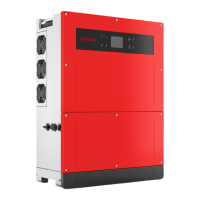
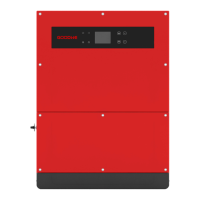
The GoodWe MT Series is a range of four-MPPT, three-phase, transformerless grid-connected solar inverters designed to convert direct current (DC) generated by photovoltaic (PV) modules into alternating current (AC) that conforms to local utility grid parameters and is fed into the grid. This manual provides essential instructions for the installation and maintenance of these inverters, which include models such as GW30KLV-MT, GW35KLV-MT, GW50KLV-MT, GW50KN-MT, GW50KBF-MT, GW60KN-MT, GW60KBF-MT, GW70KHV-MT, GW75K-MT, GW80KHV-MT, GW80K-MT, and GW80KBF-MT.

Function Description:

The core function of the MT Series inverter is power conversion. It takes DC power from PV strings, transmits it to a DC BUS via a BOOST circuit, and then converts it into AC power suitable for the grid. The four Maximum Power Point Trackers (MPPTs) ensure optimal power utilization even under varying PV installation conditions. Integrated protective circuits safeguard both the inverter and human safety. A DC switch is included for safe disconnection of the DC input. The inverters offer standard RS485 and optional Wi-Fi interfaces for communication, allowing for running data display and parameter configuration via an LCD panel or a dedicated app (SolarGo App).

The inverter's functions are broadly categorized into:

  • Conversion Function: Converts DC power from PV modules into AC power compliant with the grid requirements of the installation country.
  • Data Storage and Display: Stores running information and fault records, displaying them on the LCD screen or through the SolarGo App.
  • Parameter Configuration: Allows for various parameter settings to optimize operation.
  • Communication Interface: Provides USB (for service debug), Wi-Fi (optional), and standard RS485 communication interfaces for monitoring and data logging.
  • Protection Functions: Includes comprehensive protection mechanisms such as insulation resistance to ground surveillance, input voltage monitoring, residual current monitoring, anti-islanding protection, PV array string fault monitoring, DC fuse, DC switch, DC SPD (Surge Protective Device), AC SPD, SPD fault monitoring, AC overcurrent protection, and insulation monitoring.

Important Technical Specifications:

The MT Series inverters are designed for robust performance across various models. Key specifications include:

  • MPPTs: Four independent MPPTs, each supporting multiple PV input strings.
  • DC Input Voltage: Max. DC Input Voltage (V) ranges from 800V to 1100V depending on the model. MPPT Range (V) is typically 200-650V or 200-1000V. Starting Voltage (V) is 200V, and Min. Feed-in Voltage (V) is 210V. Nominal DC Input Voltage (V) varies from 370V to 750V.
  • Max. PV Power (W): Ranges from 54000W (GW30KLV-MT) to 120000W (GW80KHV-MT, GW80K-MT).
  • Max. Input Current (A): Varies significantly across models and MPPTs, e.g., 30/30/20/20A for GW30KLV-MT, up to 44/44/44/44A for GW70KHV-MT.
  • Max. Short Current (A): Also varies, e.g., 38/38/25/25A for GW30KLV-MT, up to 55/55/55/55A for GW70KHV-MT.
  • AC Output Power: Nominal Output Power (W) ranges from 30000W (GW30KLV-MT) to 80000W (GW80K-MT, GW80KBF-MT). Max. Output Power (W) can reach up to 88000W.
  • Nominal Output Voltage (V): Typically 400V (default 3L+N+PE), with options for 208VAC, 220VAC, 240VAC, 380/415V, 500V (3L/PE), and 540V (3L/PE) depending on the model and settings.
  • Nominal Output Frequency (Hz): 50/60Hz.
  • Max. Output Current (A): Ranges from 80A (GW30KLV-MT) to 133A (GW75K-MT).
  • Output Power Factor: Adjustable from 0.8 leading to 0.8 lagging.
  • Max. Efficiency: High, typically 98.7% to 99.0%.
  • European Efficiency: High, typically 98.3% to 98.5%.
  • Protection Degree: IP65, ensuring complete sealing against dust and water jets.
  • Dimensions (WidthHeightDepth mm): Consistent across many models at 586788264mm or 586788267mm.
  • Weight (kg): Ranges from 59kg to 70kg.
  • Cooling: Fan cooling (six fans for controlled force-air cooling).
  • Topology: Transformerless.
  • Operating Altitude: <4000m.
  • Ambient Temperature Range: -30°C to 60°C.
  • Relative Humidity: 0% to 100%.

Usage Features:

  • Installation Flexibility: Can be installed vertically or tilted backwards up to 15 degrees, with wiring area facing downwards. Requires minimum clearances for heat dissipation (200mm upward, 500mm downward, 500mm front, 500mm sides, 1000mm interval).
  • Grid Compatibility: Supports various grid types including TN-S, TN-C, TN-C-S, TT, and IT. Specific models (GW70KHV-MT, GW80KHV-MT, GW80KBF-MT) support IT grid type.
  • User Interface: Features an LCD panel and LED indicators for displaying inverter status, operation data, and fault messages. Buttons allow for parameter configuration and navigation through a three-level menu structure (Home, Running Info, Configuration, Adv. Settings, History Info, Device Info).
  • Remote Monitoring: Compatible with the SolarGo App and SEMS Portal for online monitoring of PV plant and device performance.
  • Wi-Fi and RS485 Communication: Allows for data transfer to a PC or data logger devices like EzLogger Pro. Wi-Fi module installation and configuration are detailed, including Wi-Fi Reset and Wi-Fi Reload functions.
  • Safety Settings: Includes configurable safety settings based on local regulations. Users can select country-specific safety codes.
  • Advanced Settings: Password-protected advanced settings for configuring LVRT (Low Voltage Ride Through), Shadow settings, PF (Power Factor) value, Active power, Reactive power, and password modification.
  • History Information: Provides detailed records of generating capacity, fault events, and power generation data (daily, monthly, annual).
  • Start-up Procedure: Automatic start-up when input voltage reaches the turn-on threshold, followed by self-checks and grid connection.

Maintenance Features:

  • Regular Maintenance: Emphasizes regular maintenance for optimal efficiency and operating life.
  • Safety Precautions: Crucial to disconnect AC breaker first, then DC breaker, and wait at least 5 minutes before touching internal parts to release residual voltage.
  • Fan Cleaning: The inverter is equipped with three fans on its left side. Fan intakes and handle covers should be cleaned yearly with a vacuum cleaner. For thorough cleaning, fans can be removed by loosening five screws and disconnecting their connectors.
  • DC Switch Check: Although not strictly required, regular checks and activating the DC switch 10 times in a row once a year are recommended to clean the switch and extend its life.
  • Electrical Connection Check: Periodically verify that AC and DC wires are secure, the earth wire is reliably grounded, and waterproof covers for RS485 and USB ports are fastened. This check should be performed every half year.
  • Fuse Replacement: Detailed steps are provided for replacing broken fuses, including disconnecting power, waiting for residual voltage to dissipate, opening the junction box cover, removing broken fuses vertically, and installing new fuses of the same model from the same company.
  • Error Message Display: The LCD displays specific error codes and messages to aid in troubleshooting, such as SPI Failure, EEPROM R/W Failure, Fac Failure, Relay Check Failure, LCD Communication Failure, DC Injection High, Isolation Failure, Vac Failure, External Fan Failure, PV Over Voltage, Over Temperature, IFAN Fault, DC BUS HIGH, Ground I Failure, Utility Loss, REF 1.5V Failure, AC HCT Failure, GFCI Failure, and Device Failure.
  • Troubleshooting Guide: A comprehensive table lists common fault types and associated solutions, guiding users on how to address issues like Isolation Failure, Ground I Failure, Vac Failure, Fac Failure, Utility Loss, PV Over Voltage, Over Temperature, and Wi-Fi module connection failures.
  • Special Adjustable Setpoints: The inverter has advanced settings for trip points, trip times, reconnect times, and QU/PU curve adjustments, accessible via special software (contact after-sales for manuals).

Goodwe MT series Specifications

General IconGeneral
BrandGoodwe
ModelMT series
CategoryInverter
LanguageEnglish

Related product manuals