No.
1
2
3
4
Function
24V
Shutoff _1
24V
Shutoff _2
The
Insulator
Screw Cap
RS485
communication board
CableSingle hole
seal ring
Nut
1234
Screw
Step4:
1. Connect the terminal to the
right position onto the
inverter.
2. Fasten the waterproof plate to
inverter.
Step3:
Insert the gateway cable through the components
as the followings: screw cap, one-hole sealing ring,
insulation body and sheet metal parts.
4.4.7 SEMS Portal
SEMS Portal is an online monitoring system. After completing the installation of
communication connection, you can access www.semsportal.com or download
the App by scanning the QR code to monitor your PV plant and device.
Please contact the after-sales for more operation of SEMS Protal.
SEMS Portal App
6.5mm
25mm
Plug The Wire Out
Step2:
1. Plug out the 4-pin terminal and dismantle the resistor on it.
2. Plug the wire out, leave the 4-pin terminal for next step.
5 System Operation
5.1 LCD Panel And LED
As a human-computer interaction interface, LCD display panel comprises of LED indicators,
buttons and LCD display on the front panel of the inverter.
LED indicates the working status of the inverter.
Buttons and LCD are used for configuration and viewing parameters.
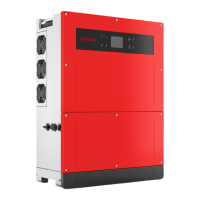
LCD panel is included in GW30KLV-MT / GW35KLV-MT / GW50KN-MT / GW60KN-MT / GW50KBF-MT
/ GW70KHV-MT model type.
Enter
Up
ESC
Down
Green / green /green / red light respectively corresponds to:
Explanation
ON = Equipment Power-on
OFF = Equipment Power-off
ON = Inverter is feeding power
OFF = Inverter is not feeding power
Single slow flash = Self check before grid connects
Single flash = Will connect / active
ON = Wireless connected / active
Blink 1 = Wireless system resetting
Blink 2 = Wireless router problem
Blink 4 = Wireless server problem
Blink = RS485 Connected
OFF = Wireless not active
ON = Fault occurred
OFF = No fault
StatusIndicator
LED only panel is included in: GW50KN-MT / GW50KLV-MT / GW50KBF-MT / GW60KN-MT /
GW60KBF-MT / GW70KHV-MT / GW75K-MT / GW80KHV-MT / GW80K-MT and GW80KBF-MT.
19 20


 To Next Page