Step 7: Changing the video/photo settings
Video settings and photo settings you need to set separately.
1. When the camera is switched on, it is in video mode by
default.
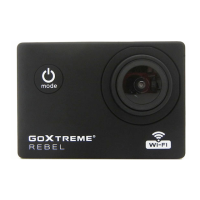
Press the Mode button switch to Photo mode.
2. To change the settings of your photo or video recordings,
press the mode button again to enter the general settings
menu.
3. Then select Video or Photo Settings and scroll to the function
you wish to change.
Camera settings
1. Press the Mode button several times until you reach the
Settings menu.
2. Select Camera settings and confirm with the OK button.
3. Use the arrow keys to navigate to the sub-item you need and
confirm with OK.
POWER FREQUENCY:
Select the power frequency that matches the electricity supply in
your country.
An incorrect setting can cause your videos to flicker when recorded
under artificial or fluorescent light.


 To Next Page