GpsGate VehicleTracker User Guide
Version: 1.3.2 - Rev: A.
5.3 Drawing Tracks
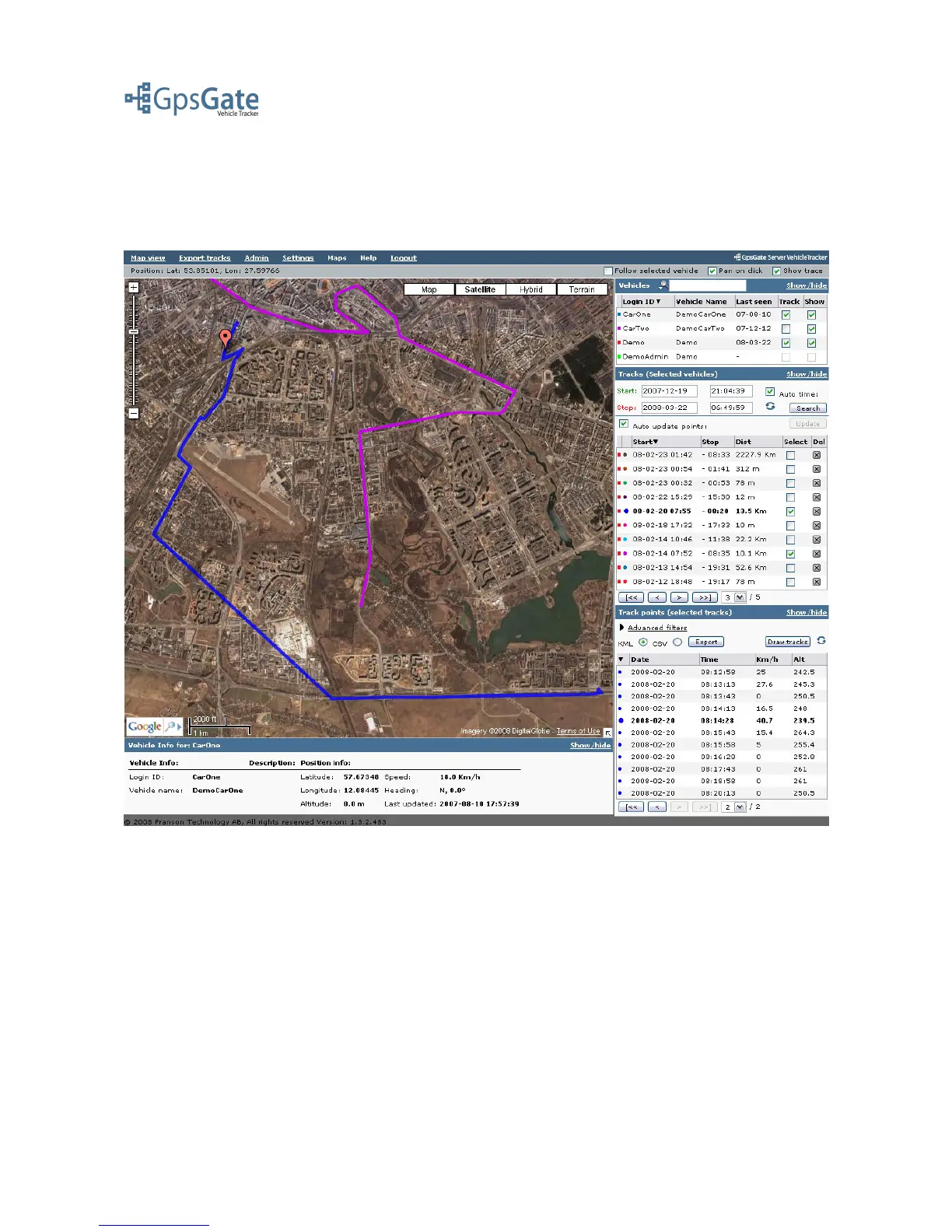
Click on the Draw tracks button on the top of the Track points panel. This will draw the chosen
Track points on the map in a different colour for each track.
You can highlight each individual track point in a track by either clicking on the track on the map,
or by clicking on it in the Track point list. You remove Tracks from the map by clicking the blue
“recycle”-icon next to the Draw Tracks-button.
Date: April 4, 2008 Page 13(17)



 To Next Page