GpsGate VehicleTracker User Guide
Version: 1.3.2 - Rev: A.
3.2 Adding Users
As an Application Administrator you can create other application users and decide if they're should
be Application Administrators or Operators.
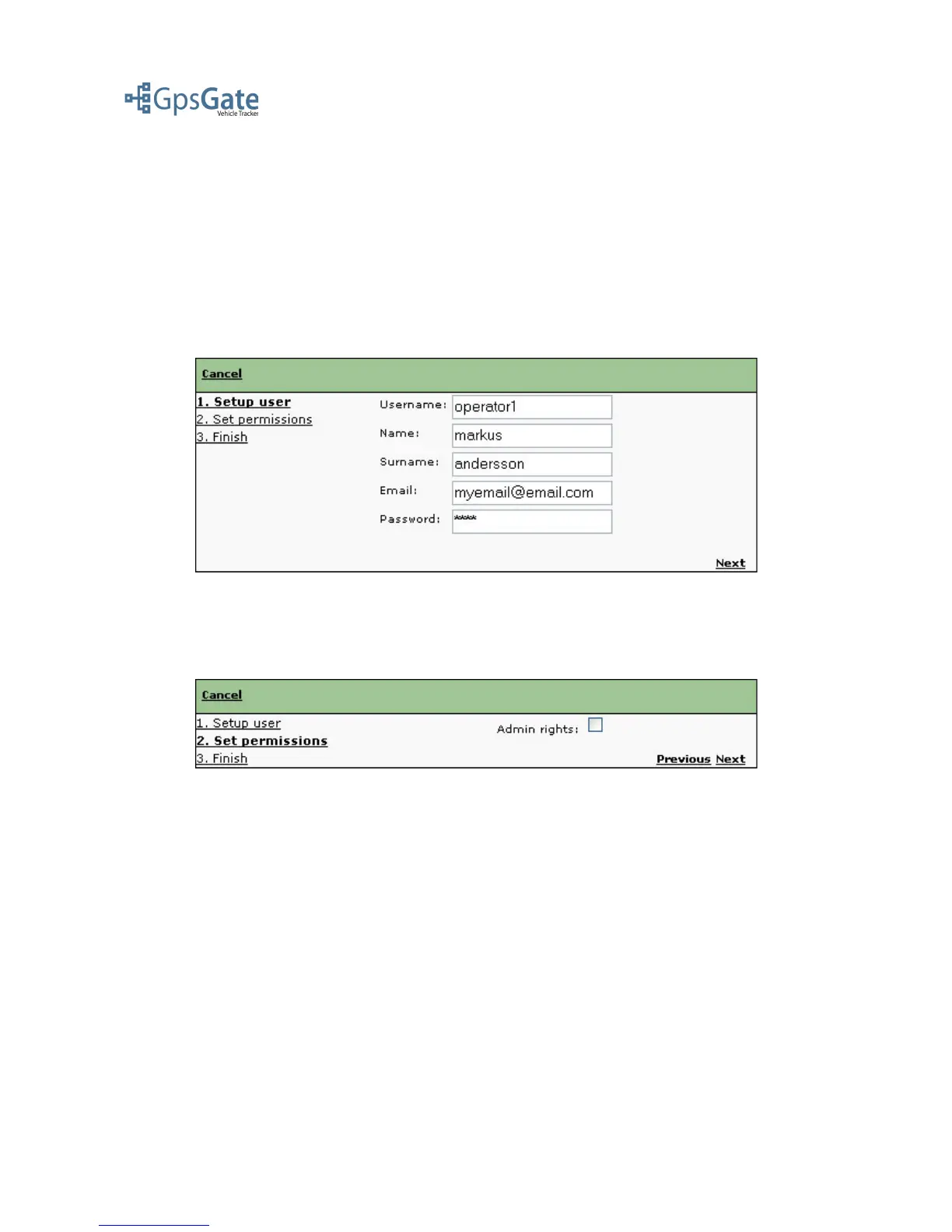
Create a User by clicking on the Admin menu and selecting “add User”, this will open up a window
where you write the Username, Name, Surname, E-mail and Password.
Note: The Username and Password are used both as the user login to VehicleTracker and the client
login when sending data to GpsGate Server from a GpsGate Client.
Click Next to continue.
Now you select whether you want this user to have Admin rights or not.
Click Next to continue and lick Finish to save the user. The user will now appear in the user list and
also in the Vehicle list on the Map view page.
Date: April 4, 2008 Page 5(17)



 To Next Page