10
Viewing Options
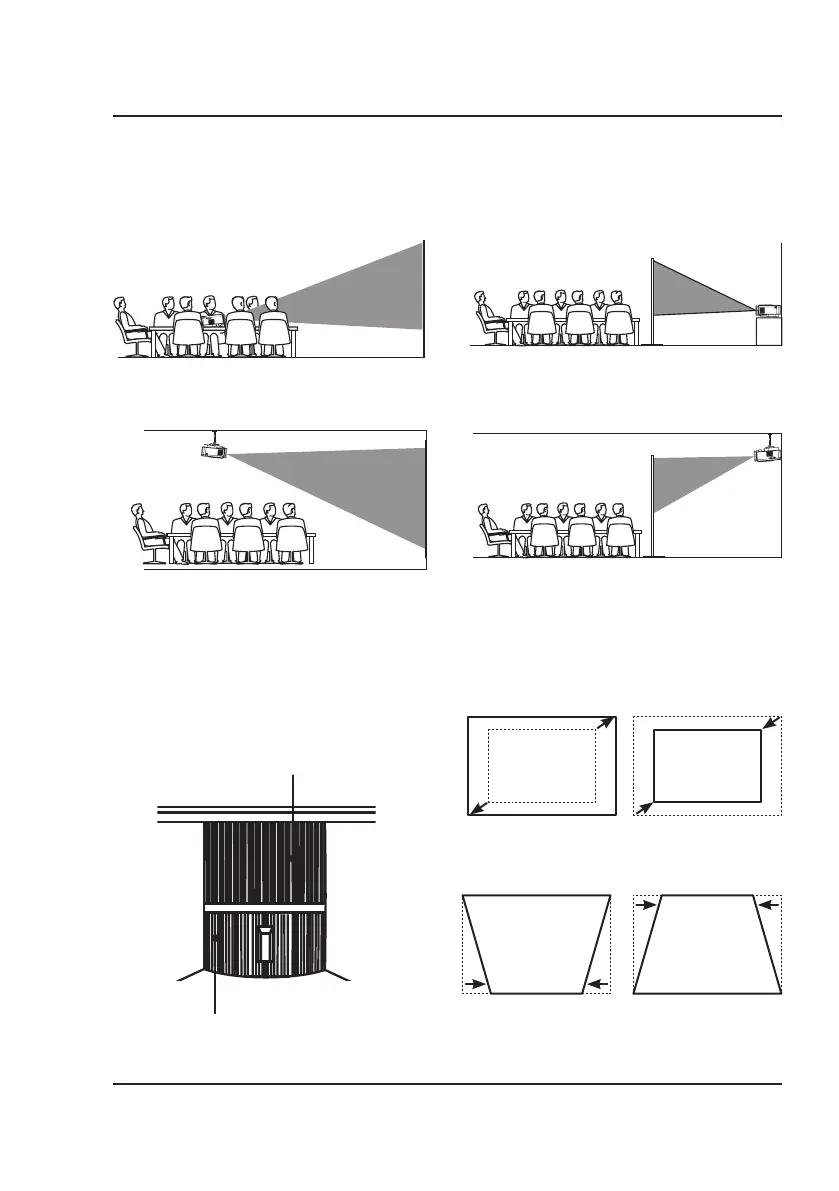
The projector can be used to project onto a wall or screen. It can be mounted from a ceiling or placed on a table.
Be sure to aim the remote at the sensor on the front or rear of the projector. See page 6 for sensor locations on the
projector. When projecting from the rear position, a special screen will be needed (not included) to display the image.
REAR TABLE
FRONT CEILING
REAR CEILING
FRONT TABLE
REAR TABLE
FRONT CEILING
REAR CEILING
Image Adjustment
Keystone Adjustment
Adjust image corners to reduce image distortion.
Focus Adjustment
Increase or reduce image size to sharpen image.
Focus Adjust Knob
Keystone Adjust Knob
Projector Setup


 To Next Page