16
Audio/Video Input
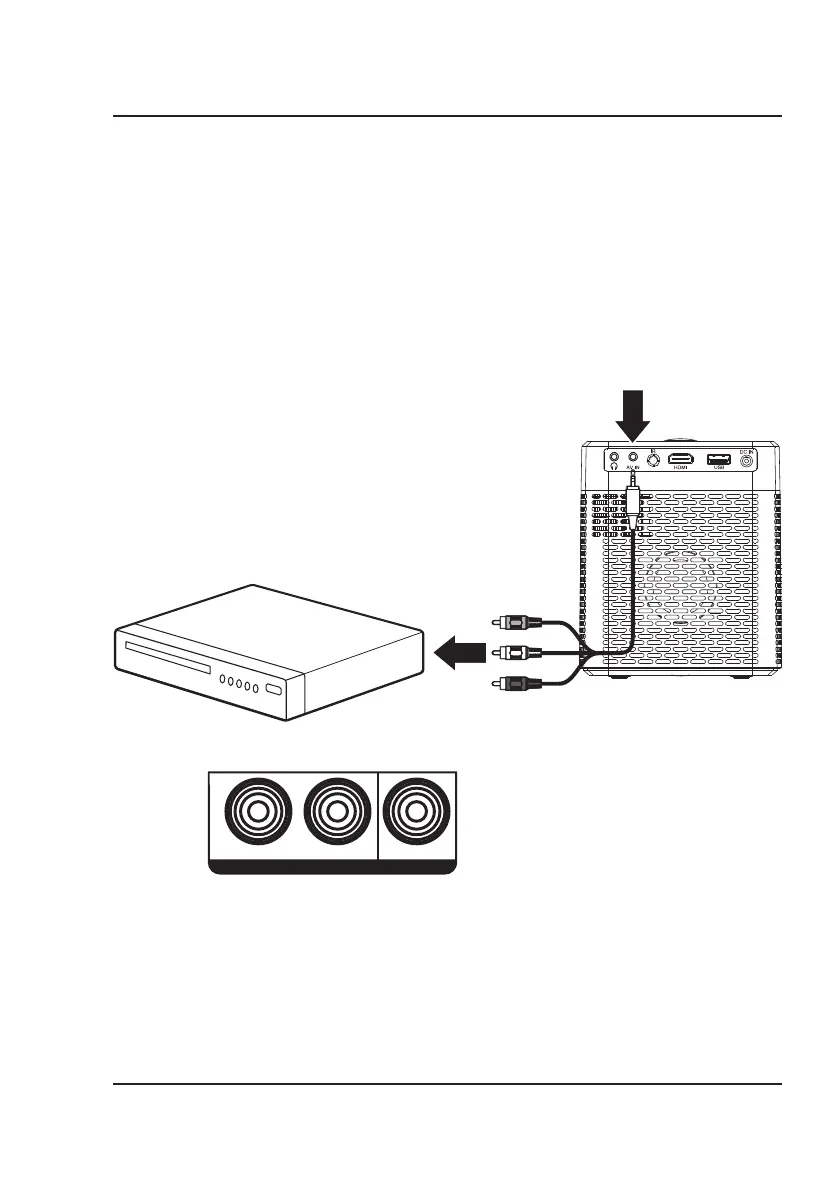
Requires a 3.5mm to RCA audio/video cable (not included).
1. Press and hold the Power button on the projector to enter Standby mode.
2. Connect the 3.5mm to RCA audio/video cable to the AV input on the unit.
3. Connect the 3.5mm to RCA audio/video cable to the RCA stereo audio outputs and composite video output on
the media player.
4. Press the Power button to turn the Projector on.
5. Press the Source button on the remote and use the Arrows and OK buttons to select the AV icon. Use the
controls on the connected player to select and play media.
Connect AV cable (included) to
media player's AV outputs.
Audio Left Channel - White
Audio Right Channel - Red
Video - Yellow
AV IN
R
L VIDEO
Connecting to Other Devices


 To Next Page