18
USB Storage Devices
Supports USB drives up to 256GB NTFS format. Supports mpeg1, mpeg2, mpeg4, mp3, rm, rmvb, avi, mov, divx, mkv,
bmp, png, and jpeg
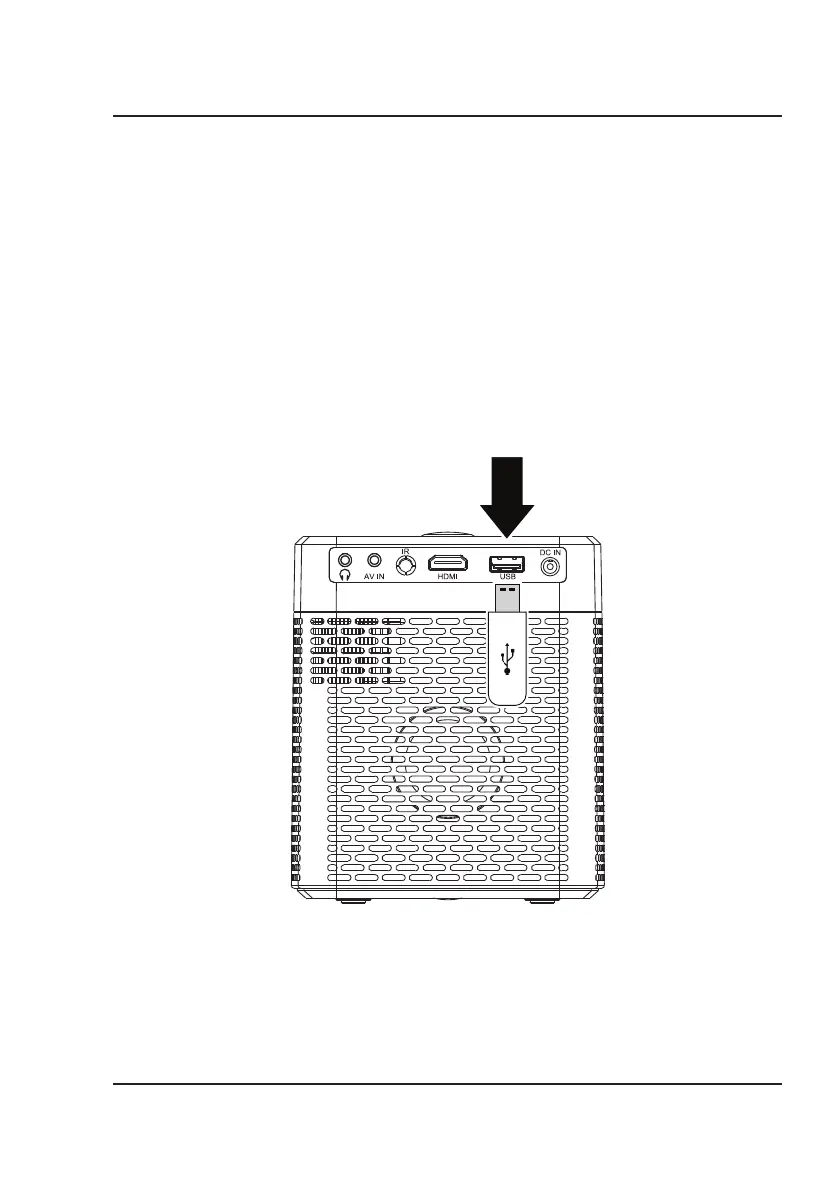
1. Press and hold the Power button on the projector to enter Standby mode before inserting a USB drive. Then,
insert into the USB port and turn the unit on.
2. On the home menu, use the Arrow buttons to select Movie/Photo/Music/Text, then press the OK button to
enter the menu.
3. Select "C" or the device name as the source to begin playing content from the connected storage device.
4. Use the Arrow buttons to search for the file you wish to playback and press the OK button to select.
Note: Before removing an inserted USB drive, first press and hold the Power button to enter standby mode.
USB Port
Connecting to Other Devices


 To Next Page