19
Connecting via iOS Cast
To use screen casting with the projector, it must first be connected to a Wi-Fi network.
Note: Not all media apps or streaming services support screen casting via Apple
devices.
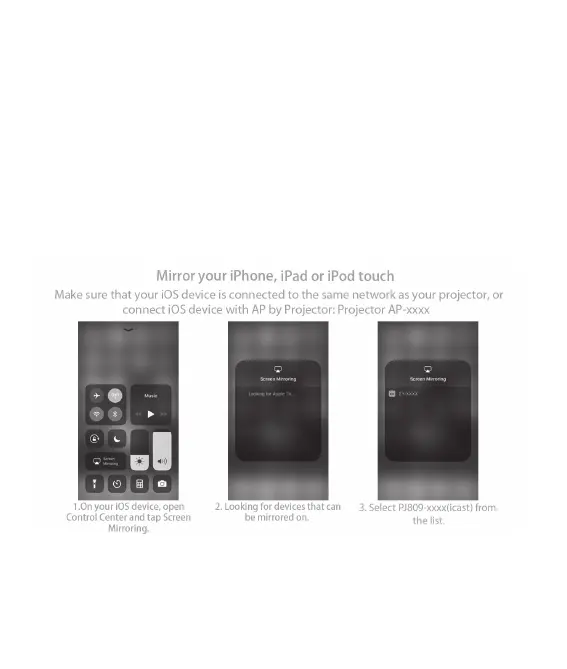
• Select iOS Cast from the Main Menu. Note: iOS devices and the projector must be
connected to the same network.
• Open the Control Center of the iOS device and select Screen Mirroring.
• Select the projector from the list of available devices. The projector will display
the image from your Apple device when successfully connected.


 To Next Page