24
Audio Output
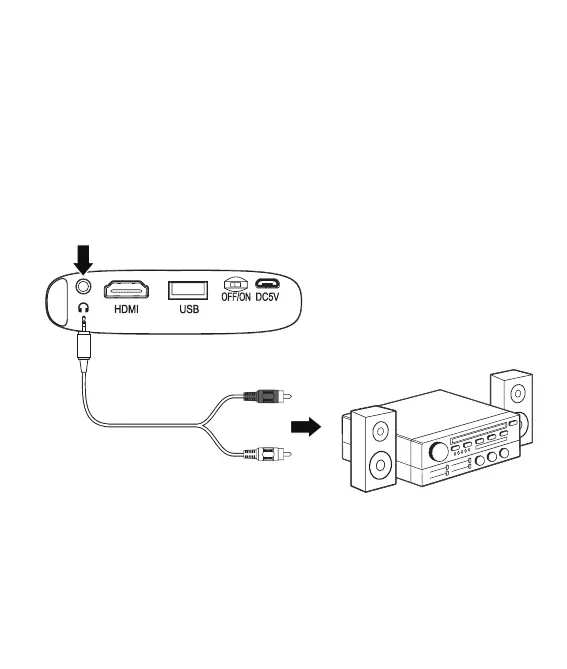
Note: External speakers must have their own power supply.
Requires a 3.5 mm to RCA stereo cable or 3.5mm audio cable (not included).
• Using the appropriate audio cable, connect the Audio Out on the projector
to external powered speakers or headphones. The projector will automatically
detect the connection and send audio through the output.
Connecting to Other Devices
3.5mm to RCA
stereo cable
Connect to amplifier
Audio Left Channel - White
Audio Right Channel - Red


 To Next Page