22
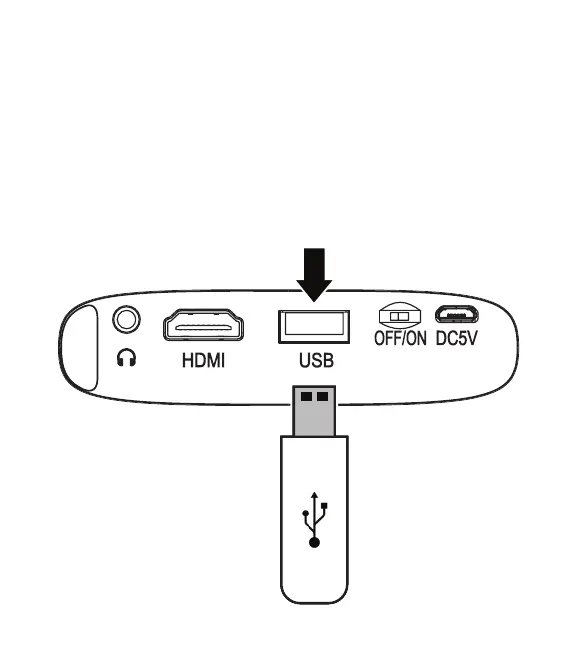
USB Drive
• Connect a USB drive to the USB port on the rear of the unit.
• From the Main Menu, select Media, then select Movie, Music, or Photo,
depending on the type of media on the USB drive.
• Use the remote to select and begin playing files. Press Menu to access on-screen
play controls and options.
Connecting to Other Devices


 To Next Page