20
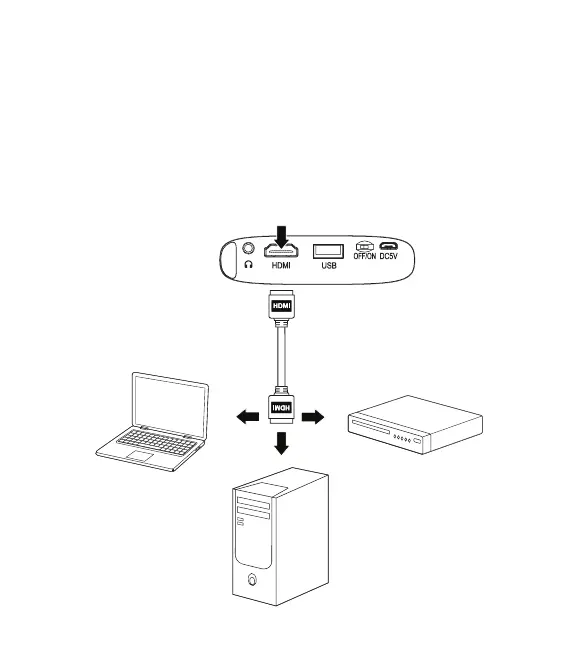
Devices with an HDMI Output
Requires an HDMI cable (included) and a device with an HDMI output.
• Using an HDMI cable, connect the HDMI input on the projector to the HDMI
output on a compatible media player.
• From the Main Menu, select HDMI. Note: If connecting to a PC, it may help to
change the display resolution to 1024x768.
Connecting to Other Devices


 To Next Page