Operation
3A4203B 21
Digital Display
Some models are equipped with a digital
display. This section explains how to use this
feature.
Pressure Display
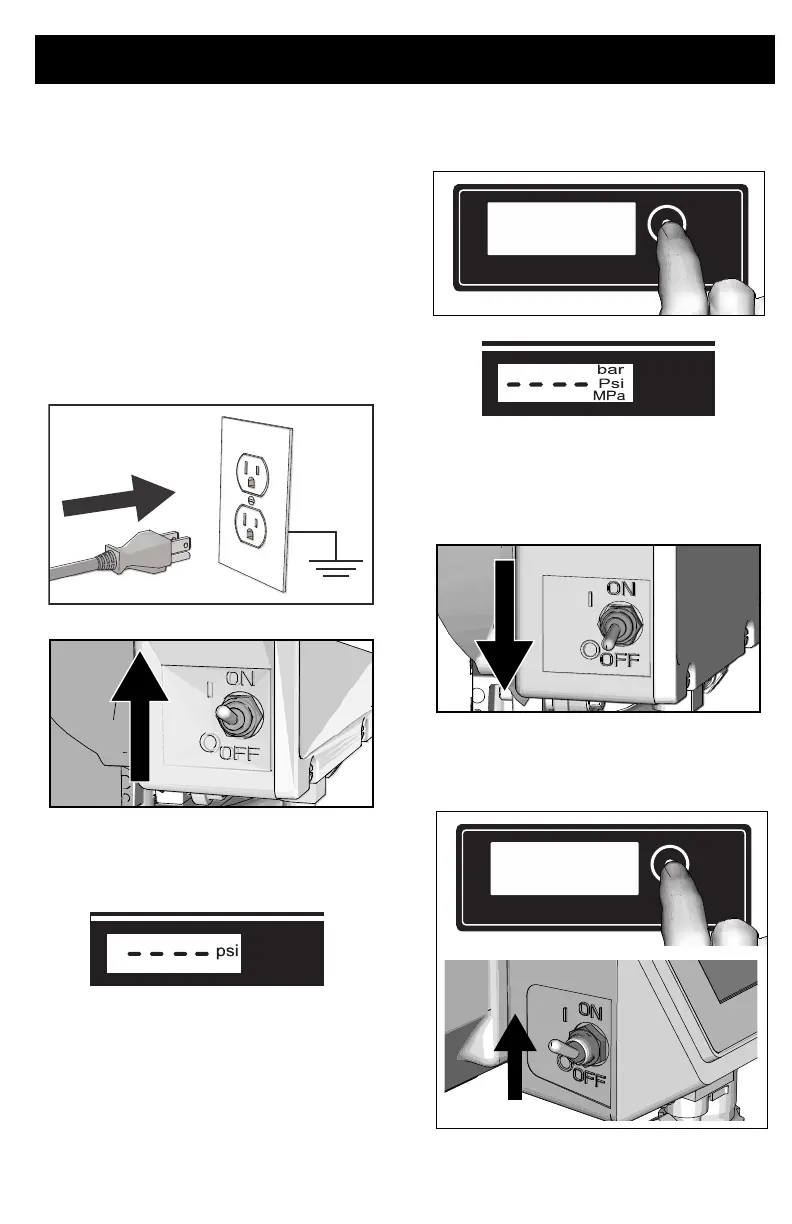
1. Perform Pressure Relief
Procedure, page 12.
2. Plug sprayer into grounded outlet. Turn
ON/OFF switch to ON position.
3. The pressure is displayed. Dashes
indicate pressure is less than 200 psi (14
bar, 1.4 MPa).
4. Press and release display button to
display total running hours.
5. Press and hold display button to change
pressure units (psi, bar, or MPa).
Stored Data Display
1. Turn ON/OFF switch to OFF position.
2. To enter Stored Data Mode, press and
hold display button and turn ON/OFF
switch to ON position.
ti2786a
ti29542a




 To Next Page