Preparation
15
Removing and Installing Hopper
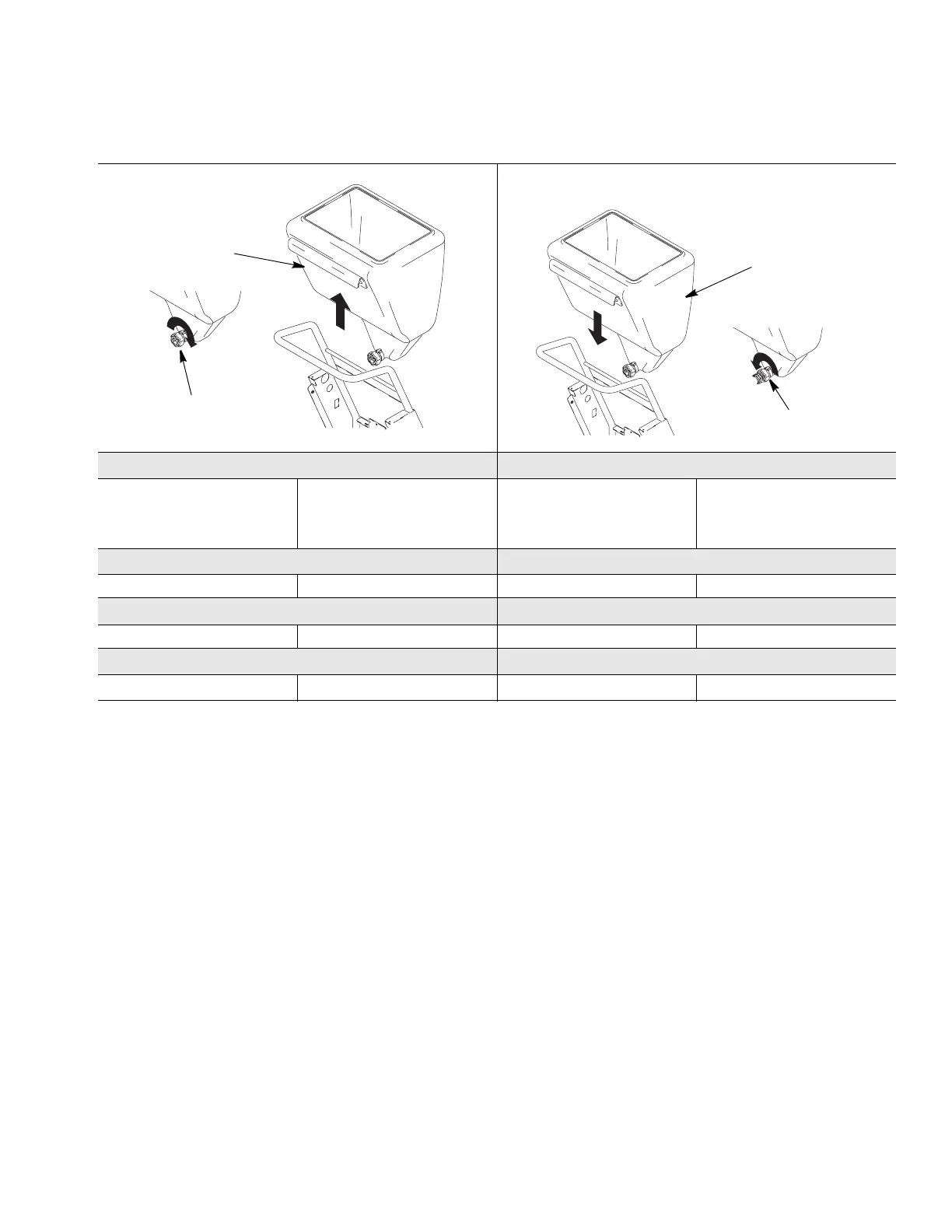
Removing Hopper (C) Installing Hopper (C)
1 To remove hopper (C), loosen
fitting (D). Fittings are
hand-tightened and should not
require tools to loosen.
2 Lift hopper (C) straight up, off
of unit.
1 Position hopper drain over
fitting as far as it will go,
making sure identification label
faces out.
2 Hand tighten fitting (D).
Removing Hopper (C) Installing Hopper (C)
1212
Removing Hopper (C) Installing Hopper (C)
1212
ti4503a
C
D
ti4504a
C
D



 To Next Page