EasyManua.ls Logo

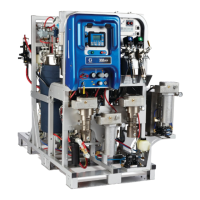
Graco XM PFP - User Manual

Graco XM PFP
100 pages
Print Icon
To Next Page IconTo Next Page
Loading...
3A2776K
Setup - Operation
XM
PFP
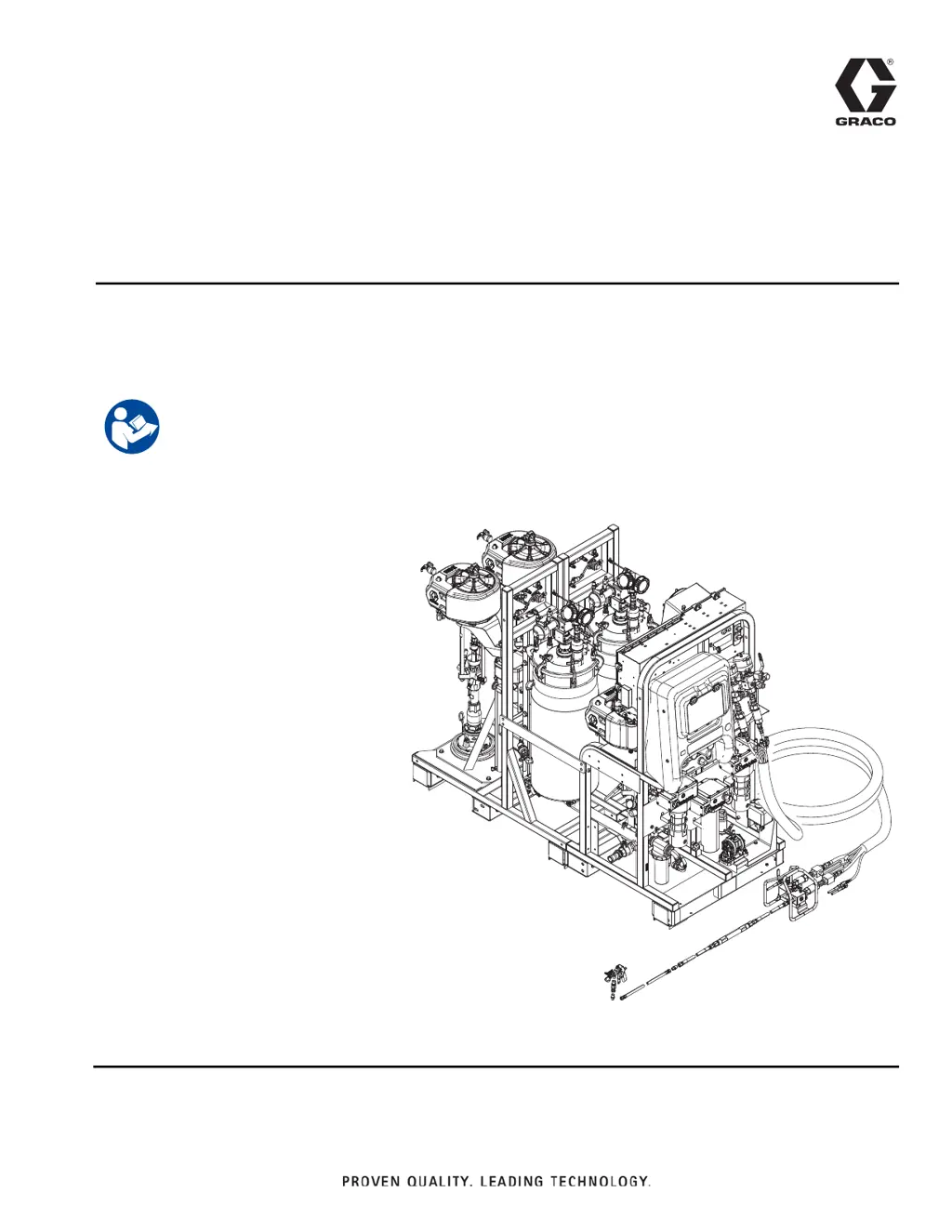
Plural-Component Sprayer
For spraying two-component passive fire protection (PFP) intumescent epoxies.
For professional use only.
See page 3 for model information, including
maximum working pressure and approvals.
Important Safety Instructions
Read all warnings and instructions in this
manual and in all related manuals before
using this equipment. Save all instructions.
WLE
EN

Table of Contents

Other manuals for Graco XM PFP

Questions and Answers

  • K
    kristi36Dec 1, 2025
    What to do if metering pumps do not run when Run Mode is selected and the blue LED is illuminated on my Graco XM PFP?
    • B
      Brenda MillerDec 1, 2025
      If the metering pumps on your Graco Paint Sprayer fail to run when Run Mode is selected and the blue LED is lit, consider the following: * Air pressure to metering pumps is too low. Increase the pressure to 50 psi (0.35 MPa, 3.5 bar) or greater. * Air pressure to metering valves is too low. Check the air regulator behind the main air panel; it should be at 80-85 psi (0.55-0.59 MPa, 5.5-5.9 bar). * Circulation valves or mix manifold ball valves are not open. Open the ball valves. * Air pilot lines are obstructed. Check the pilot lines for kinks or pinches. * Solenoid valve stuck. Actuate solenoid manually, if it does not operate, replace solenoid. * Air pilot valve(s) to motor stuck. Replace valve(s). * Metering valve(s) not opening. Service or replace valve(s). * Air motor...
  • H
    Howard TaylorAug 23, 2025
    Why does my Graco XM PFP Paint Sprayer have a poor spray pattern?
    • L
      ljonesAug 25, 2025
      A poor spray pattern in your Graco Paint Sprayer can be caused by: * Fluid pressure being too low. Increase the metering pump pressure. * Fluid temperature being too low. Increase the fluid temperature. * Spray tip being dirty or worn. Relieve pressure, then clean or replace the tip, following the gun manual instructions. * Mix manifold, mixer, swivel, gun, or hoses partially plugged or too restrictive. Inspect parts for cured material. Clean or replace, or use larger hoses and mixer.
  • C
    Carl MossAug 25, 2025
    What to do if the Graco XM PFP Paint Sprayer does not start when the start button is pressed?
    • H
      hickmanbrianAug 26, 2025
      If your Graco Paint Sprayer fails to start when the start button is pressed: * Check for a faulty start switch or wire harness continuity; the switch is normally open circuit. * Check for a faulty stop switch or wiring harness continuity; the stop switch is normally closed circuit.
  • H
    hwilliamsAug 27, 2025
    What to do if my Graco XM PFP fluid valve is leaking at the rod?
    • A
      Amber BurnsAug 27, 2025
      If the fluid valve is leaking at the rod of your Graco Paint Sprayer, it is likely due to loose or worn packings. Try tightening the packing nut. If the leak persists, replace the packings.
  • S
    Stephanie GoodmanAug 27, 2025
    What to do if my Graco XM PFP Paint Sprayer fluid valve is leaking between the main and outlet housings?
    • E
      eric51Aug 27, 2025
      If the fluid valve on your Graco Paint Sprayer is leaking between the main and outlet housings, the O-ring on the seat has likely failed. Replace both O-rings on that seat.
  • K
    Kristen MooreSep 16, 2025
    Why is hardener pressure higher than normal in Graco Industrial Equipment?
    • G
      Grace AlvarezSep 16, 2025
      If the hardener pressure is higher than normal in your Graco Industrial Equipment, the hardener may be cold. You should correct the heat problem.
  • P
    Paige CrossSep 14, 2025
    How to troubleshoot little or no resin output in Graco Industrial Equipment?
    • D
      diane52Sep 14, 2025
      If your Graco Industrial Equipment has little to no resin output, the fluid inlet may be plugged, so clean the inlet and remove any obstruction. Another possibility is that the fluid container is empty, so refill it.
  • X
    xmorenoSep 15, 2025
    What causes little or no hardener output in Graco Industrial Equipment?
    • J
      Jeremy EricksonSep 15, 2025
      If your Graco Industrial Equipment shows little to no hardener output, the fluid inlet may be plugged. Clean the inlet to remove any obstructions. Also, check if the fluid container is empty and refill if necessary.
  • J
    joseph01Sep 6, 2025
    What to do if Pump Test completes without error, but A or B component has more than 750cc of fluid in beaker on my Graco XM PFP Paint Sprayer?
    • N
      Nicole GardnerSep 6, 2025
      If the Pump Test completes without error, but either the A or B component has more than 750cc of fluid in the beaker for your Graco Paint Sprayer: * Repeat Pump Test with fresh fluid, because air is trapped in fluid due to excessive agitation, circulation, and heat. Fluid is measured by volume when it is compressed under pressure.
  • S
    Stephanie PerezSep 4, 2025
    What to do if I receive a ratio alarm after starting in spray mode while using a remote mix manifold on my Graco Paint Sprayer?
    • C
      Catherine DillonSep 4, 2025
      If you receive a ratio alarm after starting in spray mode while using a remote mix manifold on your Graco Paint Sprayer, it may be because A and B hoses do not fill to the correct pressure ratio simultaneously, increasing spray time to balance pressure. Pressurize outlet hoses in manual A/B pump mode, then start spray mode.

Summary

Important Safety Instructions

Electrical and Fire Safety

Covers electric shock, fire, explosion hazards, and safe operating conditions.

Physical Hazards

Details skin injection, burn, and moving parts hazards for user safety.

Equipment Misuse and Toxic Hazards

Covers misuse, toxic fluids/fumes, splatter hazards, and PPE recommendations.

Component Handling Precautions

Covers keeping components separate and safe material changing procedures.

Models and Related Manuals

Product Models

Details available system models, ratio ranges, and approvals.

Related Documentation

Lists essential manuals for components and accessories.

Component Identification

Front View Identification

Identifies key components and their locations in the front view of the sprayer.

Back View Identification

Identifies key components and their locations in the back view of the sprayer.

Control Assemblies and User Interface

Details fluid control assembly, power/heater controls, air controls, and user interface elements.

Setup Procedures

Location, Unboxing, and Configuration

Covers site selection, unpacking, and system layout options.

Module and Power Connections

Instructions for connecting modules, power, and air supply.

Hose and Sensor Connections

Guides connecting feed module lines, fluid hose bundles, and installing level sensors.

Circulation System Setup

Instructions for connecting tank heat circulation hoses and priming heated systems.

Initial Startup and Priming

Power On and Initial Flush

Steps for powering on the machine and initial flushing if required.

Loading and Priming Material

Detailed procedure for loading material and priming the system.

Prime Flush Pump

Flush Pump Operation

Procedure for priming the flush pump for system cleaning.

Adjust Ratio and System Settings

Ratio Mode and Set Point Adjustment

Guidance on selecting ratio mode and setting the desired mix ratio.

Temperature Control Settings

Instructions for setting and adjusting material and hose temperatures.

Spray Operation

Spray Procedure Overview

Steps to ensure proper material mixing, priming, and temperature for spraying.

Flush Mixed Material

Mixed Material Flushing

Procedure to flush mixed material from the system to prevent curing.

Park Metering Pump Rods

Metering Pump Storage Procedure

Steps to park metering pump rods to prevent material hardening.

Pressure Relief Procedure

System Pressure Relief

Essential steps to safely relieve pressure before servicing or stopping the equipment.

System Verification and Testing

Pump and Metering Calibration

Procedure to test and calibrate pumps for accurate ratio by weight.

Batch Dispense, Leak, and Mix Tests

Tests for dispensing volumes, verifying ratios, and detecting valve leaks.

Empty and Flush Entire System

System Draining and Flushing

Procedure to minimize waste when emptying and flushing the entire system.

Download Data from USB

USB Data Management

Details on USB logs, setup, and the download procedure.

Maintenance Procedures

Routine Maintenance Tasks

Covers adjusting packing nuts, filters, seals, and battery replacement.

System Cleaning Procedures

Instructions for thoroughly cleaning the sprayer system.

Troubleshooting Information

General Setup and Operational Tips

General tips for setup, grounding, air supply, calibration, and motor icing.

Alarm Management and Diagnostics

Information on alarms, module diagnostics, and troubleshooting common issues.

Appendix A - User Interface Display

Interface Navigation and Settings

Explains UI layout, changing settings, and alarm display.

Setup Mode Screens Overview

Details on configuring system settings like ratio, temperature, and USB options.

Operator Command Mode Screens Overview

Screens for running pumps, spraying, parking, and performing tests.

Information Screens Overview

Screens for viewing alarms, logs, totals, and maintenance schedules.

Appendix B - Alarms

Alarm Overview and Code Key

Explains alarm display, levels, and provides a code interpretation key.

Alarm Troubleshooting and Solutions

Details possible alarms by mode and troubleshooting steps for specific alarm codes.

Technical Specifications

System Specifications

Lists detailed technical specifications for the XM PFP sprayer.

Graco Warranty and Information

Standard Warranty Details

Information regarding Graco's standard warranty terms and conditions.

Graco XM PFP Specifications

General IconGeneral
BrandGraco
ModelXM PFP
CategoryPaint Sprayer
LanguageEnglish

Related product manuals