765041776 Rev. 006 14
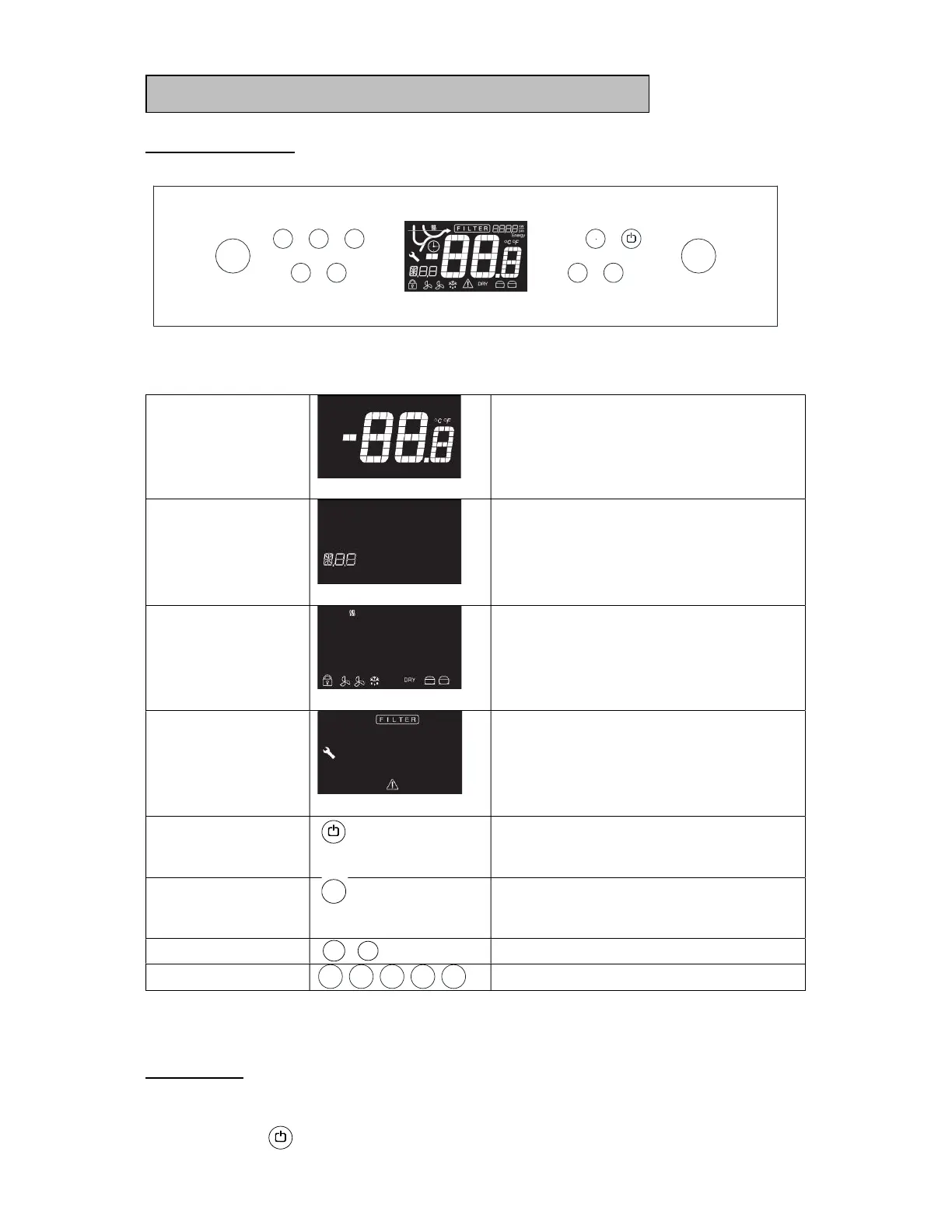
Control elements:
Primary display
Display of temperature
Secondary display
Display of error codes, alarms,
settings etc.
Control lamps
These lamps indicate, which
components/functions are active.
Warning lamps
These lamps only lights up if
something is wrong, or action is
required.
Control keys
On/off key. Used for turning the
appliance on or off, and exiting the
menu.
P key. Used as selection key and for
activation of a menu in combination
with other keys.
+/- keys. Up/down in setting.
Numeric keys. Setting of parameters.
Starting up:
Plug in the appliance.
Push to turn on the appliance.
21 3
4 5
-
+
P
P
+
-
21 3 4 5


 To Next Page