765041776 Rev. 006 18
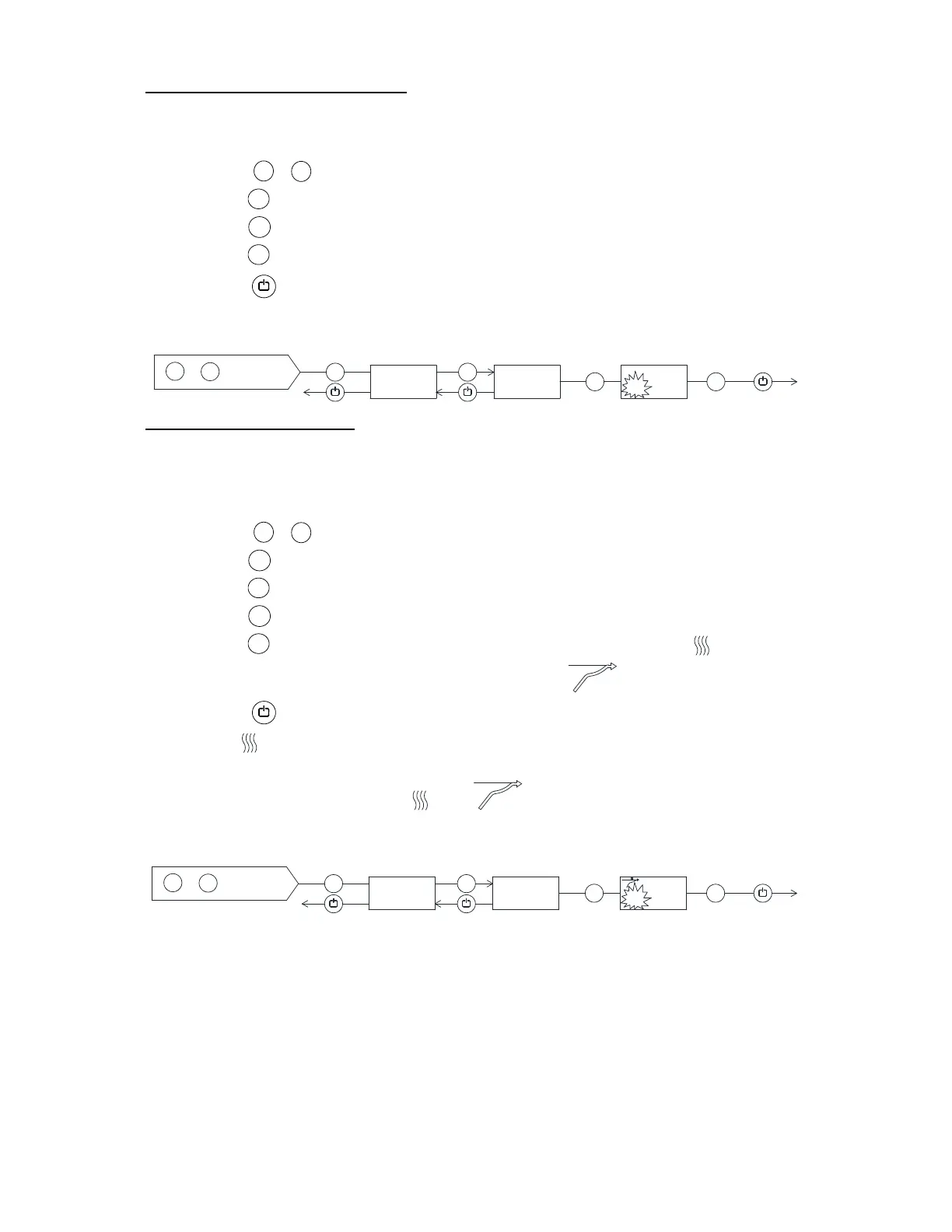
1. Setting of dry refrigeration
Note : Applies only to products equipped with dry refrigeration.
Press for more than 3 seconds. The secondary display shows DC.
Press , the secondary display shows OFF, because the program is off.
Press , ON flashes in the display.
Press to confirm, ON lights constantly, and the control lamp DRY lights.
Press twice to exit the user menu. Dry refrigeration is now active.
De-activation of dry refrigeration is done in the same way.
2. Setting of rapid thaw
Note: Applies only to products equipped with rapid thaw. The temperature setpoint
must be set between +2C and +8C in order to activate rapid thaw.
Press for more than 3 seconds.
Press . The secondary display shows UF.
Press , the secondary display shows OFF, because the program is off.
Press , ON flashes in the display.
Press to confirm, ON lights constantly, and the control lamp lights.
At the same time the thaw symbol is displayed:
Press twice to exit the user menu. Rapid thaw is now active. The control
lamp flashes, simultaneously the color of the arrow runs from the bottom to
the top.
When the rapid thaw ends, and are turned off and the controller
returns to normal operation.
P
+ 1
P
+
P
P
P
+
P
>3 sek.
1
+
+/-
5
DC
5
OFF
5
ON
DRY
1 x
2 x
1.
P
+ 1
+
P
+
P
P
P
+
P
>3 sek.
1
+
+/-
5
UF
5
OFF
5
ON
2 x
2 x
2.


 To Next Page