765042420 Rev.000 13
Operatin
the product
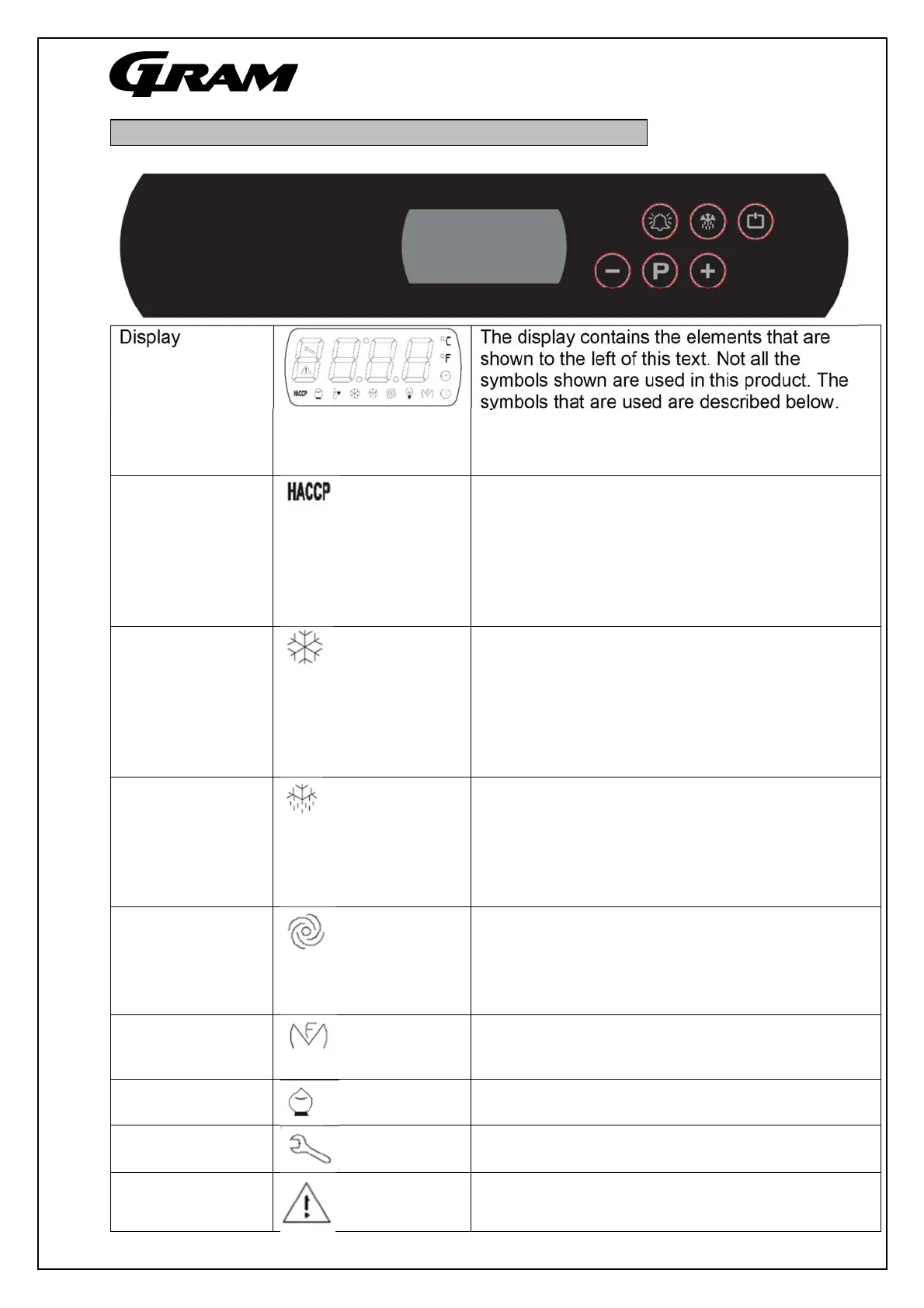
Display The display contains the elements that are
shown to the left of this text. Not all the
symbols shown are used in this product. The
symbols that are used are described below.
The temperature is shown in the 4
alphanumeric positions. The individual symbols
show what is in operation.
Symbols
If this symbol is lit, not all HACCP alarms have
been displayed.
If this symbol flashes, the controls have stored
at least one new HACCP alarm.
If this symbol is not lit, then all HACCP related
alarms have been shown or the alarm log has
been deleted.
If this symbol is lit, then the compressor is in
operation.
If this symbol flashes, the set point of the
controls is about to be changed or the
compressor is being prevented from starting
due to various safety parameters in the
controls.
If this symbol is lit, the controls are performing
a defrosting process. If this symbol flashes, the
drip time after defrosting is under way or
defrosting could not be commenced due to the
compressor's operation preventing this
defrostin
.
If this symbol is lit, then the evaporator fan is in
operation. If this symbol flashes, it means that
the evaporator fan has been deactivated/limited
in starting by various parameters in the
controls.
When this symbol is lit, the frame and drainage
heating elements respectively have been
switched on
onl
applies to freezers
.
When this symbol is lit, the cabinet is in energy-
saving mode.
When this symbol is lit, it is time to clean the
cabinet's condenser
When this symbol is lit, there is a current alarm
or a sensor fault that needs to be addressed.


 To Next Page