3 Daily cleaning 3.1 Collecting and cleaning of
PowerGranules
• From 2500 to 501 programs: Check Granule level (after every 10th
collection)
• From 500 to 251 programs: No message (goes back to STOP mode)
• From 250 to 1 program: Order granules (after every collection)
• From 0 program: Change granules now (after every collection until
message is reset)
Top up with granules when needed. Wash result will suffer if the Granule
level is too low.
66 Take the filled Granule collector out from the machine and rinse the
granules thoroughly. Make sure no food residues are left.
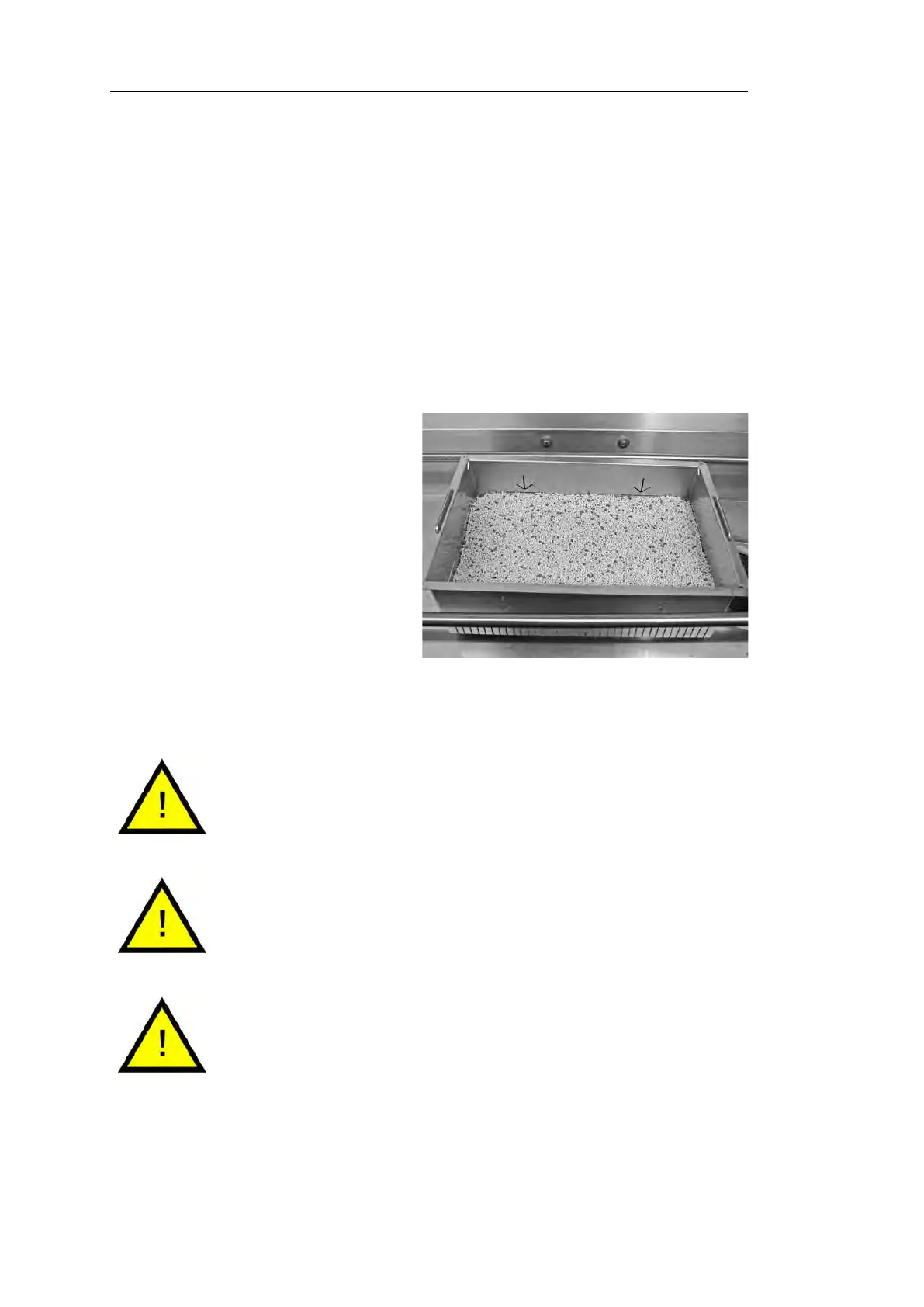
Fig. 22 Check Granule level
77 Check that the Granule level
reaches up to the horizontal
mark in the Granule collector
See Fig. 22 Check Granule
level
NOTE
Not 100% of the granules will be collected. 1–2 deciliters can
remain in the tank.
NOTE
Too many or too few granules will impair wash results. Too
many can also cause blocking of the spray nozzles.
NOTE
Do not use disinfectant or other cleaning products when
cleaning the granules. The residue from these products will
cause foaming in the machine with poor wash result as a
consequence.
32 Rev. 2021-12


 To Next Page