14 / 25
(d) : Curing time is displayed in minutes.
(e) : Curing time in (d) can be adjusted in units of 1 minute by pressing the arrow icons.
(f) : Curing time is displayed in seconds.
(g) : Curing time in (f) can be adjusted in units of 5 second by pressing the arrow icons.
(h) : Curing level is displayed (1~5)
(i) : Curing level in (h) can be selected by pressing the arrow icons.
(j) : Start curing.
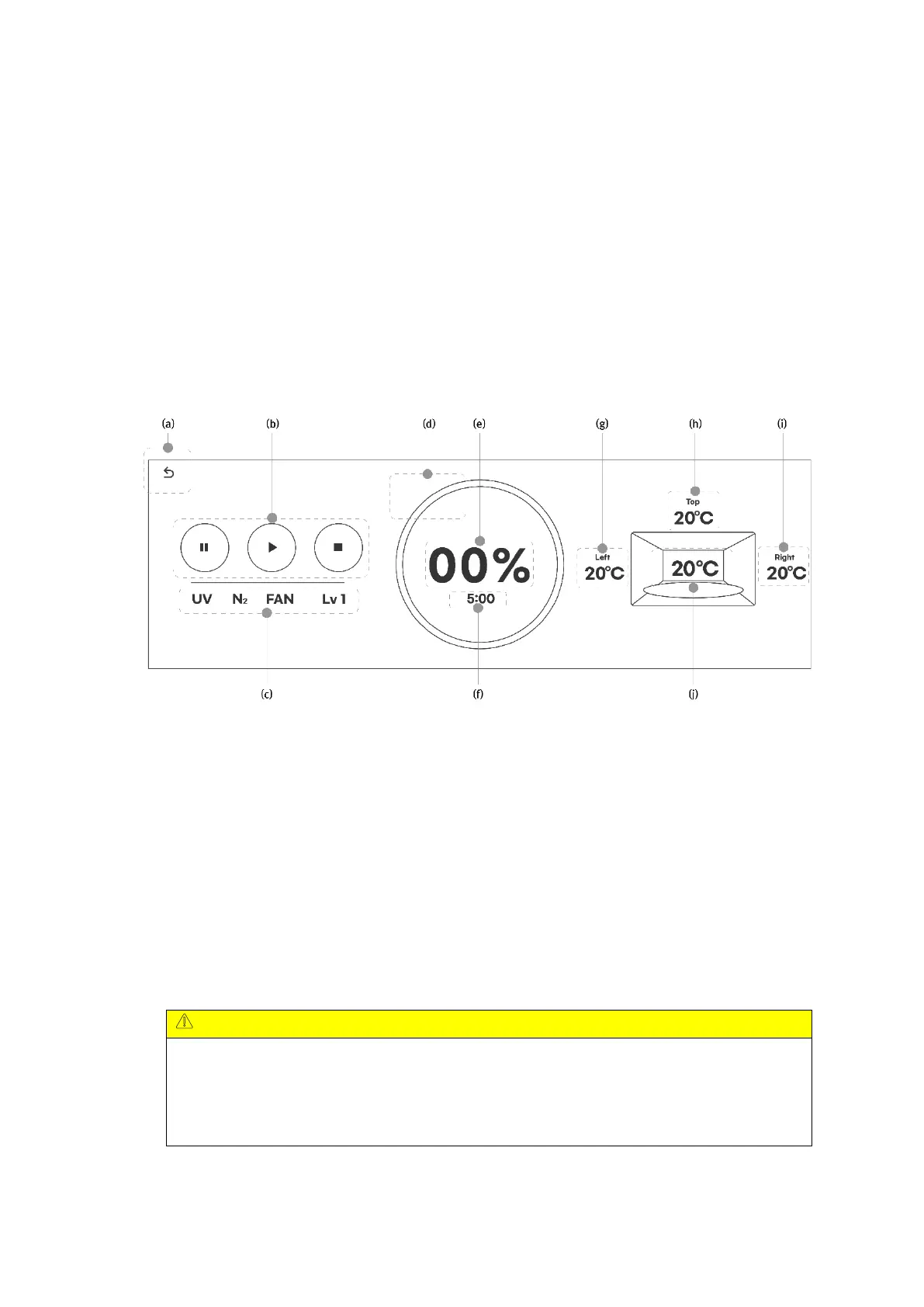
□ Progress screen : Status screen at curing
(a) : Return to main screen. (Only when curing is stopped)
(b) : Control the action of curing. (Pause/Play/Stop buttons in sequence)
Pause: Curing is paused, and curing continues with the progress rate and remaining time.
Play: If you press it after pause, curing continues, and if you press it after stopping, it starts
again from the beginning with the set curing conditions.
Stop: Curing is stopped, and continues curing is not allowed.
(c) : Displays the current curing status. (UV operation/nitrogen injection/FAN operation/curing
level in sequence)
(d), (e) : Curing progress is shown as a pie graph (d) and percentage (e).
(f) : Remaining time
When nitrogen curing is performed, a separate progress rate is displayed during the
nitrogen injection confirmation time (default value is 5 minutes), and when the nitrogen
concentration in the chamber reaches the set value, curing starts, and the progress rate
and remaining time are reset by the time set in the curing condition.


 To Next Page