13 / 25
5. User Interface
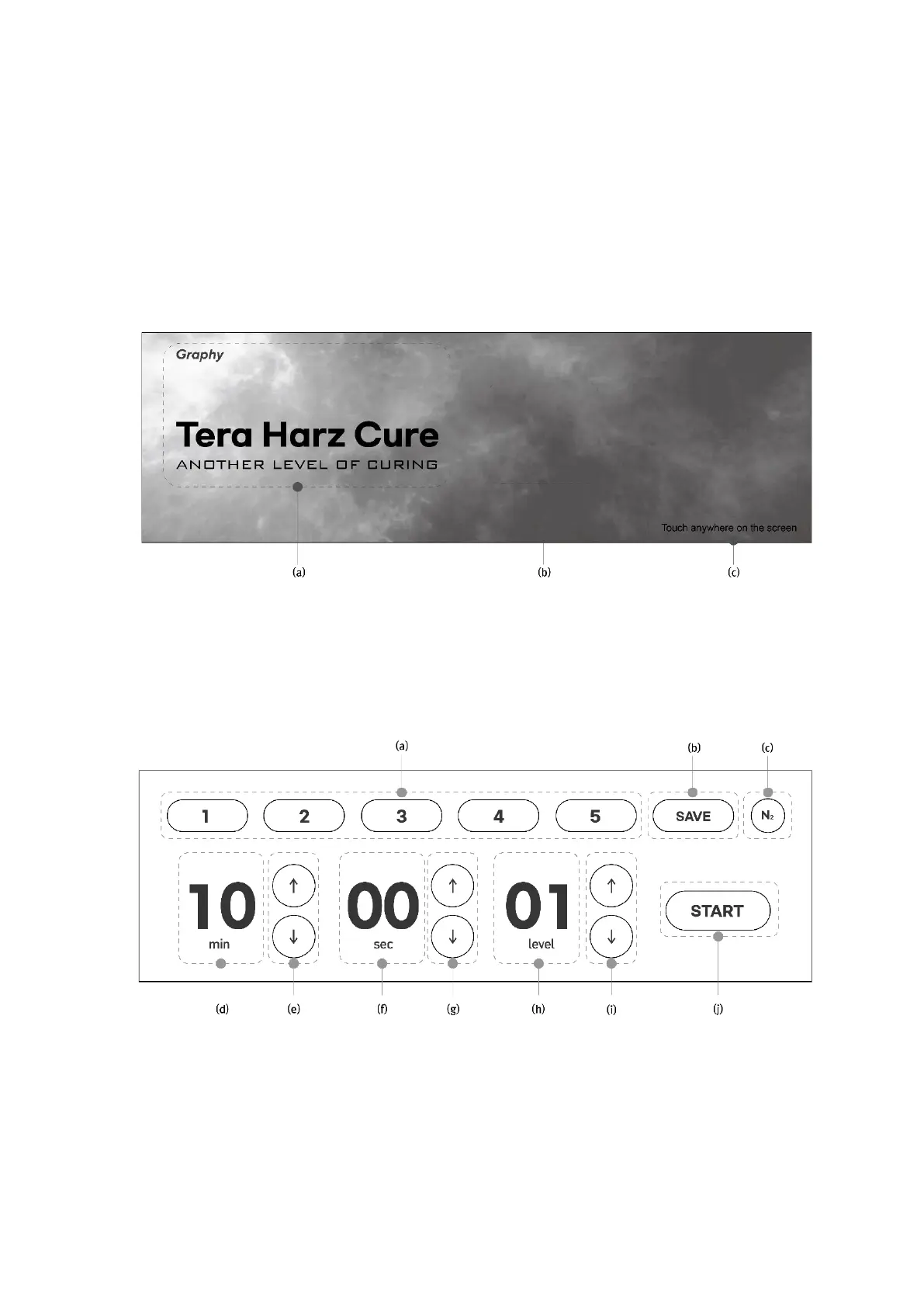
□ Boot Screen
After connecting the power cable to the back of the equipment and turning on the switch, wait
until the booting is finished as it takes about 20 seconds to boot. After booting, the screen
below will appear as a video..
(a) : Company and product name(Text)
(b) : Intro video
(c) : Instructions to touch anywhere on the screen
□ Main screen: setting and starting curing conditions
(a) : 5 pre-stored modes. After newly saving the settings for each mode, you can apply the
changed settings.
(b) : A function to save the curing conditions (minutes/seconds/levels/nitrogen hardening) that
are frequently used by users in a desired mode
(c) : Function to select Nitrogen curing or not


 To Next Page