19 / 25
7. Intro video update (add-on)
Tera Harz Cure standby screen image (intro video) can be changed according to the user's
preference. In order to update the intro video, the Updater S/W provided by Graphy Co., Ltd.
must be installed.
The resolution of the intro video (avi) must be 1280x400 for normal upload. If the resolution
is different or an error occurs during the upload phase, the intro video set at the factory will
be displayed.
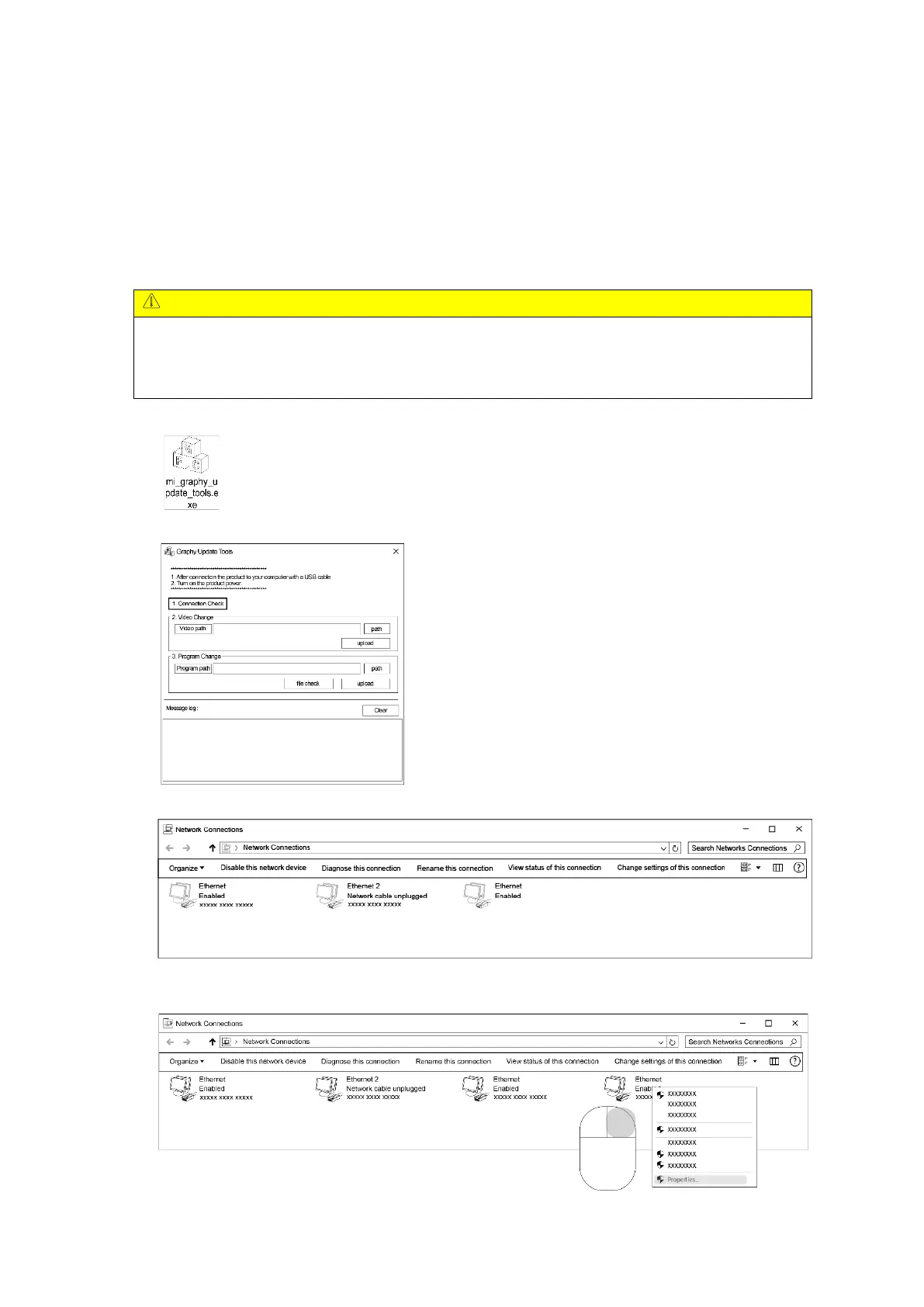
1) Double-click the icon below to run the program.
2) Check the below screen.
3) Connect PC or laptop and Tera Harz Cure with USB to USB cable.
< Network connection setting window before cable connection >
4) After connecting, right-click on the created Ethernet to enter the Properties window.


 To Next Page