17 / 25
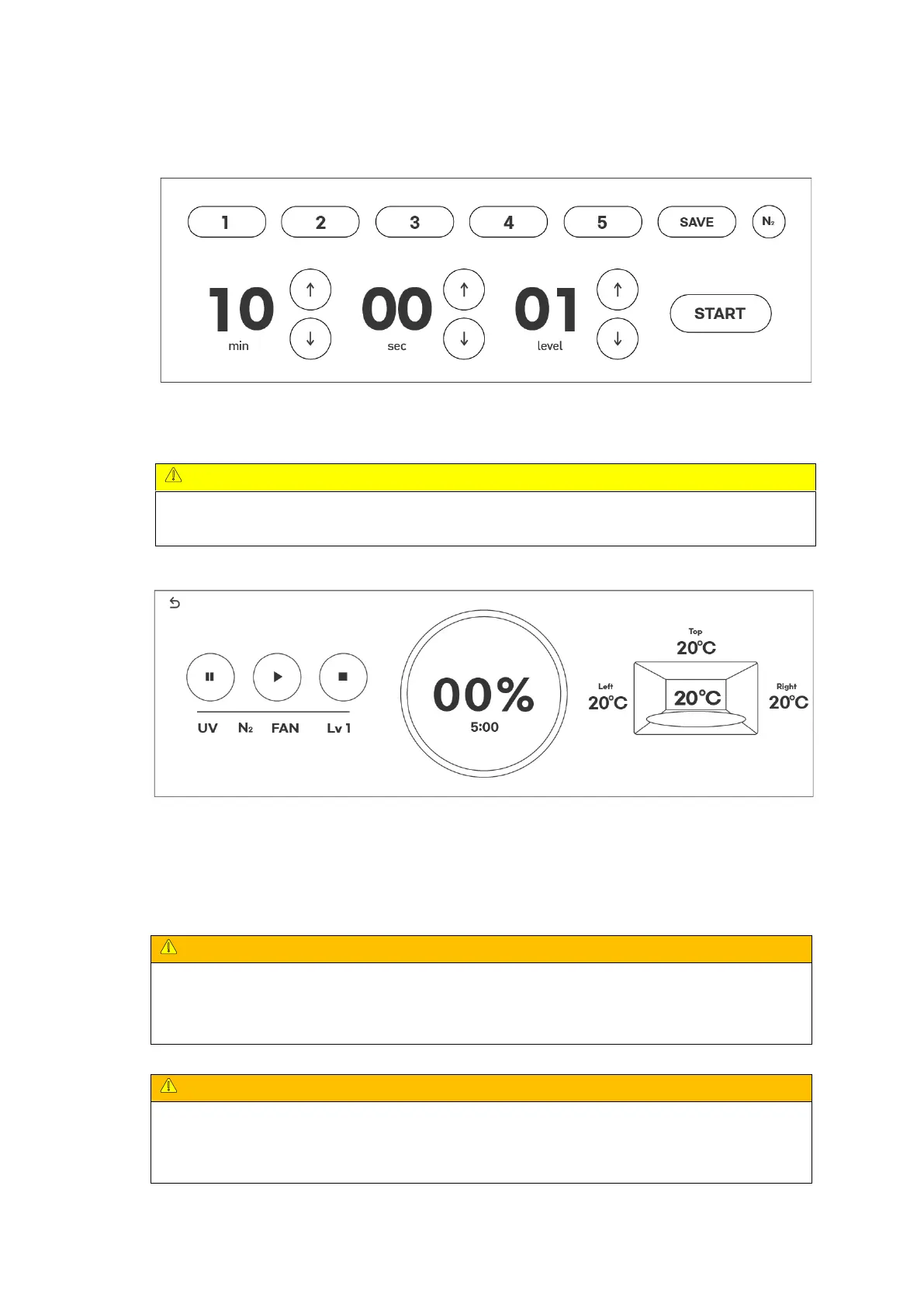
Main page : Start curing by selecting the saved mode from the above screen or by selecting
minutes, seconds, LEVEL, and nitrogen curing.
When performing normal curing, make sure that the nitrogen curing option is disabled.
(Curing does not proceed when nitrogen curing is selected)
Progress Page : After checking that the time, level, and nitrogen curing set on the curing
progress screen are correct, wait until the curing machine is finished.
After the above operation is completed, open the door and take out the cured objects to
check the cured state.
If you hold the cured object or tray plate right after curing, you may get burned or other
injury to your hands due to the hot temperature during curing, so be sure to cool it
sufficiently or wear gloves before taking out the cured object.
If you open the door immediately after curing or during curing, the UV LED may not turn
off right away. To protect your eyes, open the door after checking whether the inside of the
chamber is lit while the door is closed.


 To Next Page