July 3, 2007 K2 Storage System Instruction Manual 251
Setting up the L3 RAID chassis
Assign Fibre Channel address ID
Every RAID controller must have a unique Fibre Channel address ID that identifies
the controller on the Fibre Channel fabric. On the L3 RAID, you do not need to
manually set the Fibre Channel address ID, as it is pre-set at the factory.
Connect the L3 RAID chassis
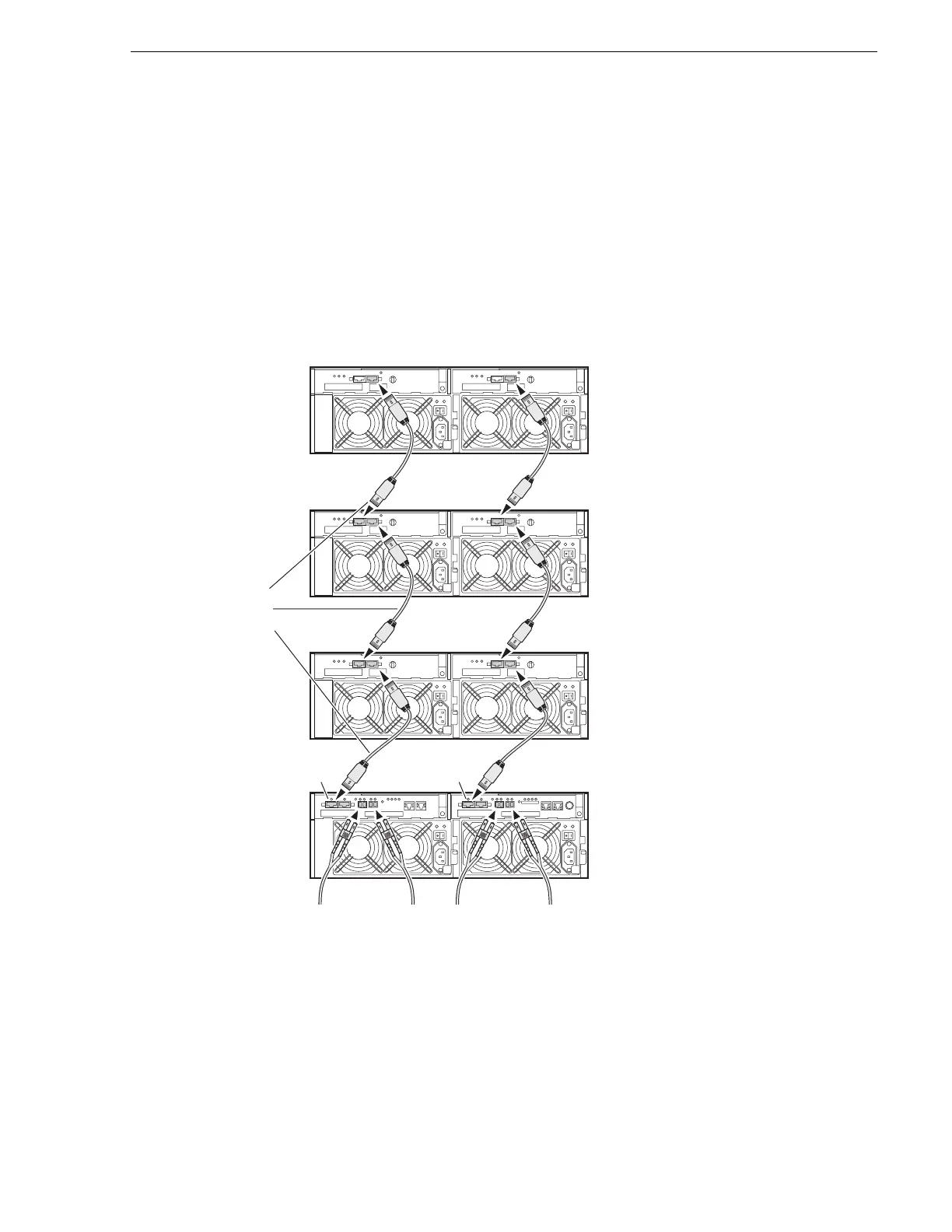
Connect Fibre Channel cabling.
L3 RAID
Chassis
All Expansion Chassis connected to DL1
Up to four
Expansion Chassis
are supported
DL1
1
st
L3 RAID
Expansion
Chassis
Next L3 RAID
Expansion
Chassis
.
.
.
.
.
.
.
.
.
.
Last L3 RAID
Expansion
Chassis
To
1
st
media
server
A L3 RAID Chassis with
one controller supports
1 or 2 media servers
A L3 RAID Chassis with
two controllers supports
3 or 4 media servers
If the second
controller
is installed,
connect these
cables.
To
2
nd
media
server
To
3
rd
media
server
To
4
th
media
server
DL1



 To Next Page