374 K2 Storage System Instruction Manual July 3, 2007
Chapter 11 Administering and maintaining the K2 Storage System
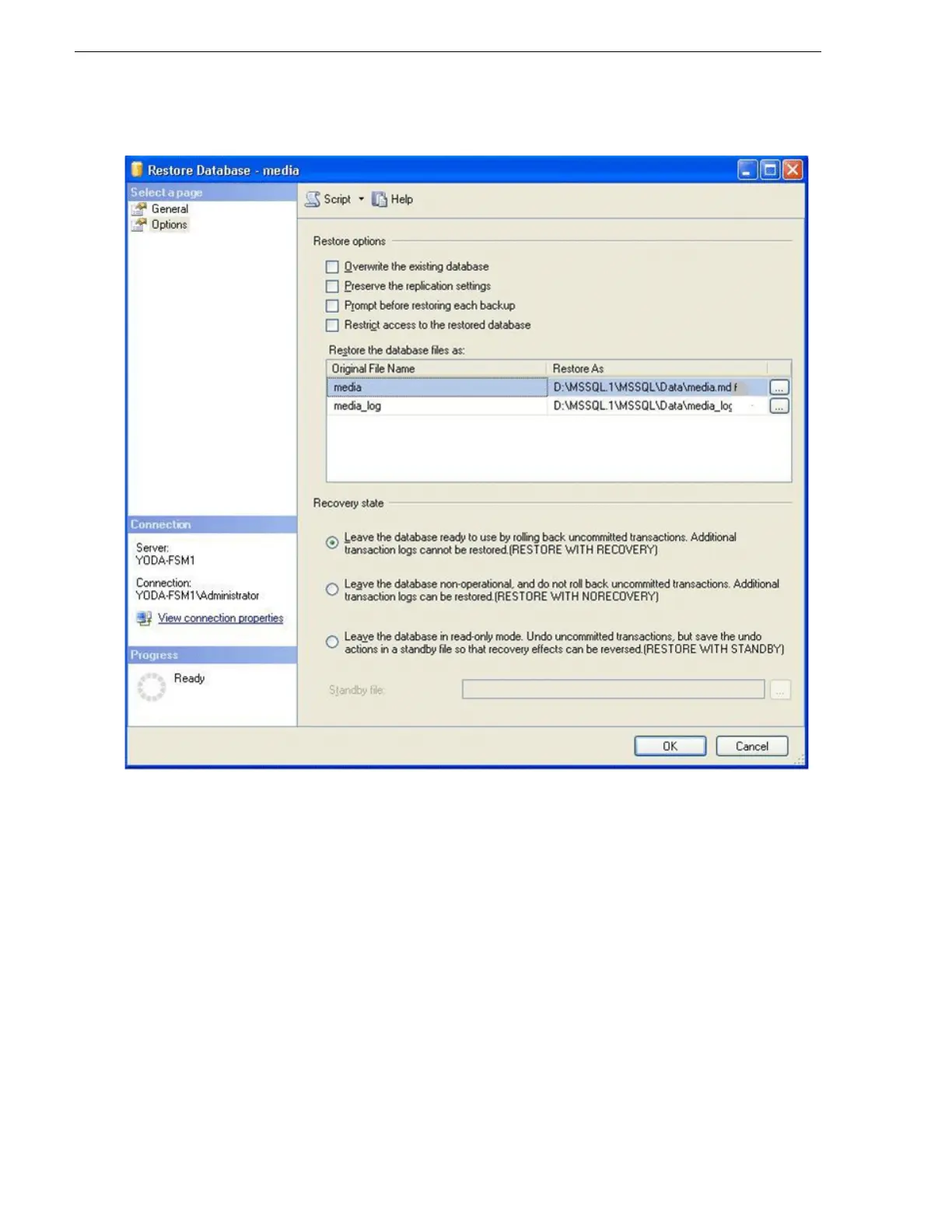
6. In the Restore Database Options view, specify the location to restore the media
database data file, as follows:
a. Under “Restore the database files as”, identify the row that specifies the media
database data file. This is the row that lists media in the Original File Name
column.
b. In the data file row, check the
… button. The Locate Database Files dialog box
opens.
c. In the Locate Database Files dialog box, browse to the following location:
D:\MSSQL.1\MSSQL\Data
d. In the File name field, type the following:
media.mdf
e. Click
OK. The Locate Database Files dialog box closes.
7. In the Restore Database Options view, specify the location to restore the media



 To Next Page