July 3, 2007 K2 Storage System Instruction Manual 85
Setting up the L2 RAID chassis
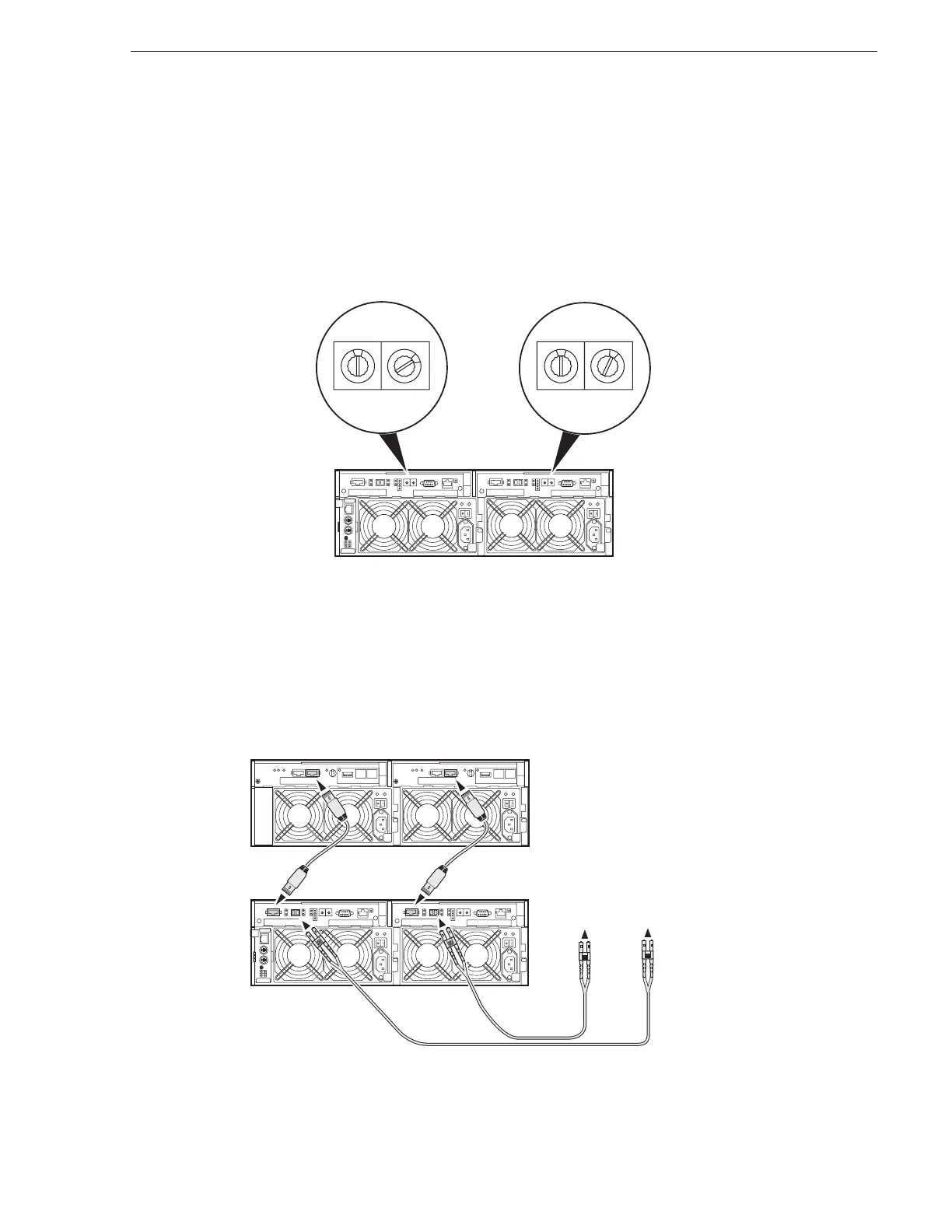
Assign Fibre Channel address ID
Every RAID controller must have a unique Fibre Channel address ID that identifies
the controller on the Fibre Channel fabric. To set the Fibre Channel address ID on the
L2 RAID, refer to the following diagram:
Connect the L2 RAID chassis
Connect Ethernet and diagnostic cabling as shown in the following diagram. Be aware
of the following cabling requirements of the Level 2 storage devices:
Set a unique Fibre Channel address on
both L2 RAID controllers.
0
2
Address ID = 2
0
1
Address ID = 1
Connect Fibre Channel cabling.
L2 RAID
Chassis
L2 RAID
Expansion
Chassis
(if installed)
Maximum of 1 Expansion Chassis
To media
server A
To media
server B



 To Next Page