14 / 36
33032_jp_V1
Interfaces
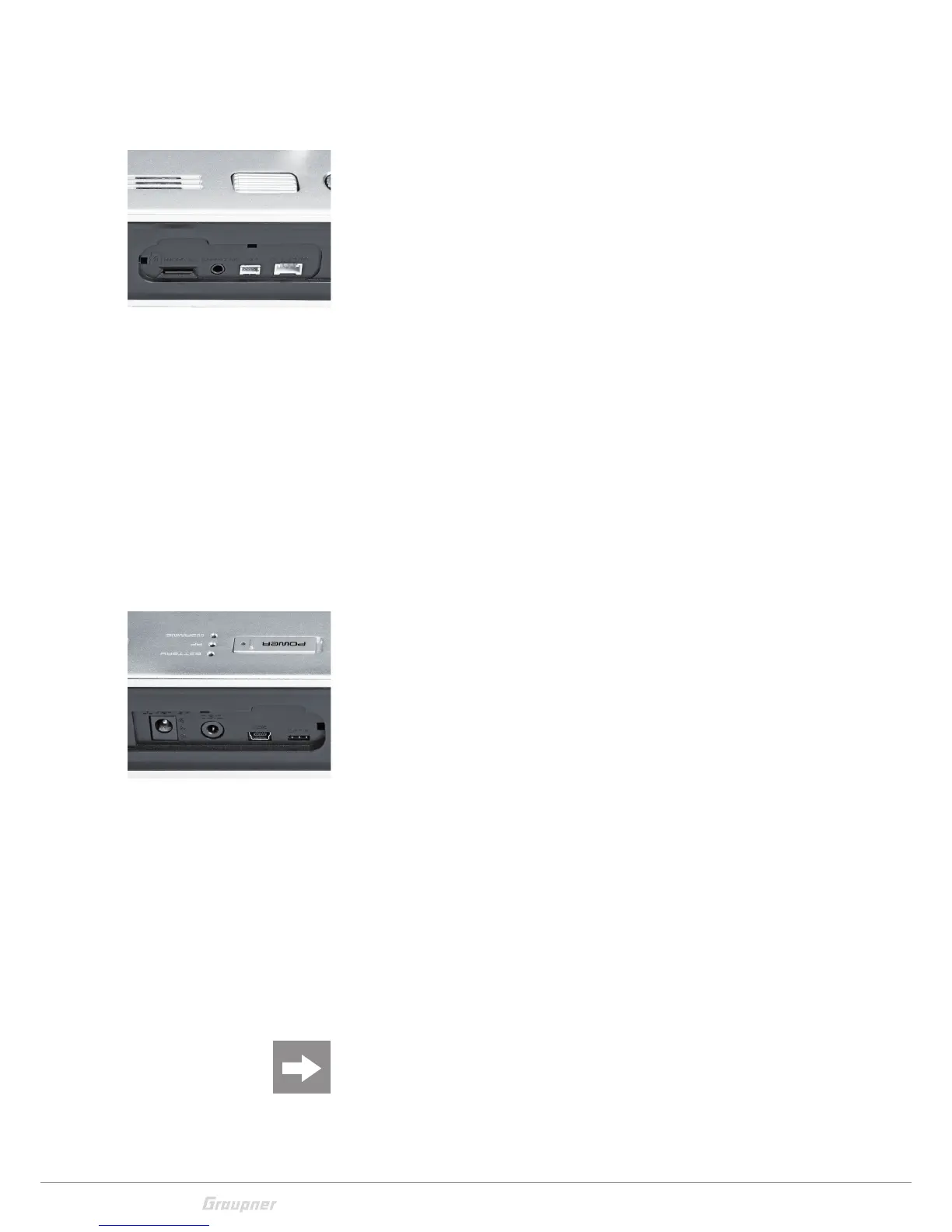
Face-side connections
Left face-side connections
1- Card slot
The card slot is suitable for micro SD memory card. For informa-
tion on removing and inserting the memory card, refer to the
section "memory cards".
2- Ear phones port
The ear phones port is suitable for a 3,5 mm jack. Though this
interface both acoustic signals and voice messages are emitted.
The volume can be controlled by "Voice volume" and "Signal vol-
ume" in the general settings.
3- EXT.PPM
Here it is possible to connect an external RF module.
4- SPI
To the SPI marked port is possible to connect an interface for
future use. The port is actually not implemented and should not
be used-
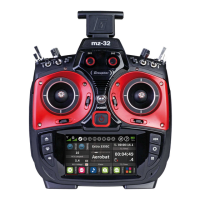
Right face-side connections
1- Charging socket
Through the charging socket you can charge the transmitter
battery using the supplied plug-in charger.
DO NOT USE PLUG-IN CHARGERS BY OTHER MANUFACTURERS OR
OTHER CHARGERS.
The maximum charge current is 1,5 A.
More information are available in the section "Charging the trans-
mitter battery".
2- DSC socket
In the middle of the right provided connections is located the
DSC socket. This socket allows the trainer/pupil function or for
flight simulators.
For more information on the DSC socket and the trainer/pupil
function see the section "DSC socket".
3- Mini-USB connection
Note
The mini USB socket is not suitable for flight simulator connection.
Through this socket it is possible to connect the transmitter to
a PC. The software that the computer needs as well as the
3
1
2
4
1
2
4
3



 To Next Page