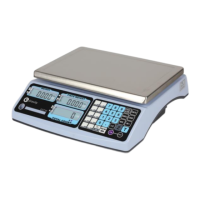
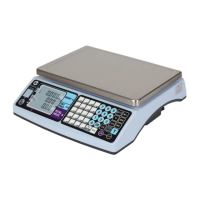
CWT7 USER AND SERVICE MANUAL
Revision: 03/2018 Page: 12
Locked Function (LF) Operations
CAL switch has to be ON (which is located inside the scale. You have to open the hole
at the back to get access to CAL switch. Password required when CAL switch is OFF.
Keep pressing the【ZERO】key (no releasing) while turning on the indicator. After self-
checking finishes, it displays P 00 00 . Input the password P 0 0 2 0 , and then press
【Print】to enter the parameter setting mode
*Press【ZERO】key or【TARE】key to shift between functions LF-1 ~ LF-8.
*Press 【Zero】【 Tare】【 N/G】to move and change the digits
*Press 【UNIT/ESC】to quit and the indicator will restart for normal weighing mode
LF1 Weight Calibration
Press【Print】key to enter zero calibration CALZ.
Make sure nothing on the platform of the scale and press 【M+】 to finish zero
calibration
Display the full capacity 03 0 0 . 0 0
*Full capacity weights recommended for calibration of the scale, or at least 60% F.S.
to assure the accurate weighing, it’s not allowed to do with 1% F.S weight or more than
100%F.S.weight.
Change the display value to be the same as the test weight.
Press 【Print】, the digits will twinkle
Place the test weights on the platform (example of 300Kg)
Press【Print】until the indicator recognizes the weight correctly.
Finish of calibration.
LF2 Parameter Setting
Press【Print】key to enter parameter setting mode and it will display the internal A/D
value.
Press【Print】key to set the weight units 1 10002 (both kg and lb units are enabled
with calibration using unit lb)
11 0 0 0 2
ABCDEF
A 0= disabled 1=Kg 2=Ton 3=g
B 0= disabled 1=lb 2=lb/oz
C 0= disabled 1=TW Kg 2=HK kg 3=VISS
D 0= disabled 1=PCS off 2=PCS ON
E 0= disabled 1=Multi interval 2=Multi range
F 1=Calibration In Kg 2=Calibration in lb


 To Next Page