D Series Modular Air-cooled Scroll Chillers
20
y
Temperature View
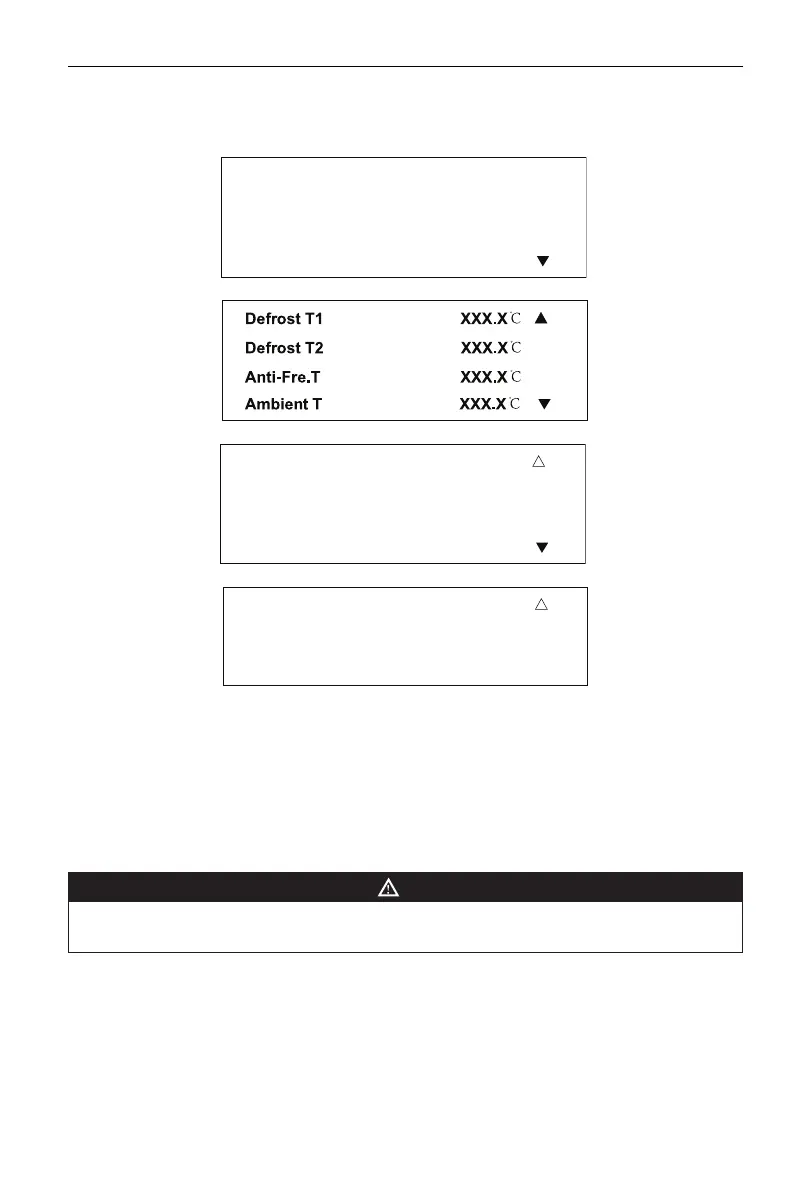
The function is for checking temperature at various temperature points. Select Temp. View and press
the Conrm button to go to the pages as shown in the following drawings.
C Water Tin XXX.X℃
C Water Tout XXX.X℃
H Water Tin XXX.X℃
H Water Tout XXX.X℃
Page 1
Page 2
Suction T1 XXX.X℃
Suction T2 XXX.X℃
Exhaust T1 XXX.X℃
Exhaust T2 XXX.X℃
▲
Page 3
Throttle T1 XXX.X℃
Throttle T2 XXX.X℃
▲
Page 4
Press the Up or Down selection button to convert among the above four pages. Press the Exit button to
quit the menu page and go back to the previous menu.
When page 1 is present on the screen, press the Reset button and the Exit button simultaneously for 3
seconds, and C Water Tin and H Water Tin, as displayed previously, will be converted to C AVER.Tin and
H AVER.Tin. And press again the Reset button and the Exit button simultaneously for 3 seconds, and C
Water Tin and H Water Tin will be displayed again. As such, display can be converted between water inlet
temperature and water inlet average temperature.
NOTE
•
Above temperature display is dependent on unit model. If the temperature sensor is not existent for a
certain model, “NA” would be present on the display zone for corresponding temperature point.



 To Next Page