EasyManua.ls Logo

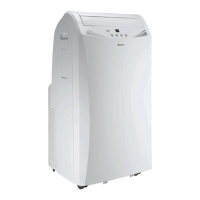
Gree GPH12AE-A3NNA8A - User Manual

Gree GPH12AE-A3NNA8A
23 pages
Print Icon
To Next Page IconTo Next Page
Loading...
UNITÉ PORTABLE
MANUEL DU PROPRIÉTAIRE
PORTABLE UNIT
OWNER’S MANUAL
Veuillez lire attentivement ce manuel du propriétaire avant de faire fonctionner cet
appareil et conservez-le à des fins de référence.
00525-11/10/11
00525-11/10/11
Please read this owner's manual carefully before operating,
and keep it for reference.
©
Copyright, Sunrise Tradex Corp., 2011
© Tous droits réservés, Sunrise Tradex Corp., 2011
MODÈLES
GPH12AE-A3NNA8A
13-04707
MODÈLES
GPH12AE-A3NNA8A
13-04707
WWW.GREE.CA
St-Mathieu-de-Beloeil (Québec) Canada
1-866-680-GREE
WWW.GREE.CA
St-Mathieu-de-Beloeil (Québec) Canada
1-866-680-GREE

Questions and Answers

  • J
    Jamie DickersonAug 16, 2025
    How to fix a Gree GPH12AE-A3NNA8A Air Conditioner that doesn't start?
    • J
      John MurrayAug 16, 2025
      If your Gree Air Conditioner isn't starting, there are several potential causes: * The power supply or plug might not be properly connected. Ensure the power plug is tightly inserted. * The power plug or socket could be malfunctioning. Consider replacing them. * The fuse might be broken. In this case, ask a maintenance professional to replace the fuse.
  • B
    Bruce TaylorAug 19, 2025
    Why is my Gree GPH12AE-A3NNA8A not cooling in COOL mode?
    • T
      Tamara MooreSep 12, 2025
      If your Gree Air Conditioner, when set to COOL mode, is not producing cool air, it could be normal if the room temperature is lower than the set temperature. Alternatively, frost may have formed on the evaporator; in this case, reduce the temperature setting on your unit.
  • R
    Robert CampbellAug 22, 2025
    Why is my Gree GPH12AE-A3NNA8A not blowing cold air in COOL mode?
    • M
      Matthew EdwardsAug 22, 2025
      If your Gree Air Conditioner is set to COOL mode but isn't producing cool air: * The room temperature might be lower than the set temperature. This is normal. * The evaporator might be frosting. The unit is running a defrosting operation, and it will resume normal operation after defrosting.
  • J
    Joel TranAug 25, 2025
    What to do if Gree Air Conditioner doesn't blow cool wind in DRY mode?
    • M
      Michael BowenAug 25, 2025
      If your Gree Air Conditioner is set to DRY mode but isn't producing cool air, the evaporator might be frosting. The unit is running a defrosting operation, and it will resume normal operation after defrosting.
  • M
    Mackenzie HarrisonAug 27, 2025
    What to do if my Gree Air Conditioner doesn't start?
    • B
      Brittany RodriguezAug 28, 2025
      If your Gree Air Conditioner doesn't start, make sure the power supply is properly connected by inserting the power plug tightly. If that doesn't work, the power plug or socket might be damaged and need replacement. Also, check if the fuse is burnt, and if so, ask a service technician to replace it. Finally, if the GFI is tripped, press the 'RESET' button to reset it.
  • M
    Mark GriffinAug 30, 2025
    Why does my Gree Air Conditioner LED screen display 'ES'?
    • C
      crystalchaneyAug 30, 2025
      If your Gree Air Conditioner's LED screen displays 'ES', this indicates low voltage. Turn off the power supply, wait 10 minutes, and then turn the unit back on. If the error persists, contact a service technician.
  • K
    Kathy HillSep 2, 2025
    What does it mean when my Gree GPH12AE-A3NNA8A displays 'F4'?
    • N
      Nancy SimmonsSep 2, 2025
      If your Gree Air Conditioner's LED screen displays 'F4', the wiring terminal between the outdoor condenser temperature sensor and the control might be loose or have poor contact. Try removing the temperature sensor and reinserting it to stabilize it. It could also be due to a short circuit, so check the circuit on the remote control. The outdoor condenser temperature sensor might be damaged and need replacement, or the control panel might be broken and need repair or replacement by a qualified technician.
  • P
    psimsSep 4, 2025
    What does it mean when my Gree GPH12AE-A3NNA8A displays 'H8'?
    • E
      emily30Sep 4, 2025
      If your Gree Air Conditioner's LED screen displays 'H8', it means the water tank is full. Pour out the water from the tank. If the error persists, contact a service technician.
  • C
    christopher50Sep 7, 2025
    What to do if my Gree GPH12AE-A3NNA8A Air Conditioner is not cooling in DRY mode?
    • J
      Juan HendersonSep 7, 2025
      If your Gree Air Conditioner, when set to DRY mode, is not producing cool air, the unit is likely running in defrost mode. It will resume normal operation after defrosting.
  • C
    Christopher GibsonSep 10, 2025
    What does it mean when my Gree GPH12AE-A3NNA8A displays 'F1'?
    • C
      Carrie ChavezSep 10, 2025
      If your Gree Air Conditioner's LED screen displays 'F1', it indicates a malfunction of the evaporator temperature sensor. Check if the indoor room temperature sensor is connected properly. Note that all repairs must be done by a qualified technician.

Summary

Summary

Working Principle

Structure

Unit Views

Diagrams illustrating the front and rear sections of the portable air conditioner.

Operating Instructions

Usage and Placement

Guidelines for unpacking, initial setup, and optimal positioning of the unit.

Electrical Requirements

Essential electrical safety standards and connection specifications for the unit.

Control Panel Functions

Detailed explanation of the control panel buttons, LED screen, and their operations.

Operating Modes and Drainage

Instructions for COOL, HEAT, DRY, FAN modes, and procedures for water drainage.

Parts and Functions of the Remote Control

Remote Control Overview

Identification of primary remote control buttons: ON/OFF, MODE, TEMP, FAN, Louver swing.

Additional Remote Functions

Explanation of TIMER, HEALTH/SAVE, Louver swing (left/right), and Temp. display buttons.

Special Remote Functions

Details operations for X-FAN, SLEEP, and LIGHT functions on the remote.

How to Use the Remote Control

General Operation Guide

Step-by-step instructions for basic unit operation using the remote control.

Optional Remote Operations

Guidance on using SLEEP, TIMER, LIGHT, X-FAN, and TURBO functions via remote.

X-FAN Function Explained

Description of the X-FAN function's purpose and operational behavior.

Advanced Remote Features

Information on AUTO RUN, Turbo, Lock, temperature units, and defrost settings.

Battery Replacement and Notices

Instructions for replacing remote batteries and important usage notices.

Exhaust Hose Accessories and Installation

Exhaust Hose Installation Guidelines

Recommendations for exhaust pipe length, flatness, and placement for proper installation.

Exhaust Hose Bending Recommendations

Illustrations of correct and incorrect bending dimensions for the exhaust pipe to prevent malfunction.

Included Exhaust Parts

Identification and images of the components included for the exhaust hose system.

Care and Maintenance

Unit Cleaning and Filter Maintenance

Safety precautions and instructions for cleaning the unit exterior and the air filter.

Electric Schematic Diagram

The electrical circuit diagram for the specific model GPH12AE-A3NNA8A.

Troubleshooting

Troubleshooting Guide

A list of common operational problems, their causes, and suggested solutions.

User Notices

Installation Location and Safety

Important considerations for selecting installation sites and user safety precautions.

Disposal and After Sales

Guidelines for proper product disposal and information on after-sales service.

After Sales Service

Installation and Maintenance of Healthy Filter

Healthy Filter Installation

Step-by-step instructions for correctly installing the healthy filter.

Healthy Filter Care

Guidance on cleaning and maintaining the healthy filter for optimal performance.

Warranty

Limited Warranty Terms

Details the warranty period, coverage, exclusions, and compressor warranty.

Warranty Service Information

Information required for warranty service, including model and serial number recording.

Gree GPH12AE-A3NNA8A Specifications

General IconGeneral
BrandGree
ModelGPH12AE-A3NNA8A
CategoryAir Conditioner
LanguageEnglish

Related product manuals