Overview
1. Overview
Many electronic devices with an RS232 serial interface are connected to their control system through an
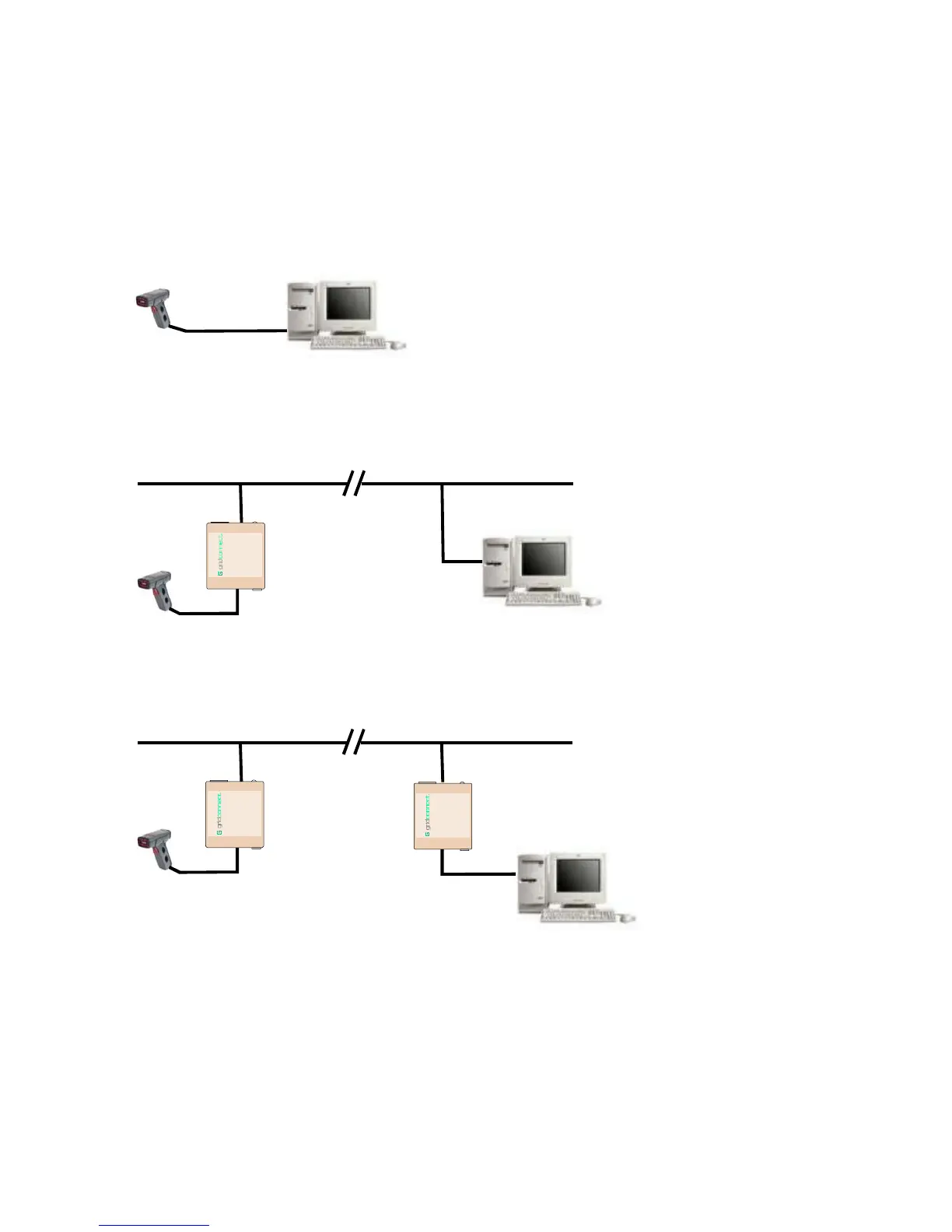
RS232 serial cable. In the drawing below, a serial device is connected to a computer using an RS232 cable.
RS232 Serial cables have length limitations so that the serial device must be close to the control point,
generally within 100 feet.
Serial Device
Computer
To overcome the serial cable limits, you can use a NET232 to make a serial to Ethernet link. Now you can
connect the control point to the serial device over the Internet. The software on the control system does not
have to be changed. The port used by the control system is redirected to a virtual Ethernet port.
Ethernet
Serial Device
Computer
NET232
Serial to Ethernet
Adapter
Et hernet/R S232Et hernet/R S232
Adapter
9-24 VDC PWR
RS232 ETH
NET232
In some cases, the control system cannot use redirector software or the system engineer simply wants to
replace the short RS232 serial cable with an infinitely long serial link. In this case, two NET232’s are linked
together to form a serial tunnel over an Ethernet link.
Ethernet
Serial Device
NET232
Serial to Ethernet
Adapters
Computer
Ethernet/RS232Ethernet/RS232
Adapter
9-24VDC PWR
RS 23 2 ET H
NET232
Ethernet/RS232Ethernet/RS232
Adapter
9-24VDC PWR
RS232 ETH
NET232
The
NET232 connects serial devices to Ethernet networks using the IP protocol family. Configuration of the
NET232 can be done from the serial port connection, a web page, or a Telnet connection.
NET232/NETUSB User Guide 1-1



 To Next Page